Free Starting Soon Screen for Ocarina of Time Remake Streams
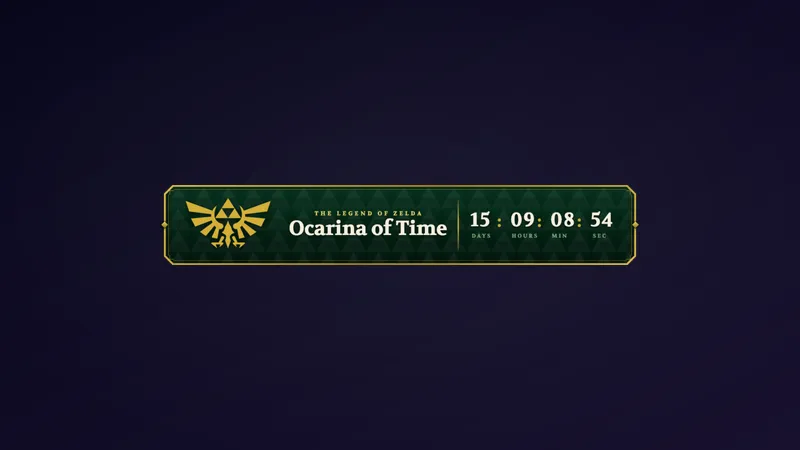
A Starting Soon screen made for The Legend of Zelda: Ocarina of Time Remake streams. The Master Sword rests in its Triforce pedestal under a night sky while glowing fairies flutter and leaves drift across Hyrule.
By Meld
Get Zelda Starting Soon free
Included with Meld Studio. Or stay in OBS with Spark Plug.
Before the first quest of the night begins, your stream needs somewhere for viewers to wait. This Starting Soon screen was made for Ocarina of Time Remake streams, and it sets the mood before you ever pick up a controller.
It is free with Meld Studio. No watermark, no subscription.
What is on screen
The Master Sword rests in its Triforce pedestal under a night sky. Glowing fairies flutter around it while leaves drift across Hyrule, so the frame is in constant, gentle motion. The sword glows as part of the scene, which keeps the center of the screen alive without any hard cuts or flashing.
Nothing here needs a trigger. The fairies, leaves, and sword animate on their own, so a viewer who lands five minutes early and one who lands thirty seconds early both see a scene that reads as “the stream is about to start” instead of a frozen graphic.
When to reach for it
Put it on its own scene and switch to it a few minutes before you go live. It fits the quiet stretch at the top of a run, when viewers are arriving and you are still checking audio or loading your save.
It also works as a holding screen later in the stream. Ask Meld Spark to change the title to your stream name for the opening, or to “Be right back” when you step away. The look stays the same, only the words change.
Who this is for
Zelda streamers, fantasy and adventure players, and anyone covering the Ocarina of Time Remake who wants a pre-stream screen that matches the game’s tone. It is a good fit if your channel leans cozy or nostalgic and a loud, high-energy opener would feel out of place.
Adding it to your stream
Download Meld Studio and add the scene to your layout. If you already run OBS and would rather stay there, the free Spark Plug for OBS plugin brings the same scene into your existing setup. Either way it works across Twitch, YouTube Live, Kick, and TikTok Live from a single sign-in.
How it works
- 1 Put it on its own scene and switch to it a few minutes before you go live.
- 2 The fairies, drifting leaves, and glowing sword animate on their own, so the wait never looks like a frozen frame.
- 3 Ask Meld Spark to change the title, for example to your stream name or "Be right back".
Use cases
-
Opening a first-playthrough stream
Launch day and the first weekend of a remake bring in viewers who show up early and wait. Switch to this scene a few minutes before you go live and the fairies, leaves, and glowing sword give them something to look at while you finish your setup.
-
Resetting the stream after a break
Put the scene on screen when you step away between dungeons or after a long boss attempt. Because everything animates on its own, the screen never looks like a frozen frame, and you can change the title to a message like "Be right back" when the pause is not a pre-stream wait.
Frequently asked questions
Is this Zelda Starting Soon screen free?
Yes. It is included free with Meld Studio. There is no paywall and no watermark, so you can add it to a scene and use it on every stream.
Which platforms does it work on?
Twitch, YouTube Live, Kick, and TikTok Live are all supported. The scene is a visual layer, so it looks the same whichever platform you stream to, and Meld signs you in once for all four.
Does it work with OBS Studio?
Yes. Spark Plug for OBS brings the scene into your existing OBS setup, so you do not have to switch apps. You can use it as is or customize it with help from Meld Spark in seconds.
Can I change the title text on the screen?
Yes. Ask Meld Spark to change the title, for example to your stream name or "Be right back". The change is made from a prompt, so you do not need to edit any code.
Do I need to start an animation myself?
No. The fairies, drifting leaves, and glowing sword animate on their own as soon as the scene is on screen. Put it on its own scene and switch to it a few minutes before you go live.