Clipping
The best moment
already happened.
Meld Studio is always recording in the background, so hitting Clip captures what just happened. Replay it live for your chat, then post it to TikTok, Shorts and Reels while it is still fresh.
Looking for Windows? Get it here
Looking for macOS? Get it here
Meld Studio runs on Windows and macOS
It can't be installed on a Chromebook. It isn't available for Linux. It can't be installed on a phone or tablet. Meld Spark works in any browser, so you can build overlays, alerts and widgets for your stream right here.
Open Meld Spark Download for another computerMeld Studio runs on Windows and macOS. Choose your computer:
One click, no setup
The moment is captured before you press the button.
Replay it live
Bring it back on your canvas without leaving the scene.
Vertical ready
Portrait clips export at 1080x1920, no reframing.
React to it while
it still matters
Turn stream moments into shared ones. Hit Clip and bring it straight back as an interactive replay on top of your current scene. There is no file to find and nothing to configure, so the room never loses momentum.
Full control, live on canvas
A replay is not just a playback. Scrub it, loop the part that matters, slow it down for the detail nobody caught, all without cutting away or opening another app.
Timeline scrubbing
Drag the scrubber to land on the exact frame worth talking about.
Loop points
Set an A and B handle and the clip loops between them for as long as you want.
Playback speed
Slow it down or speed it up to make the moment land properly.
Its own audio track
The replay gets a dedicated channel in the mixer, so you can duck it or mute it on the fly.
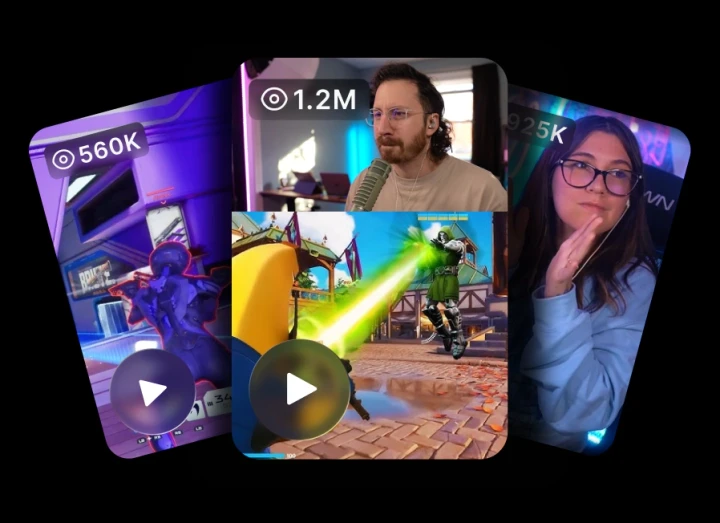
One stream, a week of posts
Short video is how new viewers find you, and a long stream is full of it. Clip as you go and you finish the session with a folder of content for TikTok, YouTube Shorts and Reels instead of hours of footage you will never scrub through.
As long as the moment was
Pick the clip length that suits what you make. Ten seconds for a reaction, two minutes for the whole play. Clips inherit your canvas settings, so resolution, framerate and encoder all match the stream they came from.
- 10s
- 30s
- 60s
- 90s default
- 120s
You're in good company
Thousands of creators already use Meld every day.
Meld is going to be a game changer. Everything you love about OBS with Adobe like effects, it's free, it will eventually have add ons. And it's faster, less resources.

@Italianclownz
after using @streamwithmeld for the past few streams, I am beyond impressed!!! It may still be in BETA but the response from my community has been amazing!

@BillyGoatTTV
@streamwithmeld is a game changer. yall need to get in on that IMMEDIATELY!

@comfiebeetv
With OBS, I had a scene for every single game and so many plugins. Meld? One scene captures every game without manually changing it. It worked straight from install.

@Riley_McKenna1
I switched from OBS to Meld, and I haven't looked back. I enjoy it so much.

@CodyDaltonSID
Meld is going to be a game changer. Everything you love about OBS with Adobe like effects, it's free, it will eventually have add ons. And it's faster, less resources.
@Italianclownz
after using @streamwithmeld for the past few streams, I am beyond impressed!!! It may still be in BETA but the response from my community has been amazing!
@BillyGoatTTV
@streamwithmeld is a game changer. yall need to get in on that IMMEDIATELY!
@comfiebeetv
With OBS, I had a scene for every single game and so many plugins. Meld? One scene captures every game without manually changing it. It worked straight from install.
@Riley_McKenna1
I switched from OBS to Meld, and I haven't looked back. I enjoy it so much.
@CodyDaltonSID
Creators and live streamers - keep tabs on @streamwithmeld. This is a new broadcasting software alternative to OBS that's in development, and they are doing some really cool things.

@Naaackers
Got to check out Meld Studio today, and this looks very promising. 👀

@_Smirky
As someone who has been part of the beta, I highly recommend giving Meld a chance. It is really unique and awesome to try out new options in the streaming space!

@noctisnexusttv
Switched from OBS Studio to Meld a few weeks ago, and my oh my! How easy it is to set everything up. No more having to download plugins for simple transitions.

@WeeScottishMark
I am in love with Meld Studio! It has made my live streaming so much easier than it was with OBS.

@OldNerdReviews
Creators and live streamers - keep tabs on @streamwithmeld. This is a new broadcasting software alternative to OBS that's in development, and they are doing some really cool things.
@Naaackers
Got to check out Meld Studio today, and this looks very promising. 👀
@_Smirky
As someone who has been part of the beta, I highly recommend giving Meld a chance. It is really unique and awesome to try out new options in the streaming space!
@noctisnexusttv
Switched from OBS Studio to Meld a few weeks ago, and my oh my! How easy it is to set everything up. No more having to download plugins for simple transitions.
@WeeScottishMark
I am in love with Meld Studio! It has made my live streaming so much easier than it was with OBS.
@OldNerdReviews
I mean those who love to tinker with options and apply a creative twist to the mundane elements of a stream production. there's a lot of options, filters and all round cool features within Meld.

@NathanOrDie
You don't always need plugins to create cool effects. @streamwithmeld is great software for content creators. And definitely worth a look.

@Mecky_79
I love @streamwithmeld! Why? Because not only do they have an amazing OBS alternative software to stream with, an outstanding community, constantly communicating with us!

@isagesen
I recently switched to Meld Studio from OBS and it's been the best decision! I highly recommend it. Plus the community and support is amazing.

@nadia_html
I've recently switched to Meld and honestly it's been great.

@Jordsyx
I mean those who love to tinker with options and apply a creative twist to the mundane elements of a stream production. there's a lot of options, filters and all round cool features within Meld.
@NathanOrDie
You don't always need plugins to create cool effects. @streamwithmeld is great software for content creators. And definitely worth a look.
@Mecky_79
I love @streamwithmeld! Why? Because not only do they have an amazing OBS alternative software to stream with, an outstanding community, constantly communicating with us!
@isagesen
I recently switched to Meld Studio from OBS and it's been the best decision! I highly recommend it. Plus the community and support is amazing.
@nadia_html
I've recently switched to Meld and honestly it's been great.
@Jordsyx
FAQ
Frequently Asked Questions
Is clipping free in Meld Studio?
Yes. Meld Studio is free on Windows and macOS with no watermark, and clipping is included. There is no per-clip limit and nothing to upgrade.
Do I have to be live to make a clip?
No. Once clipping is enabled, Meld Studio keeps the encoder running in the background, so the moment is already captured whether you are streaming, recording, or neither.
How long is a clip?
You choose: 10, 30, 60, 90 or 120 seconds. The default is 90 seconds, and hovering the Clip button shows the length currently selected.
Can I make vertical clips for TikTok and Shorts?
Yes. Clips follow your canvas settings, and the Portrait Canvas records at 1080x1920, so a vertical clip is ready to upload without reframing it afterwards.
Where do my clips get saved?
To the local destination you set in the clipping output settings, so they are sitting in a folder on your machine the moment you finish streaming.
Does clipping affect performance?
Keeping the encoder running in the background does use some extra resources. You can turn clipping off at any time in Settings, General, Clipping.