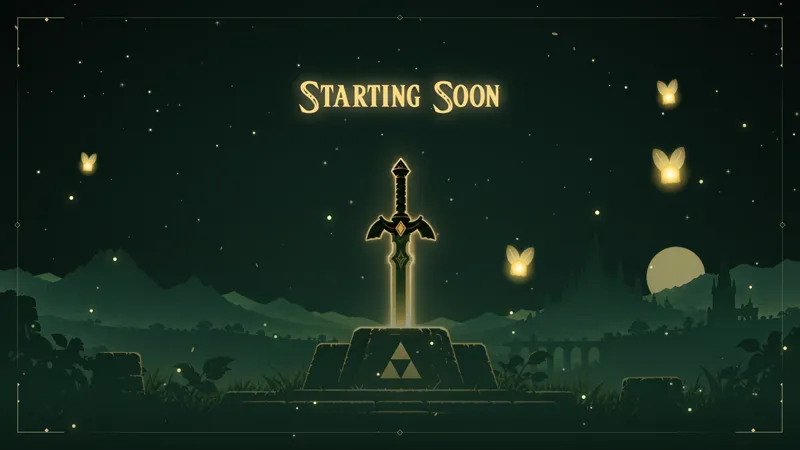
Free Pixel Art Starting Soon Screen for Minecraft Streamers
Set the mood before your stream even begins with a pixelated, Minecraft-styled Starting Soon screen to keep viewers engaged while they wait.
By Meld
Get Minecraft Starting Soon free
Included with Meld Studio. Or stay in OBS with Spark Plug.
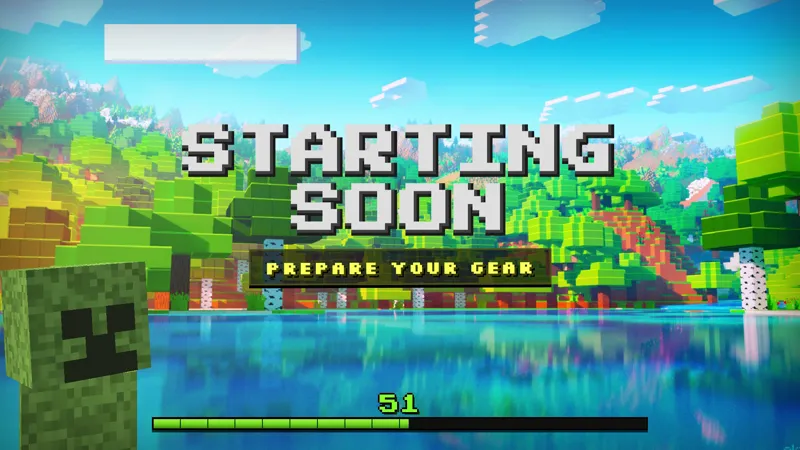
Early arrivals sit through your pre-stream window whether you designed it or not. A pixelated block-world aesthetic fills that time with something Minecraft fans immediately read as home: the chunky terrain, the earthy palette, the familiar visual grammar of a game built from cubes.
It is free with Meld Studio. No watermark, no setup fee, no subscription.
What is on screen
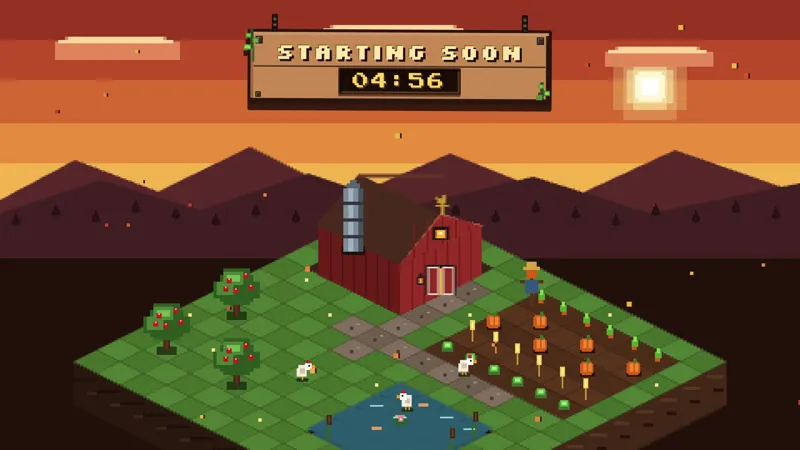
The Starting Soon scene presents a Minecraft-styled pixel art canvas. Block textures, a limited earthy color palette, and the visual grammar of the block world fill the frame with a look that signals Minecraft before a viewer reads any on-screen text. It is a pre-stream window that matches your content rather than something generic dropped in as a last step.
The scene runs as a sustained backdrop across the full pre-stream window. There is no chat dependency or countdown logic to configure. Drop it into a Meld Studio scene and the pixel art holds for as long as your pre-stream takes, whether that is two minutes or fifteen. Viewers arriving at any point see motion rather than a frozen frame.
Why themed pre-stream screens hold viewers longer
The first impression of your stream happens before the camera is on. A starting soon screen with visual texture tied to your game gives early arrivals a clear signal: they know what they are waiting for, and the block-world aesthetic tells them they are in the right place.
That specificity does real work. A viewer who lands on a themed Minecraft starting soon screen is more likely to stay than one who lands on a plain countdown card, because the design itself communicates that the streamer put thought into the session. It also builds session-to-session identity. Regulars who come back stream after stream see the same familiar pixel art and it becomes part of the channel experience.
For Twitch, YouTube Live, Kick, and TikTok Live viewers arriving across multiple platforms, the screen broadcasts identically. Every platform sends its early arrivals into the same Minecraft-styled canvas, so the community experience stays consistent no matter where they watch from.
Adding it to your stream
Download Meld Studio and the scene appears in your scene list with no configuration. If you already run OBS, the free Spark Plug for OBS plugin loads the same pixel art starting soon screen as a browser source inside your existing OBS layout. Either path puts the screen live in minutes, with no scripts and no monthly fee.
Use cases
-
Setting the right mood before your session begins
Minecraft streamers who want their channel identity to carry through from the first second benefit from a themed pre-stream window. Early arrivals see the block-world pixel art and know before you say a word that they are in the right room. That matched expectation is a cleaner handoff than a plain countdown card with no visual connection to the game.
-
Holding a room while regulars gather
For sessions that draw a loyal audience, the pre-stream window is the social gathering point before the actual stream begins. A Minecraft-styled screen gives regulars something cohesive to look at while they wait and greet each other in chat, rather than staring at a blank or generic placeholder.
Frequently asked questions
Is the Minecraft Starting Soon screen free?
Yes. The Minecraft-styled Starting Soon scene is included free with Meld Studio. No watermark, no paywall, and no usage cap. Drop it into a scene and it is ready to broadcast immediately.
Which streaming platforms does it broadcast on?
The scene works across Twitch, YouTube Live, Kick, and TikTok Live. Meld Studio connects to every platform you stream to, so the same pixel art starting soon screen goes out to all of them from one setup.
Does it work in OBS Studio?
Yes. Spark Plug for OBS loads the scene as a browser source inside your existing OBS layout, and Meld Spark lets you customize the look from a plain-English prompt in seconds. No switching software required.
Do I need to configure a countdown or chat connection?
No. The scene is a self-contained visual backdrop with no chat dependency or countdown logic to set up. Drop it into a Meld Studio scene and it runs for as long as your pre-stream window lasts, whether that is two minutes or fifteen.