Free Chamfered Plaque Chat Overlay for Ocarina of Time Remake Streams
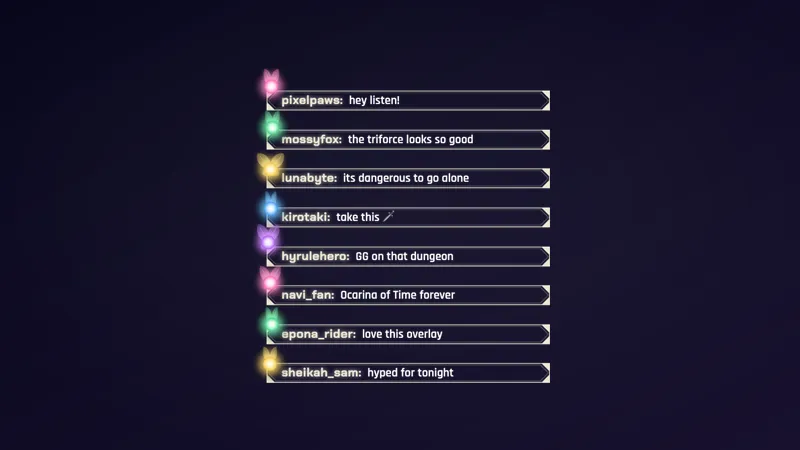
A chat overlay for The Legend of Zelda: Ocarina of Time Remake streams, in chamfered plaques that match the Zelda Triforce Webcam Frame. Each new message slides up in its own framed box.
By Meld
Get Zelda Framed Chat free
Included with Meld Studio. Or stay in OBS with Spark Plug.
A chat that sits over the dungeon map costs you the thing you are playing. Zelda Framed Chat avoids that by living in a tall, narrow layer beside your gameplay or camera, built for streams of The Legend of Zelda: Ocarina of Time Remake. Each message gets its own box, so chat stays readable without taking over the frame.
It is free with Meld Studio. No watermark, no setup fee, and no subscription required.
How it looks
Every new message slides up in its own chamfered plaque, with the chatter name up front. Chamfered means the corners are cut at an angle instead of rounded, which gives each box a carved, framed feel that suits a fantasy adventure. Because every message is a separate plaque, a fast chat reads as a clean stack of individual lines rather than a single wall of text.
The overlay pulls from every platform you stream to. Twitch, YouTube Live, Kick, and TikTok Live chatters all appear in the same stack, so multistreamers keep one chat on screen instead of four.
Why streamers use it
Adventure streams run long, and chat is often the thing that keeps a quiet stretch from feeling empty. A framed chat gives viewers a visible place to land when they type, and a clear sign that you are reading them. The tall layout keeps that presence on the side of the screen, so the action in the middle stays clear.
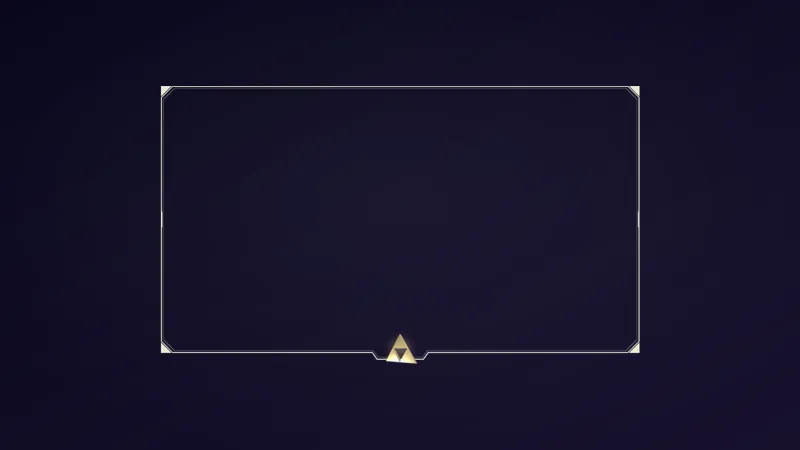
It also helps a layout feel finished. The chat shares its plaque shape with the Zelda Triforce Webcam Frame, so you can set a camera and a chat side by side and have them match without extra design work. Size both layers in your scene and the pairing is done.
Who this is for
Zelda streamers, fantasy adventure players, and anyone running Ocarina of Time Remake who wants a chat that looks like it belongs to the game’s world. It suits a primary chat on a solo stream, and it works just as well on a multistream where chatters arrive from several places at once.
Adding it to your stream
Download Meld Studio, add the overlay to a scene, and place it in a tall, narrow layer beside your gameplay or camera. If you already run OBS and would rather stay there, the free Spark Plug for OBS plugin brings the same overlay into your existing OBS scene. Either way, you sign in once and chat connects across Twitch, YouTube, Kick, and TikTok.
How it works
- 1 Drop it into a tall, narrow layer beside your gameplay or camera.
- 2 Every new message slides up in its own chamfered plaque, with the chatter name up front.
- 3 Pair it with the Zelda Triforce Webcam Frame, which uses the same plaque shape.
Use cases
-
A tall chat column beside the gameplay
Ocarina of Time Remake leaves room on the side of the frame, and a tall, narrow layer fits it. Drop the chat into that column and each message stacks as a separate plaque, so chatters stay readable while you explore a dungeon.
-
A matched camera and chat pair
When you want your whole layout to feel like one set, run the chat next to the Zelda Triforce Webcam Frame. Both use the same chamfered plaque shape, so the camera and the chat read as parts of one design during a long quest session.
-
Keeping chat visible during busy moments
When chat picks up during a boss fight or a big reveal, every message arrives in its own box with the chatter name up front. Viewers can tell who said what at a glance instead of parsing a single block of text.
Frequently asked questions
Is the Zelda framed chat overlay free?
Yes. It is included free with Meld Studio. There is no watermark and no subscription, so you can add it to a scene and go live.
Which streaming platforms does it work on?
Twitch, YouTube Live, Kick, and TikTok Live are all supported. Meld signs you in once and pulls chat from every platform you stream to, so messages from all four can appear in the same set of plaques.
Does it work with OBS Studio?
Yes. Spark Plug for OBS brings the overlay into your existing OBS scene as a browser source, and Meld Spark lets you customize it from a prompt in seconds. Use it as it is, or restyle it to match your layout without leaving OBS.
What does it match with?
It pairs with the Zelda Triforce Webcam Frame, which uses the same chamfered plaque shape. Size the camera frame and the chat to the same look and the two read as one design.
Where should I place it in my scene?
Put it in a tall, narrow layer beside your gameplay or your camera. The messages slide up inside that layer, with the newest plaque arriving at the bottom edge.