Free 3D Robot Boxing Chat Game Where Viewers Fight with Commands
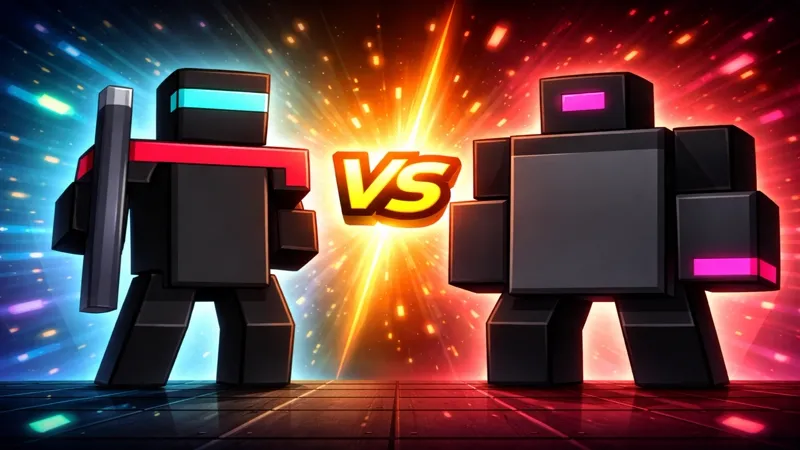
Two chatters step into the ring as boxing robots and fight it out with chat commands. When a fight ends, the next two in the queue take the ring.
By Meld
Get Robot Chat Fight free
Included with Meld Studio. Or stay in OBS with Spark Plug.
A viewer types !fight and nothing happens until a second viewer does the same. Then two boxing robots step into a 3D ring on your stream, and chat has a match to watch. Robot Chat Fight is a free chat game where the fighters are your viewers and the controls are commands typed in chat.
How it works
The flow is built around a queue. !fight puts a chatter in line, and the fight starts once two chatters have joined. During the match, !attack throws a punch, !block blocks the next hit, and !special uses the fighter’s special move. Everything is typed in the same chat box viewers already use, so nobody installs anything or opens a second window.
When a fight ends, the next two chatters in the queue take the ring. That keeps the game rolling without you stepping in. Anyone else can type !fight to get in line, and everyone gets a turn to play or cheer.
The overlay reads chat from every platform you stream to. Twitch, YouTube Live, Kick, and TikTok Live viewers all use the same commands and can end up in the same ring, so a multistreamer gets one shared arena instead of four separate chats.
Why streamers use it
Chat games work best when they ask for one small action. Typing !fight is about as small as it gets, and it turns a lurker into a fighter in a few seconds. The audience watching the ring has something to react to, and the two chatters in it have a reason to keep typing.
It fits moments when your attention is elsewhere: an ad break, a loading screen, a long boss attempt, or a stretch of Just Chatting where the conversation needs a push. Because the queue handles who goes next, it runs on its own while you keep talking or playing.
Who this is for
Streamers who like community-driven moments, small channels that want chat to feel busy, and larger streams that want a viewer-versus-viewer game on screen. It works as a break-time filler or as a regular segment you announce ahead of time.
Adding it to your stream
Download Meld Studio and add Robot Chat Fight to a scene. If you already run OBS and would rather stay there, the free Spark Plug for OBS plugin brings the same overlay into your OBS scene. Either way it costs nothing, and chat connects across Twitch, YouTube, Kick, and TikTok from a single sign-in.
Use cases
-
Giving a quiet chat something to do
When chat is quiet, a fight gives people a reason to type. One viewer sends !fight, a second joins, and suddenly two chatters are in the ring while everyone else watches. Anyone who wants to play next just joins the queue.
-
Filling ad breaks and downtime between rounds
Between matches in a ranked grind, or during an ad break on a Just Chatting stream, the ring keeps the screen busy. Viewers settle small arguments with !attack, !block, and !special while you reset, and the next pair steps in when a fight ends.
Chat commands
Frequently asked questions
Is the robot chat fight overlay free?
Yes. Robot Chat Fight is included free with Meld Studio. There is no paywall and no watermark, so you add it to a scene and chat can start fighting right away.
Which chat platforms does it work with?
Twitch, YouTube Live, Kick, and TikTok Live all work. Meld signs you in once and pulls chat from every platform you stream to, so viewers on different platforms can queue up and fight in the same ring.
Does it work with OBS Studio?
Yes. Spark Plug for OBS brings the overlay into your existing OBS scene, and Meld Spark lets you customize it with a prompt in seconds. You keep your OBS setup and still get the full chat game.
How do viewers join a fight?
They type !fight in chat to join the queue. The fight starts once two chatters have joined, and when it ends the next two in the queue take the ring.
What commands do fighters use?
Once in the ring, a fighter can use !attack to throw a punch, !block to block the next hit, or !special to use their special move. Anyone not in the ring only needs !fight to get in line.