Free Chat 1v1 Fighting Game Overlay for Your Stream
Viewers battle each other with chat commands in a retro fighting game overlay. Two players are picked from chat and take turns attacking, blocking, and using special moves.
By Meld
Get Chat 1v1 free
Included with Meld Studio. Or stay in OBS with Spark Plug.
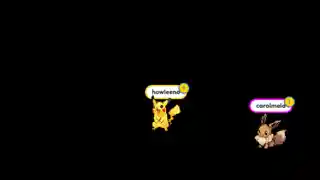
What if chat had a way to settle an argument on screen instead of in the message feed? Chat 1v1 is a retro fighting game overlay where two viewers, drawn from chat with !fight, take turns trading blows in a sprite-style arena. The rest of your room watches the match unfold and queues up for the next round.
It is free with Meld Studio. No watermark, no setup fee, and no per-stream usage cap.
How a match plays out
Viewers type !fight to enter the queue. The overlay picks two players for each round and pulls them onto the canvas as sprite fighters. From there the match is turn-based and entirely chat-driven. !attack lands a basic hit, !block defends against the next incoming move, and !special triggers a stronger move with a bigger swing in damage. Players alternate until one of them wins, and the queue rolls forward to whoever typed !fight next.
The rhythm is fast enough to fit between matches in your main game, but structured enough that the rest of chat can cheer, call out reads, and pile on after a clutch !special connects. Regulars start to develop reputations across sessions, and new viewers who type one command are immediately part of the show.
Twitch, YouTube Live, Kick, and TikTok Live all feed into the same queue. A Kick viewer can fight a YouTube viewer in the same match without anyone needing to switch platforms or open another tab. For multi-platform streamers, that single shared queue is the difference between four fragmented chats and one community match.
When to drop it in
Chat 1v1 fits naturally into the gaps in any stream. Between ranked queues, on character select, during long loading screens, or as a planned segment in a Just Chatting block. It also works as a recurring event: a nightly tournament bracket where the winner from one match defends against the next !fight in queue.
The overlay is on-brand for retro gaming streams, fighting game communities, and variety channels that lean into audience interaction. For streamers running themed nights, Meld Spark lets you redress the entire match with a single prompt, swapping the fighters to anime characters, pixel knights, or whatever the night calls for.
Adding it to your stream
Download Meld Studio and Chat 1v1 is one drag away from going live, with the chat connections to Twitch, YouTube, Kick, and TikTok already linked from a single sign-in. If you would rather stay in OBS, the free Spark Plug for OBS plugin loads the overlay as a browser source inside your existing OBS scene, with the same multi-platform queue and the same chat commands.
Use cases
-
Filling downtime between matches or rounds
Between queues, loading screens, or warm-up rounds, chat can drift. Chat 1v1 turns that gap into its own event: pull two names from chat with `!fight` and the rest of the room watches them trade `!attack`, `!block`, and `!special` calls until one wins. The downtime becomes a bit your viewers wait for.
-
Variety and Just Chatting streams that lean on audience play
For variety streamers, Just Chatting hosts, or any channel where the audience expects to be part of the show, the overlay gives chat a structured way to compete. Rivalries form between regulars across sessions, and new viewers who type `!fight` once are immediately part of the cast for that night.
Chat commands
Frequently asked questions
Is the Chat 1v1 fighting overlay free?
Yes. Chat 1v1 is included free with Meld Studio. There is no paywall, no watermark, and no usage limit. Drop it into a scene and viewers can join the next match the moment it loads.
Which platforms can my viewers play from?
Twitch, YouTube Live, Kick, and TikTok Live are all supported. Meld signs you in once and pulls chat from every platform you stream to, so a Kick viewer can fight a YouTube viewer in the same match without anyone switching feeds.
Does this work with OBS Studio?
Yes. Spark Plug for OBS loads Chat 1v1 into your existing OBS scene as a browser source, and Meld Spark lets you restyle the fighters, change the move set, or theme the arena to match your channel from a plain-English prompt in seconds.
How do viewers join a match?
Viewers type `!fight` to enter the queue. Two players are picked from chat for each round and take turns calling `!attack`, `!block`, and `!special` until one wins. Anyone watching can jump in for the next match with another `!fight`.
Can I change the characters or art style?
Yes. Meld Spark, the AI overlay editor included with Meld Studio, lets you reshape the look in plain English. A prompt like "Change the fighters to anime-style characters with neon effects" rewrites the art without you opening a code editor or editing any files.