Free Cube-Shaped 3D Pets That Represent Every Chatter on Stream
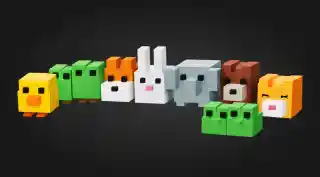
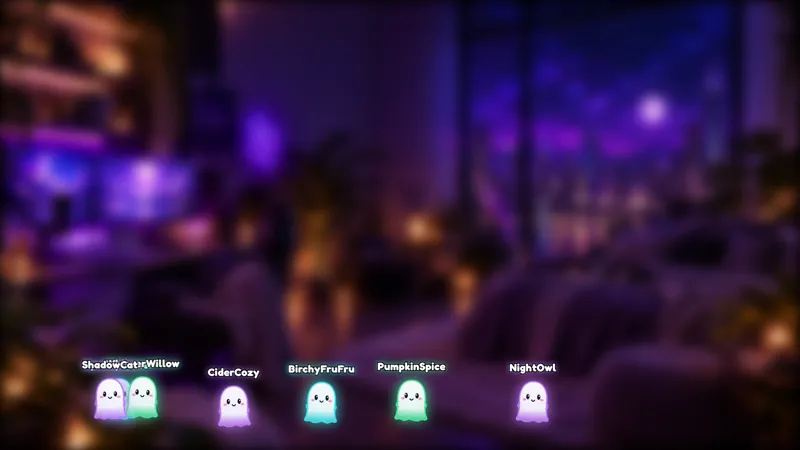
Everyone who joins your chat becomes a cube-shaped 3D pet in the scene, with their name and latest message above it.
By Meld
Get Cubic Pets 3D free
Included with Meld Studio. Or stay in OBS with Spark Plug.
Cubic Pets 3D turns your chat list into a crowd you can actually see. Everyone who joins your chat becomes a cube-shaped 3D pet in the scene, with their name and their latest message floating above it. It is a free chat overlay, and it works for streamers on Twitch, YouTube Live, Kick, and TikTok Live.
If you have ever watched a viewer arrive, glance at a wall of text, and leave, this is the other way to show them your community. They see characters first and words second.
What it looks like on stream
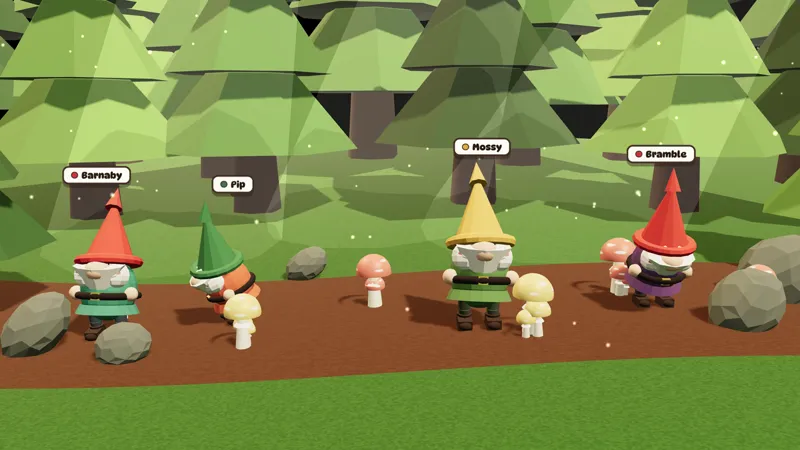
Each chatter gets their own pet, built from simple cubes and rendered in 3D. The name sits above the pet so you and the rest of chat know who is who at a glance. Above it, the chatter’s latest message appears, so a pet is not just decoration. It is also the way their words reach the screen.
Because the pets share one scene, your chat becomes a small gathering rather than a list. When someone talks, you see which pet they are. When a lot of people join at once, the scene fills up and the stream looks busy without you doing anything.
The style is soft and cute, which makes it a natural match for cozy games, Just Chatting, and creative streams. It pairs well with a calm background and a clean layout.
When to reach for it
Use it on a small channel when you want the room to feel lived in. Use it during a raid or a big moment so newcomers watch themselves arrive. Use it on a talk-heavy stream when you would rather have chat inside the scene than in a panel off to the side.
It also gives your viewers something to look for. Seeing your own pet with your name on it is a small reward for typing in chat, and it tends to bring people back for the next stream.
Who it is for
Variety streamers, Just Chatting hosts, cozy game players, and creators who care about the look of their scene. If your layout has open space and you want your community to fill it, this overlay does that.
Adding it to your stream
Download Meld Studio and add the overlay to a scene. Your chat connections come through a single sign-in, covering every platform you stream to. If you already run OBS and want to stay there, the free Spark Plug for OBS plugin brings the same overlay into your existing scene, so no switch is required.
Use cases
-
Making a quiet chat look like a crowd
When only a handful of people are talking, a text feed feels empty. Cubic Pets 3D places each of them in the scene as a pet, so even five chatters read as a small gathering. A new viewer who lands on your channel sees a room with people in it.
-
Reading chat without a separate message panel
Each pet carries its owner's name and latest message above it, which means chat lives inside the scene instead of in a side column. That suits Just Chatting, art streams, and cozy games where you want the conversation visible but do not want a box covering your layout.
-
Welcoming a raid or a new wave of viewers
When a raid arrives and dozens of people type at once, the scene fills with new pets as they join. The raiders see themselves appear on screen within seconds, which gives them a reason to keep chatting.
Frequently asked questions
Is the Cubic Pets 3D overlay free?
Yes. It is part of the free Meld gallery, with no watermark and no per-stream cap. Add it to a scene in Meld Studio and it starts responding to chat.
Which platforms does it work with?
Twitch, YouTube Live, Kick, and TikTok Live all work. Meld signs you in once and pulls chat from every platform you stream to, so chatters from all four can show up as pets in the same scene.
Does it work with OBS Studio?
Yes. Spark Plug for OBS brings the overlay into your existing OBS scene, and Meld Spark lets you customize it from a prompt in seconds. You keep your OBS setup and still get the 3D pets.
What does each pet show?
Every pet is a cube-shaped 3D character with the chatter's name and their latest message above it. When that person writes again, the message above their pet updates to match.
Who is this overlay a good fit for?
Streamers who want chat to be part of the picture: Just Chatting hosts, cozy game streamers, and small channels that want to feel more alive. It also suits anyone who likes a cute, three-dimensional look over a plain scrolling feed.