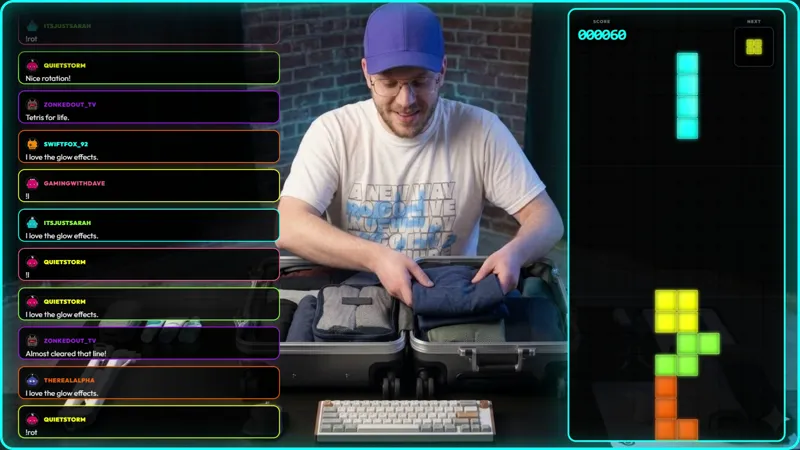
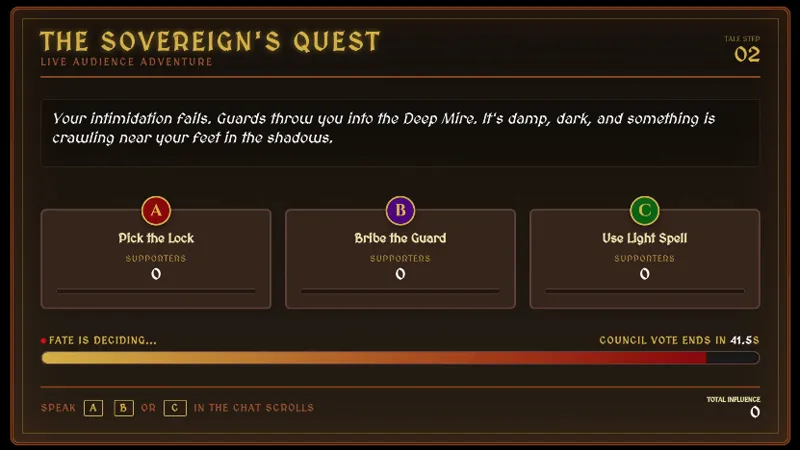
Free Chat-Controlled Pong-Style Game for Your Stream
Chat controls the paddles in a classic game of pong. A simple way to turn downtime into a community moment.
Get Chat Pong free
Included with Meld Studio. Or stay in OBS with Spark Plug.
Chat is at its best when it has something to do together. Chat Pong gives them a paddle. Two sides battle out a round of arcade-style paddle tennis on screen and the paddles move on chat input, so the result of every rally reflects how engaged the audience is on each side.
It is free with Meld Studio. No watermark, no setup fee, no subscription required.
How a round plays
The board is the simple two-paddle, one-ball arena anyone who has been online for the past four decades recognizes. A ball bounces back and forth, the paddles intercept it, and a missed paddle scores the other side. The twist is that nobody on screen is a single player. Viewers type in chat to control the paddles, and both sides are crowd-driven in real time.
That collaborative input shapes the feel of a round. A coordinated side moves cleanly to meet the ball. A chaotic one whiffs and scrambles. Either reaction is good content: chat sees its own behavior on screen, and the round becomes the conversation rather than a backdrop to it.
Chat from Twitch, YouTube Live, and Kick all feeds the same game. Multistreamers do not need to pick a platform: a Kick viewer and a YouTube viewer can be on the same paddle in the same rally.
When to use it
Chat Pong fits the lulls in any stream. Queue times in competitive games, the gap between matches in fighting games, intermissions in long sessions, and the warm-up minutes before the main game begins all benefit from giving chat a small, collective task. Just Chatting and variety streamers can run it as a recurring bit, with a round triggered whenever conversation needs a reset.
It also works well as a “first follow” hook. A viewer who lands on the channel during a round sees an active overlay reacting to chat and immediately understands the stream wants their participation. Typing a command is the lowest possible bar to engagement.
Customizing with Meld Spark
The overlay is ready as-is. Meld Spark, the AI overlay editor built into Meld Studio, lets you reshape it from plain English. A prompt like “Use neon blue and pink paddles and keep a running scoreboard across streams” recolors the game and adds persistent scoring. You can adjust paddle speed, change the ball physics, or add a leaderboard that survives between sessions, all without opening a code editor.
Adding it to your stream
Download Meld Studio and Chat Pong drops into a scene with no configuration. If you already stream from OBS and want to stay there, the free Spark Plug for OBS plugin loads the same overlay as a browser source inside your existing OBS layout, with the same chat-driven paddles and the same multi-platform support.
Use cases
-
Filling downtime between matches or rounds
Queue times, lobby waits, and the gap between rounds are where viewers drift away. Dropping in a paddle game gives chat something to do as a group while you reset. Two sides battle in real time and the lull turns into a community moment instead of a quiet stretch.
-
Just Chatting and IRL streams
For streams without a live game on screen, a chat-driven mini-game gives the audience a second thing to engage with alongside conversation. The paddles move on viewer input, so the energy in chat translates directly into how the round plays out, without you needing to host a separate activity.
Interactive controls
Viewers type in chat to control the paddles. Two sides battle it out in real time.
Frequently asked questions
Is the Chat Pong overlay free?
Yes. Chat Pong is included free with Meld Studio. There is no paywall, no watermark, and no usage cap. Drop it into a scene and it works the moment chat starts sending commands.
How does chat control the paddles?
Viewers type in chat to control the paddles, with two sides battling in real time. The left and right paddles each respond to chat input, so the round becomes a group effort on each side rather than a single player versus the AI.
Which platforms does it work on?
Chat Pong supports Twitch, YouTube Live, and Kick. Meld signs you in once and pulls chat from every platform you stream to, so a viewer on YouTube and a viewer on Kick can be moving paddles in the same round together.
Does this work with OBS Studio?
Yes. Spark Plug for OBS drops Chat Pong into your existing OBS scene as a browser source, and Meld Spark lets you recolor the paddles, adjust difficulty, or add a persistent leaderboard from a plain-English prompt in seconds.
Can I keep a leaderboard across streams?
Yes. Meld Spark, the AI overlay editor included with Meld Studio, handles persistence from a single prompt. "Use neon blue and pink paddles and keep a running scoreboard across streams" applies immediately and the data carries between sessions.