Free Isometric Pixel Art Farm Starting Soon Screen for Your Stream
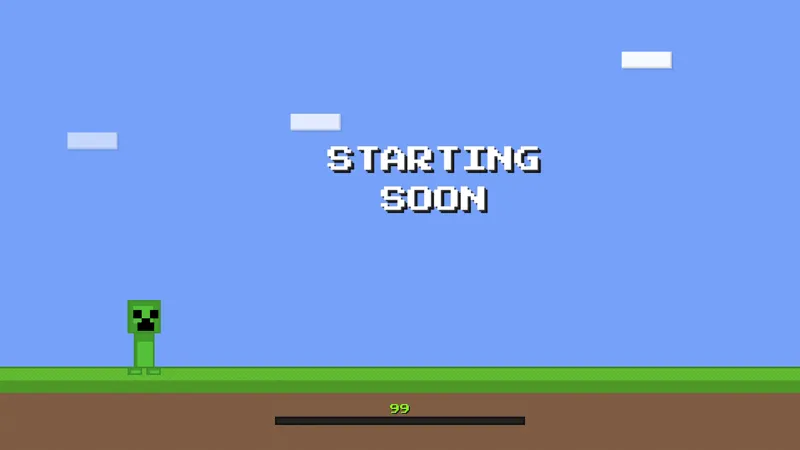
A cozy isometric pixel art farm at sunset, with a barn, chickens and a hanging Starting Soon sign that counts down to your stream.
By Meld
Get Little Isometric Farm Starting Soon free
Included with Meld Studio. Or stay in OBS with Spark Plug.
Sunset on a small farm is a good place to leave your viewers while you get ready. The Little Isometric Farm Starting Soon scene is a pixel art farm seen from above and at an angle, with a barn, a few chickens, and a sign hanging in the evening light. It is a free Starting Soon screen for streamers who want the wait to feel calm.
It is free with Meld Studio. No watermark, no paywall, no setup fee.
What is on screen
The whole scene is drawn in pixel art on an isometric grid, so the farm reads like a tiny diorama. A barn anchors the picture, chickens sit around the yard, and the warm sunset gives everything a soft, cozy glow. A hanging sign carries the Starting Soon message and counts down to your stream.
Nothing in the scene asks for chat input or events. It is a pre-stream backdrop, built to sit on screen until you switch to your game or camera. That makes it a simple pick when you want something polished without extra setup.
When to use it
Use it as the first scene of the night, before you go live, or as the opening card on a scheduled show. Because the countdown is on the sign itself, viewers do not have to guess when you are starting. They can see it, which cuts the early drop-off that comes from a screen with no clear signal.
The cozy look suits farming sims, life sims, cooking games, and any channel with a gentle, relaxed tone. It also works for variety streamers who want a warm scene to open the stream and then switch to something louder.
Who this is for
Cozy gaming streamers, farming sim fans, pixel art lovers, and anyone who wants a Starting Soon scene that feels hand drawn rather than templated. It works for new channels that need a finished-looking opening scene, and for established ones that want a seasonal change from their usual screen.
The scene works on every platform you stream to. Twitch, YouTube Live, Kick, and TikTok Live viewers all see the same farm, whether you stream to one platform or several at once.
Adding it to your stream
Download Meld Studio and the scene is one drag away from being live. If you already run OBS and would rather stay there, the free Spark Plug for OBS plugin brings the same scene into your existing OBS setup. Either way, there are no scripts to write and no monthly fee for the screen itself.
Use cases
-
Cozy and farming sim streams
If your channel plays farming sims, life sims, or relaxed co-op games, this scene sets the tone before you say a word. The sunset farm matches the mood of the game you are about to play, so the wait feels like part of the stream instead of dead air.
-
Giving early arrivals something to watch
Viewers who show up a few minutes early see a barn, chickens, and a countdown sign instead of a blank scene. That is enough to keep them in the tab while chat fills up and you finish your last setup check.
-
Scheduled streams and weekly shows
When you go live at the same time every week, a recognizable pre-stream scene becomes part of the routine. Regulars learn the farm means the show is minutes away, and new viewers get a clear sign that a stream is about to begin.
Frequently asked questions
Is this farm Starting Soon screen free?
Yes. The Little Isometric Farm Starting Soon screen is included free with Meld Studio. There is no watermark and no per-stream cap. Add it to a scene and it is ready to go.
Which streaming platforms does it work on?
Twitch, YouTube Live, Kick, and TikTok Live are all supported. Meld signs you in once and handles every platform you stream to, so the same scene works whether you go live on one or on all four at the same time.
Does it work with OBS Studio?
Yes. Spark Plug for OBS brings this scene into your existing OBS setup as a browser source, and Meld Spark lets you customize it from a prompt in seconds. You can stay in OBS and still use it without touching code.
What is on the screen?
The scene is an isometric pixel art farm at sunset with a barn, chickens, and a hanging Starting Soon sign. The sign counts down to the start of your stream, so viewers can see that you are about to go live.
How do I add it to my stream?
Download Meld Studio and add the scene to your layout before you go live. If you would rather stay in OBS, the free Spark Plug for OBS plugin brings the same scene into your existing setup.