Free Cozy Farming Sim Style Chat Widget for Your Stream
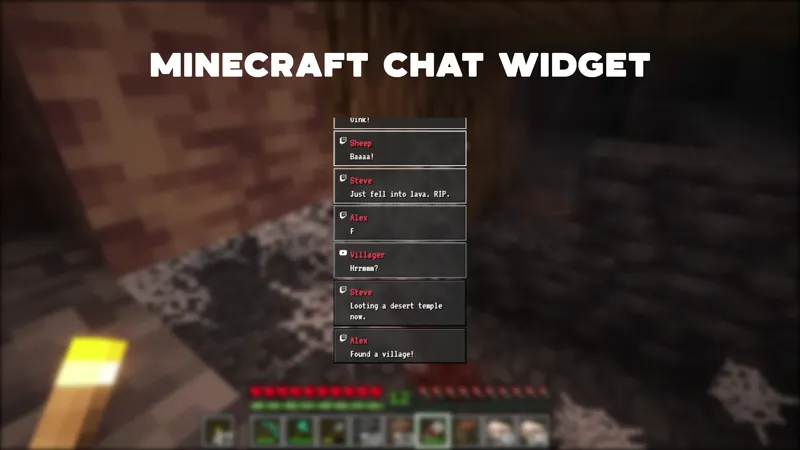
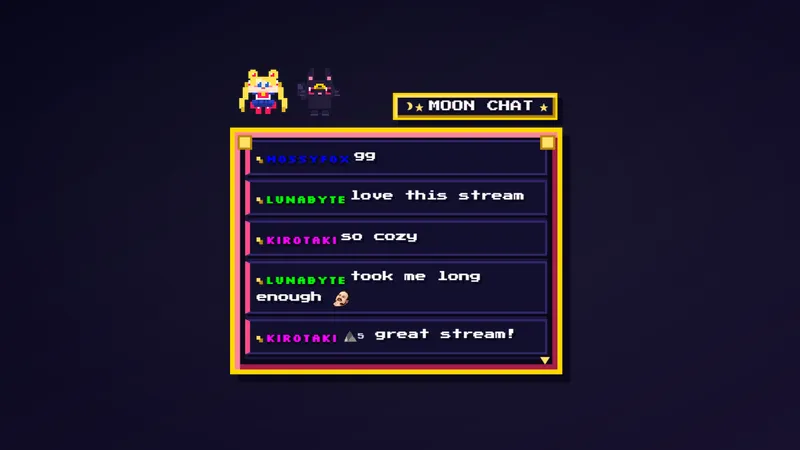
A cozy Stardew Valley inspired chat widget with pixel art style. Messages appear in a wooden dialog box with pixel font and gentle fade-in animations.
By Meld
Get Stardew Chat free
Included with Meld Studio. Or stay in OBS with Spark Plug.
A wooden dialog box, a pixel font, and a gentle fade as each new message lands. Stardew Chat reads chat the way the games it is built for present text: warm, slow, and clearly framed. Messages from your viewers appear in a small pixel-art panel at the corner of your scene, fade in one at a time, and stay just long enough for anyone watching to follow along without losing the rest of the layout.
It is free with Meld Studio. No watermark, no setup fee, no subscription required.
The look on screen
The widget is intentionally restrained. A wooden frame holds the chat panel, the type is set in a pixel font sized for readability at stream resolution, and each new message fades in rather than snapping into place. The result is a chat box that complements a cozy farming sim, a Stardew Valley playthrough, or any low-motion scene where a modern, glossy chat overlay would feel mismatched. It also slots cleanly into late-night chill streams, ambient music sets, and reading sessions where the visual tone matters more than the message volume.
Messages from Twitch, YouTube Live, Kick, and TikTok Live all land in the same box. Multistreamers do not need to choose a primary chat: every platform you stream to feeds into the wooden dialog at the same time, so a Kick viewer and a YouTube viewer share one panel rather than scrolling past each other on separate widgets.
Customizing with Meld Spark
The widget ships ready to use, and Meld Spark, the AI overlay editor built into Meld Studio, lets you reshape the season and feel from plain English. A prompt like “Switch to a winter theme with snowflakes falling behind the chat box” rewrites the background, palette, and motion without you opening a code editor. You can also add seasonal sound effects, change the tone of the wood frame, or shift the font weight to match the rest of your channel branding. Changes apply immediately and persist between sessions, so the widget looks the same the next time you go live.
For streamers who run themed events, like a spring sowing stream or a fall harvest marathon, the same overlay can carry the season without you having to swap to a different chat box for each event. One prompt rotates the look.
Adding it to your stream
Download Meld Studio and Stardew Chat is one drag away from being live, with chat from Twitch, YouTube, Kick, and TikTok already pulled in from a single sign-in. If you already stream from OBS and would rather stay there, the free Spark Plug for OBS plugin loads the widget as a browser source inside your existing OBS scene, with the same multi-platform feed and the same Meld Spark editing layered on top.
Use cases
-
Cozy gaming and farming sim streams
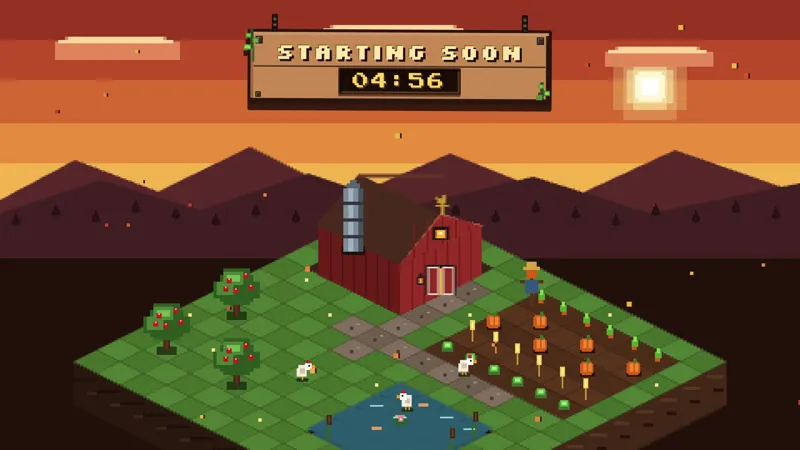
Cozy gaming channels live or die on atmosphere. A wooden dialog box with pixel art chat messages keeps your scene consistent with the game on screen, whether you are running Stardew Valley, a similar farming sim, or any low-key playthrough where a glossy modern chat box would feel out of place.
-
Late-night chill streams and reading sessions
For chill late-night streams, ambient music sets, or reading sessions, the gentle fade-in animations keep chat present without yanking the viewer's eye away from what you are doing. The pixel font is readable at a glance and the wooden frame anchors the chat in your layout without dominating it.
Frequently asked questions
Is the cozy pixel art chat widget free?
Yes. Stardew Chat is included free with Meld Studio. There is no paywall, no watermark, and no per-stream usage cap. Drop it into a scene and chat messages start appearing in the dialog box right away.
Which chat platforms does it support?
Twitch, YouTube Live, Kick, and TikTok Live are all supported. Meld signs you in once and pulls chat from every platform you stream to, so messages from all four chats fade into the same wooden dialog box at the same time.
Does this work in OBS Studio?
Yes. Spark Plug for OBS loads the chat widget into your existing OBS scene as a browser source, and Meld Spark lets you swap the season theme, add seasonal sound effects, or change the wood tone of the dialog box from a plain-English prompt in seconds.
Can I change the season or add sound effects?
Yes. Meld Spark, the AI overlay editor included with Meld Studio, takes plain-English instructions. A prompt like "Switch to a winter theme with snowflakes falling behind the chat box" updates the visuals immediately, and you can layer in sound effects the same way.
How do messages appear on screen?
Messages appear in a wooden dialog box rendered in pixel art style, with a pixel font and gentle fade-in animations as each new message lands. The look is intentionally low-motion, so the widget complements a calm scene rather than competing with it.