Free X Spotlight Widget for Featured Chat Messages
A featured message card that lets a chat message be spotlighted on screen. This is perfect for funny comments, good questions, hype messages, or community reactions.
By Meld
Get X Spotlight free
Included with Meld Studio. Or stay in OBS with Spark Plug.
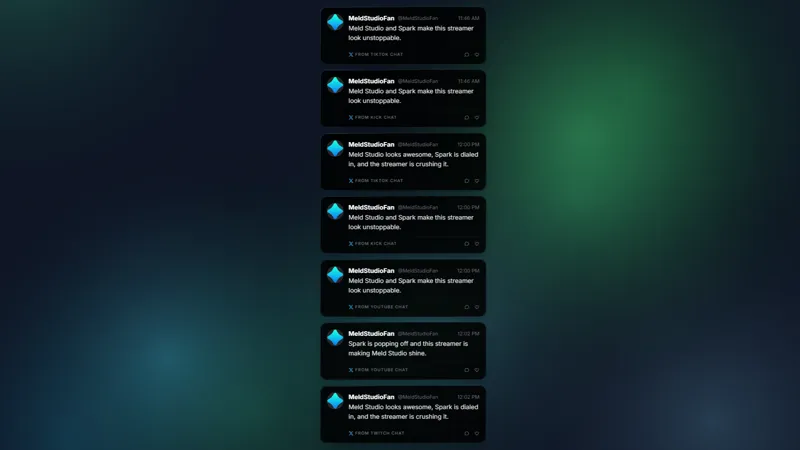
Some chat messages deserve more than a quick scroll past the screen. X Spotlight gives viewers a way to turn a message into a featured card, so good questions, funny comments, and hype reactions get a clear visual moment.
It is free with Meld Studio and designed for streams where chat drives the rhythm.
How viewers spotlight messages
X Spotlight uses three simple chat commands. !spotlight features a general message, !question frames a viewer question, and !hype calls out a high-energy reaction. The command goes before the message, then the widget displays it as a focused card on screen.
That workflow is helpful during podcasts, live interviews, product updates, community nights, and Just Chatting streams. Instead of reading from a fast-moving chat column and hoping viewers know which comment you mean, you can react to a message that everyone can see.
Because Meld supports Twitch, YouTube Live, Kick, and TikTok Live together, the spotlight can serve your whole live audience. A viewer on one platform can create a moment that everyone sees on the broadcast canvas.
Why it works on stream
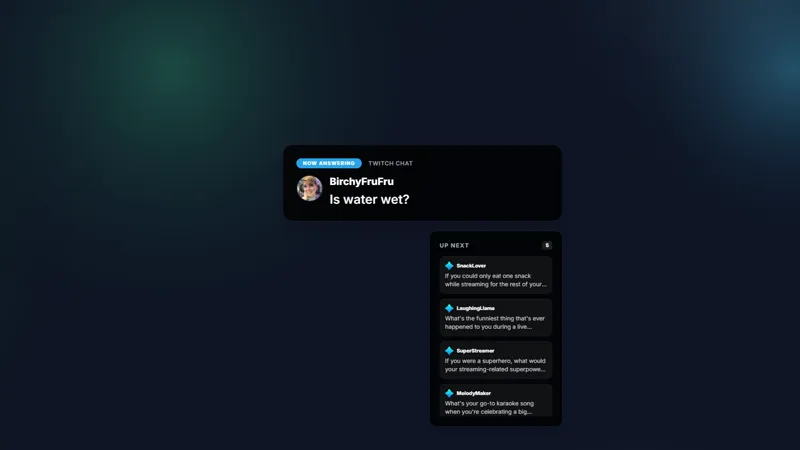
Featured messages create structure. During Q&A segments, !question keeps audience questions visible long enough for you to answer them naturally. During high-energy moments, !hype gives chat a way to celebrate without flooding the layout with every single message.
The X-style card also helps streams that borrow from social media pacing: commentary shows, launch streams, news reactions, and creator updates. It feels familiar without requiring you to paste screenshots or manually crop comments into your scene.
Download Meld Studio and drop X Spotlight into a scene to start using the commands. If you already broadcast through OBS, Spark Plug for OBS lets you add the same widget as a browser source while keeping your existing scene collection.
Use cases
-
Featuring viewer questions during a live show
When chat is moving quickly, strong questions can disappear before you answer them. X Spotlight lets viewers mark questions with !question, so the message becomes a clear card on screen and the audience knows what you are responding to.
-
Calling out hype and funny comments
Community moments land harder when the best line gets a little stage time. Viewers can use !spotlight or !hype to push a message into the featured card, making reactions feel intentional instead of lost in the chat scroll.
Chat commands
Frequently asked questions
Is X Spotlight free?
Yes. X Spotlight is included free with Meld Studio. Add it to a scene and viewers can feature messages with the supported chat commands without a separate paid widget.
Which chat commands does X Spotlight use?
Viewers can use !spotlight to feature a message, !question to spotlight a question, or !hype to call out a high-energy reaction. The command goes before the message they want to display.
Does X Spotlight work in OBS Studio?
Yes. Spark Plug for OBS loads the spotlight widget into your existing OBS scene as a browser source, and Meld Spark can help customize overlays in seconds. Meld Studio remains the simplest way to add it, while Spark Plug is there for OBS setups.
Which platforms can send spotlight messages?
Twitch, YouTube Live, Kick, and TikTok Live are supported. Meld connects chat from every platform you stream to, so viewers across your audience can participate in the same spotlight flow.