Free AMA Question Queue Widget for Live Q&A Streams
A widget to gather a collection of questions from chatters that appear in a clean AMA queue. This is great for AMAs, product demos, interviews, podcasts, community town halls, and launch streams.
By Meld
Get X AMA Question Queue free
Included with Meld Studio. Or stay in OBS with Spark Plug.
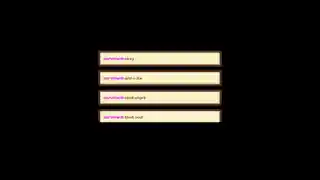
A good AMA needs a place for questions to land before you are ready to answer them. X AMA Question Queue collects viewer questions into a clean on-screen list, so the conversation can stay organized without stopping the flow of your stream.
It is free with Meld Studio and fits interviews, podcasts, product demos, community town halls, and launch streams.
How the queue fills
Viewers can add questions in two ways. A message that ends with a question mark can be gathered into the queue, and viewers can also use !ask when they want to submit a question directly. The result is a focused list of audience questions instead of a fast chat scroll that you have to scan while speaking.
That matters during any segment where pacing is important. You can keep presenting, interviewing, or reacting while questions collect on screen. When you are ready, the queue gives you a visible set of prompts to work through.
Meld connects chat from Twitch, YouTube Live, Kick, and TikTok Live, so the queue is not limited to a single platform. Multi-platform AMAs stay unified: questions from each audience can appear in one shared widget.
When to use it
Use X AMA Question Queue when the audience is part of the agenda. It works for creator Q&As, software walkthroughs, product launch debriefs, guest interviews, podcasts with live listeners, and community update streams.
The queue also helps viewers trust the format. When a question appears on screen, the audience can see that submissions are being collected even if you are not answering them immediately. That visible structure keeps people from repeating the same message and makes the segment feel more intentional.
Download Meld Studio and add the AMA queue to a scene before your next Q&A. If you already stream with OBS, the free Spark Plug for OBS plugin can bring the same widget into your existing scene as a browser source.
How it works
- 1 Chatters send a message with a question mark to add it to the queue
- 2 Viewers can also use !ask to submit a question directly
- 3 Questions collect in a clean on-screen AMA queue
- 4 Click into the layer, then click the next question in the queue to bring it to the top
Use cases
-
Running a structured AMA
Live AMAs can get messy when questions are mixed with reactions and side conversations. X AMA Question Queue collects questions into one visible list, giving you a calmer way to choose what to answer next.
-
Product demos, interviews, and town halls
For launch streams or interviews, a question queue helps the audience see that their submissions are not being ignored. Questions with a question mark or !ask can collect on screen while you keep presenting.
Chat commands
Frequently asked questions
Is X AMA Question Queue free?
Yes. X AMA Question Queue is included free with Meld Studio. You can add it to a scene for interviews, demos, podcasts, and community Q&As without paying for a separate moderation tool.
How do viewers add questions to the queue?
Viewers can send a question with a question mark at the end, or they can use !ask to submit one directly. The widget gathers those questions into a clean on-screen AMA queue.
Does the AMA queue work in OBS Studio?
Yes. Spark Plug for OBS can load the AMA queue into an existing OBS scene as a browser source, and Meld Spark can help customize overlays in seconds. Download Meld Studio for the quickest setup, or use Spark Plug if OBS is already your home base.
Which platforms can submit questions?
Twitch, YouTube Live, Kick, and TikTok Live are supported. Meld connects your live chats together, so questions from every platform can feed into the same queue.