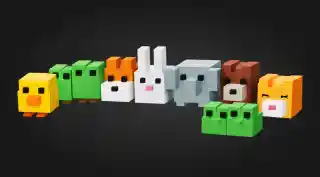
Free Pixel Art Chat Avatars for Your Stream
Every chatter appears as a pixel-art avatar at the bottom of the screen when they send a message. Avatars fade out after 5 minutes of inactivity.
By Meld
Get Pixel Art Avatars free
Included with Meld Studio. Or stay in OBS with Spark Plug.
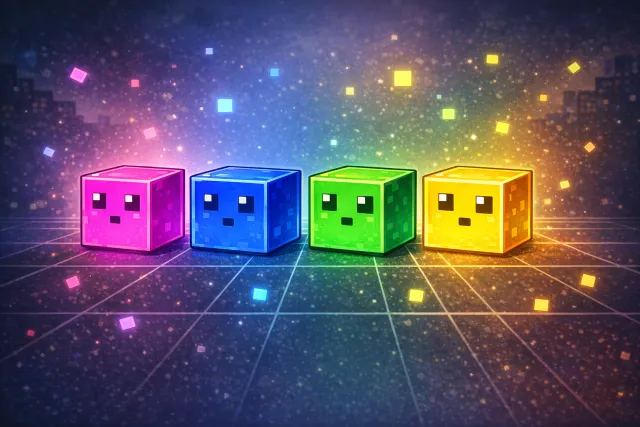
Most chat overlays show messages and call it a day. Pixel Art Avatars give every viewer a body on screen. The moment someone types in chat, a small pixel character appears at the bottom of your stream and stays there, walking, jumping, and reacting until they go quiet.
It is the kind of overlay that looks expensive and reads as effort to a brand new viewer landing on your channel. It costs nothing.
How it works
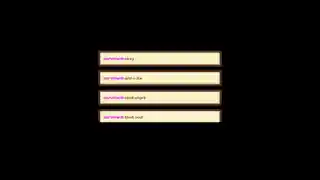
Each chatter gets a unique pixel-art avatar generated from their username, so regulars see the same character every stream. Viewers control their avatar with simple commands: !jump makes them hop with a sound effect, !walkleft and !walkright send them across the screen, @username walks one chatter over to another for an interaction, and !heart triggers a burst of pixel hearts. Prefix any message with !hey to make it appear in a speech bubble above the avatar instead of in regular chat, perfect for callouts.
Avatars persist for five minutes after a chatter’s last message, then fade out. That keeps the stream looking active without crowding the screen during slow moments.
The overlay pulls from every platform you stream to. Twitch, YouTube Live, Kick, and TikTok Live chatters all share the same canvas, so multistreamers see one community on screen instead of four fragmented chats.
Why streamers use it
The overlay solves the small-stream cold-start problem. New viewers landing on a Twitch, YouTube, or Kick channel scan the chat for signs of life. A quiet chat reads as “nothing to engage with.” Pixel avatars give them visible community to join. Once a viewer types one message and sees their character appear, they have a reason to stay.
For larger streams, the overlay shifts the energy of chat. Sub raids become avatar parades. Hype trains become coordinated !heart storms. It turns text-only interactions into something the audience can see itself doing.
You can lock the avatar feature to subscribers, followers, or moderators with a single Meld Spark prompt if you want to make it a perk.
Who this is for
Variety streamers, Just Chatting hosts, art streamers, co-op players, and anyone whose layout has space at the bottom of the screen. It works equally well as a primary chat overlay or a complement to a traditional message feed.
Adding it to your stream
Download Meld Studio and the overlay is one drag away from being live. If you already run OBS and would rather stay there, the free Spark Plug for OBS plugin brings the same overlay into your existing OBS scene as a browser source. Either way, no scripts, no monthly subscription, and the chat connections work across Twitch, YouTube, Kick, and TikTok from a single sign-in.
Use cases
-
Building chat presence on a small stream
When your viewer count is in the single digits, every chatter matters. Pixel avatars make even a quiet chat feel alive: each new viewer gets a tiny on-screen presence that walks, jumps, and reacts. Streamers report that giving viewers a visible character keeps lurkers engaged longer.
-
Variety streams that lean into community moments
For Just Chatting, art streams, or co-op runs where the camera and gameplay leave room at the bottom of the screen, a row of pixel avatars turns dead space into a community moment. Run a !heart raid for a sub or schedule walk parties across the screen during ad breaks.
Chat commands
Frequently asked questions
Is the pixel art chat avatar overlay free?
Yes. The Pixel Art Avatars overlay is included free with Meld Studio. There is no paywall, no watermark, and no per-stream usage cap. Drag it into a scene and it works.
Which chat platforms does it support?
Twitch, YouTube Live, Kick, and TikTok Live are all supported out of the box. Meld signs you in once and pulls chat from every platform you stream to, so the same overlay reacts to chatters across all four at the same time.
Does it work with OBS Studio?
Yes. Spark Plug for OBS drops the avatar overlay into your existing OBS scene as a browser source, and Meld Spark lets you customize it from a prompt in seconds. Restyle the characters, change the commands, or lock the feature to subscribers without leaving OBS or touching code.
Can I limit the avatars to subscribers or moderators only?
Yes. Meld Spark, the AI overlay editor included with Meld Studio, lets you describe limits in plain English. A prompt like "only show avatars for subscribers and moderators" updates the overlay in seconds without touching code.
How long do inactive avatars stay on screen?
Avatars fade out automatically after five minutes of chat inactivity, so your screen stays clean during quiet stretches and fills back up the moment chat picks up.