Free Block Avatars Chat Overlay With Custom Hex Colors
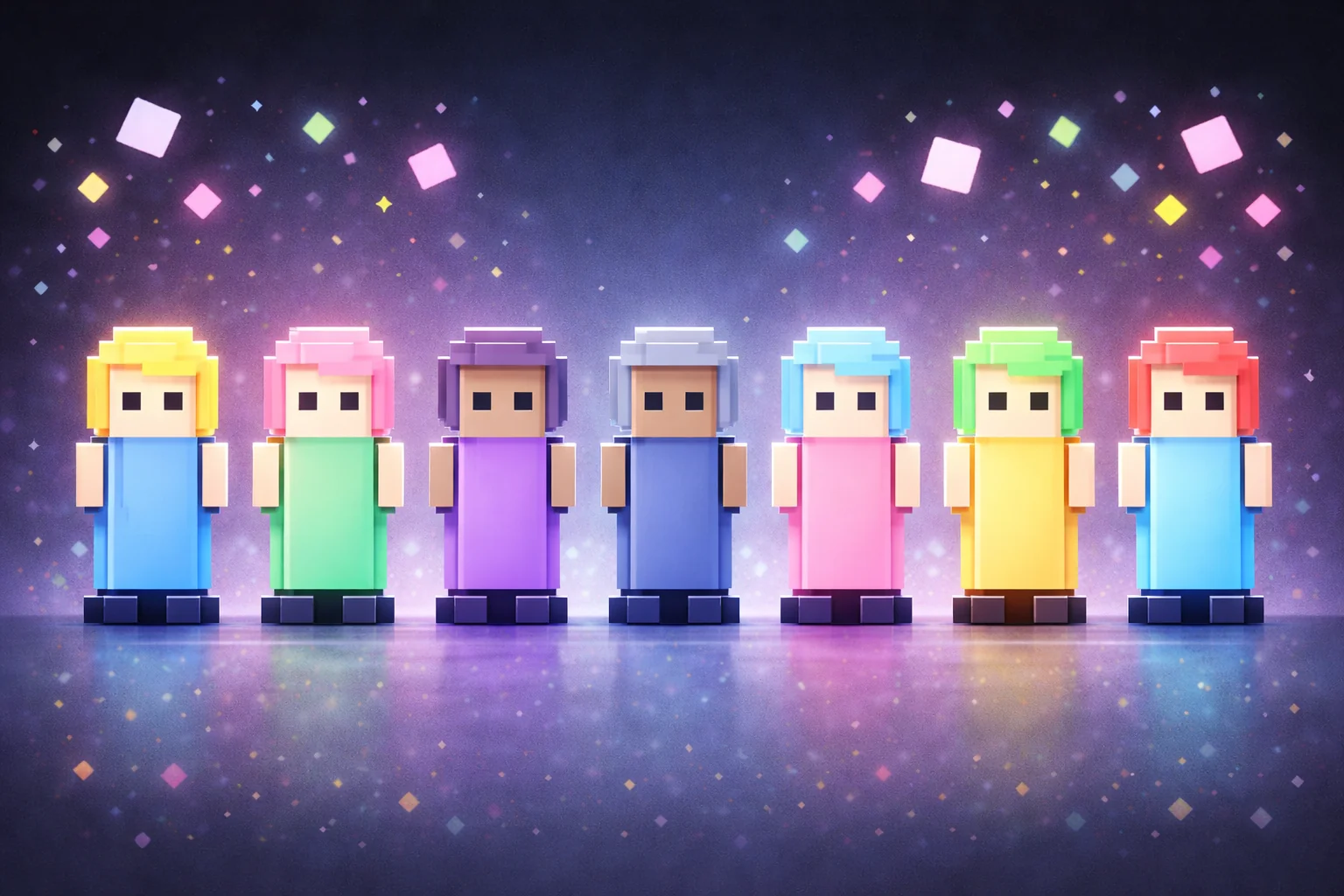
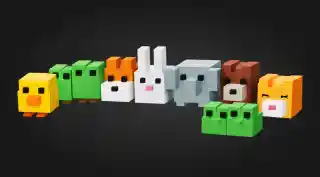
Viewers appear as colorful block characters at the bottom of the screen when they chat. Blocks disappear after 20 minutes of inactivity. Supports custom hex colors.
By Meld
Get Block Avatars free
Included with Meld Studio. Or stay in OBS with Spark Plug.
A new chatter sends their first message and a colorful block character appears at the bottom of the screen, holding the spot until they go quiet. Block Avatars give every viewer a chunky, modern presence in your scene that they can color themselves with a hex code and animate with simple commands. It is built for streamers who want the energy of a chatter-character overlay without the retro pixel-art aesthetic that already saturates the category.
It is free with Meld Studio. No watermark, no paywall, no usage cap.
How chatters control their blocks
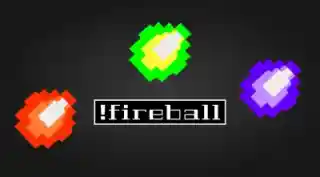
Three commands cover the core interaction. !jump makes the block hop. !dance triggers a dance animation. !color followed by a hex code, like !color #ff66cc, sets the block to a specific color and keeps it there across future streams. Regulars end up with a recognizable color signature in your scene, and new chatters can experiment until they find a shade they want to claim.
Blocks persist for 20 minutes after a chatter’s last message, which is longer than most avatar overlays hold. That keeps the row full during talk shows, long subathons, and multi-hour playthroughs where chat ebbs and flows. When someone goes quiet for the full 20 minutes, their block fades out and the canvas opens up for the next wave of viewers.
The overlay listens to chat from every platform you stream to. Twitch, YouTube Live, Kick, and TikTok Live messages all spawn blocks on the same row, so a multistream looks like one community on screen rather than four fragmented chats sharing space.
Why streamers use it
The chunky, color-customizable shape solves a specific problem: streamers who like the chatter-character format but want a clean, modern visual identity rather than retro pixel art or sketchy hand-drawn lines. Blocks read clearly at typical chat-overlay sizes and stay legible against busy gameplay or facecam-heavy layouts.
The hex color command is the part that turns regulars into recognizable presences. A viewer who picks the same color every stream becomes visually identifiable across sessions, and new viewers see a row of distinct, intentional characters rather than randomly assigned visuals.
Customizing with Meld Spark
Meld Spark, the AI overlay editor included with Meld Studio, lets you reshape the overlay without touching code. The gallery tip ships with a ready prompt: “Add a !wave animation and make blocks slightly larger.” Run it and the new command works immediately. You can also lock animations to subscribers, swap blocks for other geometric shapes, or tie animations to channel events. Each change persists between sessions.
Adding it to your stream
Download Meld Studio and the overlay drops into a scene with the chat connections already wired up. If you already run OBS, the free Spark Plug for OBS plugin loads Block Avatars as a browser source inside your existing OBS layout, with the same Twitch, YouTube Live, Kick, and TikTok Live commands and the same Meld Spark control over animations and shapes.
Use cases
-
Variety streams that want a clean, modern avatar layer
For variety creators who do not want the retro feel of pixel art or the hand-drawn look of stick figures, blocks land in the middle: clean, colorful, and modern. The chunky shapes read clearly at typical chat sizes, and viewers can claim a hex color that becomes their identity on screen across future streams.
-
Long sessions where avatars need to stay calm
Block avatars stay on screen for 20 minutes after a chatter's last message, which is longer than most avatar overlays hold. That makes them well suited to long talk shows, multi-hour playthroughs, and subathons where chat ebbs and flows but the bottom row should stay populated rather than emptying out every few minutes.
Chat commands
Frequently asked questions
Is the Block Avatars overlay free?
Yes. Block Avatars ship free with Meld Studio. There is no paywall, no watermark, and no per-stream usage cap. Drop the overlay into a scene and chatters appear as blocks the moment they type.
Which chat platforms power the blocks?
Twitch, YouTube Live, Kick, and TikTok Live all feed the same canvas. Meld signs you in once and pulls chat from every platform you stream to into one shared row of blocks, so multistreamers see one community on screen instead of four separate chats.
Does this work in OBS Studio?
Yes. Spark Plug for OBS drops Block Avatars into your existing OBS scene as a browser source, and Meld Spark lets you add new animations, change block shapes, or limit commands to subs from a plain-English prompt in seconds.
How do viewers set their block color?
Each chatter can run !color followed by a hex code to lock their block to a specific color, like !color #ff66cc. Their block keeps that color across future chats, so regulars build a recognizable on-screen identity over time.
What commands can chatters use?
!jump makes a block hop, !dance triggers a dance animation, and !color followed by a hex value sets the block's color. The gallery tip ships with a ready Meld Spark prompt for adding more, like "Add a !wave animation and make blocks slightly larger."