Free Electric Webcam Frame That Surges on Follows, Subs, and Raids
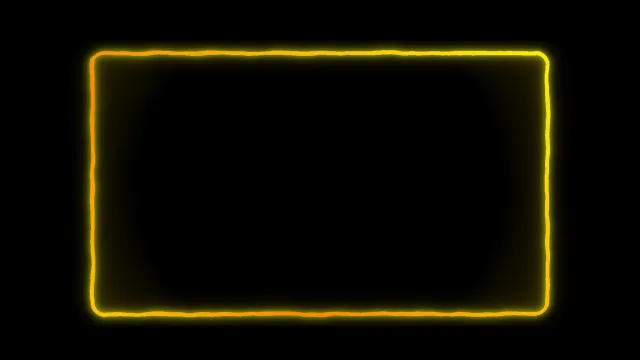
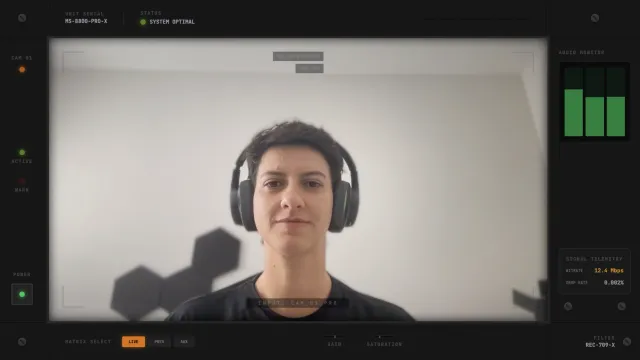
An electric webcam frame with crackling energy that reacts to stream events. The frame surges with an 8-second intensified effect when triggered.
By Meld
Get Electric Webcam Frame free
Included with Meld Studio. Or stay in OBS with Spark Plug.
Energy on a stream looks different when it leaves a mark on the canvas. Electric Webcam Frame is a crackling lightning border that lives around your facecam in a low-key idle state, then surges for eight full seconds whenever a follow, sub, or raid lands. It is the kind of cam frame that turns a sub into a visual moment without an alert ever taking over the screen.
It is free with Meld Studio. No watermark, no setup fee, no subscription required.
How the surge works
The frame runs a continuous low-intensity electric crackle around the cam tile. When a qualifying event hits, the crackle escalates: lightning thickens, motion speeds up, and the border charges with bright energy for eight seconds before settling back to idle. Three event types trigger the surge by default. New followers, new subscribers, and incoming raids each fire the same eight-second intensified effect, so the cam frame celebrates community moments on its own visual channel without competing with a separate alert overlay.
Events flow in from every platform you stream to. Twitch, YouTube Live, Kick, and TikTok Live all feed the same frame through a single Meld sign-in, so multistreamers do not need to wire four separate alert systems together to get one consistent surge.
Testing and chat triggers
The frame ships with one chat command. !testsurge fires the eight-second surge manually, which is useful for confirming the look and audio land the way you want during scene setup, for previewing the effect to a producer, or for triggering it yourself when you want a hype beat for a clutch moment.
Reshaping it with Meld Spark
Meld Spark, the AI overlay editor built into Meld Studio, lets you describe new triggers and a new look in plain English. The gallery tip ships with a starter prompt: “Change the electric color to purple and trigger on bits over 100.” Run it and the frame retints to purple and adds bits as a fourth trigger, all without touching code or scripts. Add donations, milestone reactions, or large-bit cutoffs the same way, or shift the lightning thickness to fit a different scene density. Changes persist between sessions.
Who this fits
Action gamers, FGC streamers, speedrunners, ranked grinders, and anyone whose stream wants a cam frame that escalates with the energy of the run rather than sitting still through it. It pairs well with cyberpunk, neon, and high-contrast scenes that already lean on hard color and bright motion.
Adding it to your stream
Download Meld Studio and the frame drops on top of your webcam source with no configuration. If you already run OBS, the free Spark Plug for OBS plugin loads the same reactive frame as a browser source inside your existing OBS layout, with the same surge triggers firing across Twitch, YouTube Live, Kick, and TikTok Live.
Use cases
-
Hype-driven gaming streams
Combat games, speedruns, and ranked grinds need a cam frame that can match the energy of a clutch moment. The eight-second surge gives every follow, sub, and raid a visible bolt of energy on the cam tile, so a hot streak reads as a hot streak rather than a line of text in the alert feed.
-
Test surges before a hype run
The !testsurge command manually fires the eight-second intensified effect, so you can confirm the timing, sound, and color land the way you want before the run starts. Useful for finalizing a scene or for showing a producer what the frame looks like at full intensity.
Chat commands
Stream events it reacts to
Frequently asked questions
Is the Electric Webcam Frame free?
Yes. It is included free with Meld Studio. No watermark, no paywall, no per-stream limit. Drop it on top of your webcam source and the crackle layer activates immediately, with surges firing on the next qualifying event.
Which platforms can trigger the surge?
Twitch, YouTube Live, Kick, and TikTok Live. Meld signs you in once and pulls follow, sub, and raid events from every platform you stream to, so a YouTube sub fires the same eight-second surge as a Twitch raid.
Does this work with OBS Studio?
Yes. Spark Plug for OBS loads the electric frame into your existing OBS scene as a browser source, and Meld Spark lets you recolor the lightning, add new triggers like bits or donations, or tune the surge length from a plain-English prompt.
Can I trigger the surge manually?
Yes. The !testsurge chat command manually fires the eight-second intensified effect. It is useful for testing the look during scene setup, for showing a producer what a sub looks like, or for kicking off the surge yourself when you want a hype beat.
Can I add more triggers like bits or donations?
Yes. Meld Spark, the AI overlay editor in Meld Studio, lets you describe new triggers in plain English. The gallery tip ships a starter prompt: "Change the electric color to purple and trigger on bits over 100." Run it and the frame applies the new rules.