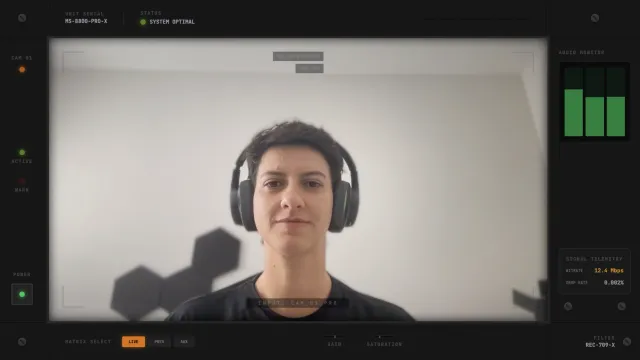
Free Cute Reactive Webcam Frame with Sparkles That Respond to Chat
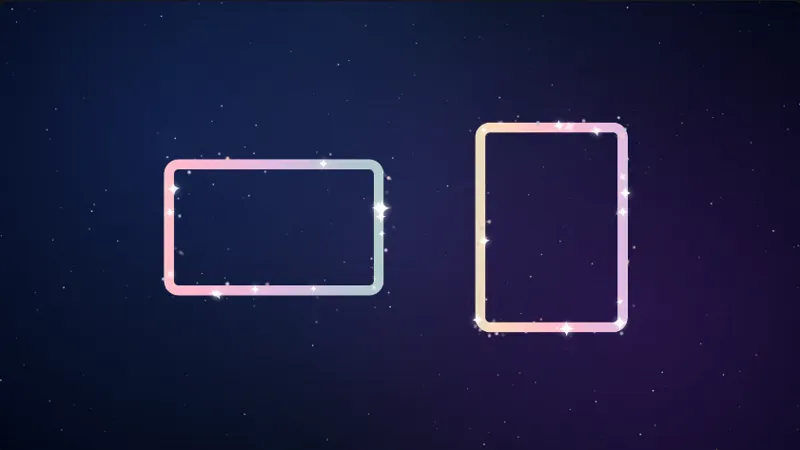
A pastel webcam frame with animated sparkles that react to your stream in real time. The frame responds to chat activity and stream events with escalating visual effects and magical chimes.
By Meld
Get Cute Reactive Webcam Frame free
Included with Meld Studio. Or stay in OBS with Spark Plug.
The cam frame on most streams is decoration. Cute Reactive Webcam Frame is decoration that pays attention. It is a pastel sparkle border that lives quietly around your facecam, then lights up the moment chat moves or a stream event fires, so every follow, sub, and raid leaves a visible mark on the scene.
It is free with Meld Studio. No watermark, no setup fee, no subscription required.
How the reactions work
The frame ships with four distinct response tiers. When chat messages come in, the sparkle intensifies and twinkles faster for five seconds, so a quiet stretch broken by a quick volley of replies reads as a visible pulse on the frame. New followers trigger a gentle bloom with a soft chime. Subscribers trigger a radiant celebration with more sparkles and chimes. Raids hit the maximum celebration with a pulsing border and stardust. Each tier escalates the visual, so a viewer can glance at the cam and immediately tell what just happened without reading the alert text.
Because the frame pulls events from Twitch, YouTube Live, Kick, and TikTok Live through a single Meld sign-in, multistreamers see one unified celebration layer instead of four fragmented overlays. A Kick sub and a YouTube follow share the same frame and the same sparkle vocabulary.
Testing without going live
Interaction mode on the Meld canvas surfaces hover controls directly on the overlay. Simulate Chat and Trigger Celebration let you preview each reaction tier before broadcast, so you can confirm the timing and the audio fit your scene. The controls disappear when you exit interaction mode, so they never show up on the live stream.
Reshaping it with Meld Spark
Meld Spark, the AI overlay editor built into Meld Studio, lets you restyle the frame without touching code. The gallery tip ships with a starter prompt: “Change the frame to a blue and purple gradient with star-shaped sparkles.” Run it and the look updates immediately. Swap the chime, change which events trigger which tier, or scale the celebration intensity for streamers running large communities. Changes persist between sessions, so the frame stays the way you set it.
Who this fits
Vtubers, cozy creators, variety streamers, and anyone running a stream where chat engagement and community events deserve a visible response on screen. The frame layers cleanly with traditional alert overlays as a complementary celebration channel, or it can carry community moments on its own.
Adding it to your stream
Download Meld Studio and the frame drops on top of your webcam source with no configuration. If you already run OBS, the free Spark Plug for OBS plugin loads the same reactive frame as a browser source inside your existing OBS layout, with the same chat and event reactions firing across Twitch, YouTube Live, Kick, and TikTok Live.
Use cases
-
Building hype on smaller streams
A small chat that bursts into chatter at the same time deserves a visual response. The frame intensifies its sparkle for five seconds whenever chat picks up, so a single message volley reads as a visible event in the scene rather than text scrolling past.
-
Celebrating community moments
Follows trigger a gentle bloom and a soft chime. Subs trigger a radiant celebration with more sparkles. Raids set off the maximum celebration with a pulsing border and stardust. Each tier of event gets a distinct visual on the cam frame, so viewers can tell what just happened without reading the alert.
Stream events it reacts to
Interactive controls
Toggle interaction mode on your canvas to reveal test buttons on hover.
Frequently asked questions
Is the Cute Reactive Webcam Frame free?
Yes. It is included free with Meld Studio. No watermark, no paywall, and no per-stream limit. Drop it on top of your webcam source and the reactive sparkle starts firing the next time chat moves.
Which platforms feed events to the frame?
Twitch, YouTube Live, Kick, and TikTok Live. Meld signs you in once and pulls chat plus events from every platform you stream to, so the same frame celebrates a Kick sub, a YouTube follow, and a Twitch raid in the same scene.
Does this work with OBS Studio?
Yes. Spark Plug for OBS loads the reactive frame into your existing OBS scene as a browser source, and Meld Spark lets you change the sparkle color, swap the chime, or adjust which events fire which tier from a plain-English prompt in seconds.
Can I test the reactions before going live?
Yes. Toggle interaction mode on your canvas to bring up hover controls for the frame. From there you can run Simulate Chat or Trigger Celebration to preview each tier of effect, then exit interaction mode so the controls do not appear on broadcast.
Can I change the look of the sparkles?
Yes. Meld Spark, the AI overlay editor included with Meld Studio, handles look-and-feel changes in plain English. The gallery tip ships with a starter prompt: "Change the frame to a blue and purple gradient with star-shaped sparkles." Run it and the frame restyles.