Free Pastel Starry Webcam Border with Rainbow Sparkle
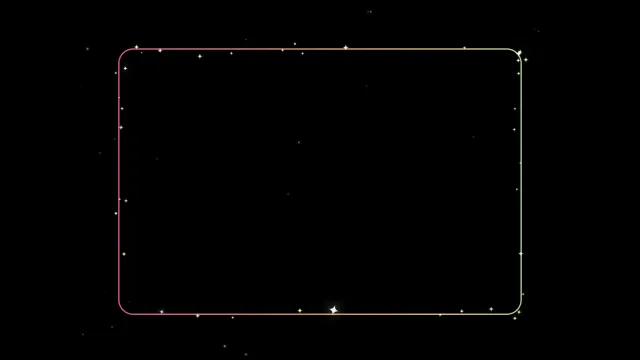
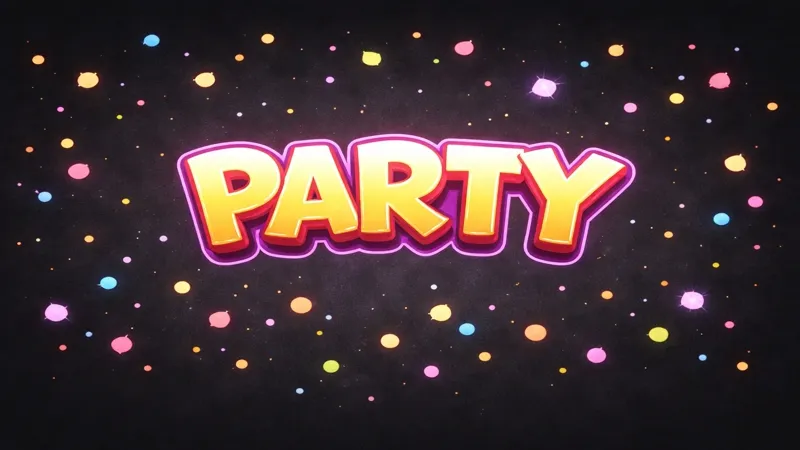
A pastel rainbow cam border with animated stars and sparkle particles. Fits any style of camera and adds a soft, dreamy frame to your facecam.
By Meld
Get Pastel Starry Cam Border free
Included with Meld Studio. Or stay in OBS with Spark Plug.
Some scenes need a frame that adds soft color rather than hard edges. Pastel Starry Cam Border is a rainbow webcam frame with animated stars and drifting sparkle particles, all rendered in pastel tones that sit gently around your cam tile. It turns a flat rectangular crop into a small dreamy window without dominating the rest of the layout.
It is free with Meld Studio. No watermark, no setup fee, no subscription required.
What sits around the cam
The border is a continuous pastel rainbow gradient hugging the perimeter of your webcam source. Tiny stars drift across the frame on slow paths, and sparkle particles cluster along the edges with light, irregular motion. The whole composition stays soft: pastel pinks, lavenders, mints, and creams blended into a gradient that loops without ever feeling like a static texture.
Crucially, the animation lives at the perimeter. Stars and sparkles do not cross the cam itself, which keeps your face or your Vtuber model as the focal point of the shot. Viewers landing on a stream see a face wrapped in dreamy color, not a face fighting through visual clutter.
The border broadcasts identically to Twitch, YouTube Live, Kick, and TikTok Live. Because it is purely visual and not tied to chat events, there is no platform-specific setup to manage. Meld signs you in once and the cam frame ships to every platform you stream to.
Reshaping it with Meld Spark
Meld Spark, the AI overlay editor built into Meld Studio, lets you take the rainbow base and reshape it without touching code. The gallery tip ships with a starter prompt: “Change the colors to soft pink and lavender only.” Run it and the border collapses to a two-tone palette in seconds. Bump the star density up for a denser sky, swap the sparkle shape for hearts or moons, or shift the gradient to match your channel branding. Changes persist between sessions.
Who this fits
Vtubers, cozy creators, art and journaling streamers, ASMR hosts, and anyone running a layout that already leans pastel or kawaii. It pairs naturally with reactive sparkle frames or cute alert overlays for a fully themed scene, but it stands on its own as a single soft detail framing a webcam in a minimal layout.
Adding it to your stream
Download Meld Studio and the starry border drops on top of your webcam source with no configuration. If you already run OBS, the free Spark Plug for OBS plugin loads the same animated frame as a browser source inside your existing OBS layout, with the same Meld Spark prompts available for restyling the palette and the sparkle.
Use cases
-
Vtuber and avatar-driven streams
A pastel avatar deserves a cam frame that lives in the same color world. The rainbow border with drifting sparkle particles wraps a Vtuber model in soft, dreamy light without overpowering the character or pulling focus from facial expressions and lipsync.
-
Cozy art and craft streams
For digital painting, journaling, or craft sessions where the camera tile sits next to a working canvas, the pastel border softens the edge of the cam without competing for attention. The slow star animation reads as ambient sparkle rather than visual noise.
Frequently asked questions
Is the Pastel Starry Cam Border free?
Yes. It is included free with Meld Studio. No watermark, no paywall, and no per-stream limit. Drop it on top of your webcam source in a scene and the rainbow border and sparkle particles begin animating immediately.
Which platforms does it work on?
Every platform you stream to. The border is a visual overlay sitting on top of your camera, so it broadcasts identically to Twitch, YouTube Live, Kick, and TikTok Live with no platform- specific setup required.
Does this work with OBS Studio?
Yes. Spark Plug for OBS loads the starry border into your existing OBS scene as a browser source, and Meld Spark lets you adjust the border colors, change the star density, or swap the sparkle shape from a plain-English prompt in seconds.
Can I change the rainbow to my own colors?
Yes. Meld Spark, the AI overlay editor inside Meld Studio, handles palette changes in plain English. The gallery tip ships with a starter prompt: "Change the colors to soft pink and lavender only." Run it and the border restyles immediately.
Will the sparkle distract from my facecam?
The motion is intentionally gentle. Stars drift slowly and the sparkle particles stay clustered along the border rather than crossing the cam itself, so the eye stays on your face or your Vtuber model while the frame reads as ambient detail.