Free Cozy Garden Alerts That Bloom for Every Follow, Sub, and Bit Drop
Soft, garden-themed alerts that bloom for followers, subs, and bits. A calm vibe that still celebrates every moment.
By Meld
Get Cozy Garden Alerts free
Included with Meld Studio. Or stay in OBS with Spark Plug.
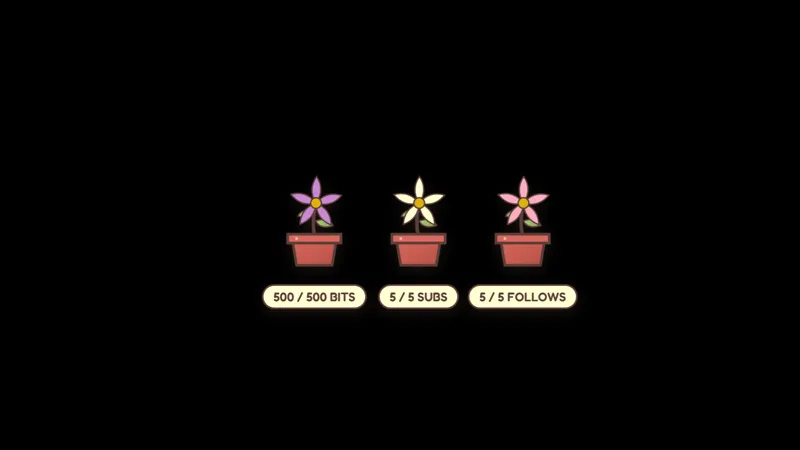
A new follower lands and a small flower opens at the edge of the canvas. A few minutes later a sub comes in and a fuller bloom unfolds in its place. A bit drop sends a handful of leaves drifting down across the screen. Cozy Garden Alerts keep every event visible without breaking the slow, lived-in pace of a cozy stream.
It is free with Meld Studio. No watermark, no setup fee, no subscription required.
Three reactions, one calm visual language
The alert layer has three distinct reveals, one for each event type. Petals bloom for new followers, a full flower reveal celebrates a new sub, and falling leaves mark bits or tips arriving in chat. Each animation has its own shape, so a viewer glancing up can tell what just happened without a name banner shouting it. Follows, subs, and bits or tips coming in from Twitch, YouTube Live, Kick, and TikTok Live all feed the same garden, so a multi-platform stream stays visually unified instead of fragmenting across four alert systems.
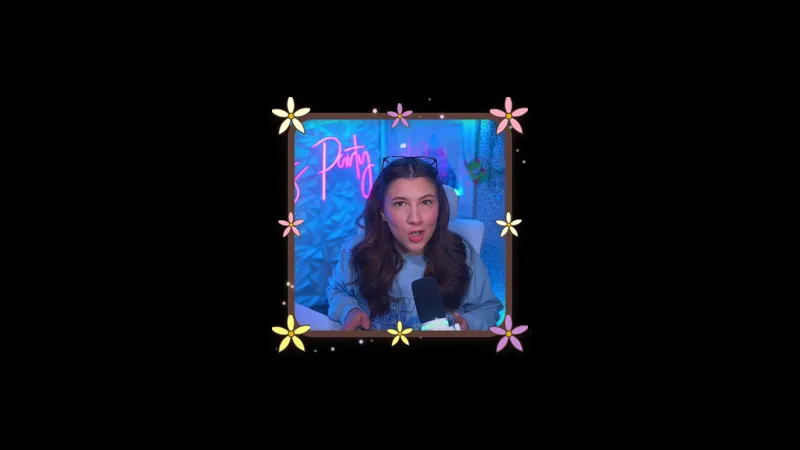
The reveal sits inside a soft, painterly look that matches farming sims, crafting streams, journaling sessions, and other content where a flashing neon overlay would feel out of place. The animation finishes and the canvas settles back to baseline, ready for the next event.
Tuning the garden to your stream
Meld Spark, the AI overlay editor included with Meld Studio, lets you reshape the alert pack without touching code. The gallery tip gives a ready-made prompt: “Roses for subs, daisies for follows, tulips for bits, and soft rain in the background.” Run it and the flower assignments and ambient weather update in seconds. Swap the rain for drifting fireflies for a night-themed stream, or shift the palette to autumn tones during October. Every change persists between sessions, so the next time you go live the garden looks the way you left it.
Who this is for
Cozy gaming streamers, slow-content creators, ASMR hosts, late-night chillout streams, and anyone whose channel reads better with a calm visual identity than a bright, high-impact one. The overlay also pairs with the rest of the Cozy Garden set, so you can build a full themed scene without mixing visual styles.
Adding it to your stream
Download Meld Studio and the alerts drop into a scene with the events already wired up. If you already run OBS and want to keep your existing layout, the free Spark Plug for OBS plugin loads the same alert layer as a browser source inside OBS, with the same multi-platform follow, sub, and bit tracking and the same Meld Spark prompts available for reflavoring it on the fly.
Use cases
-
Cozy gameplay where loud alerts break the mood
Farming sims, knitting streams, slow JRPG runs, and ASMR-leaning shows lose their pace the moment a neon alert sound rips across the canvas. Garden alerts let petals bloom and leaves fall for new followers, subs, and bits without yanking viewers out of the headspace you spent an hour building.
-
Late-night and wind-down streams
For streams that run after dark or close out a long session, alerts that celebrate quietly fit better than full-screen flash effects. The garden reveal still marks every follow, sub, and bit so the moment is not lost, just delivered at a volume that matches the room.
Stream events it reacts to
Frequently asked questions
Are the Cozy Garden Alerts free?
Yes. Cozy Garden Alerts ship free with Meld Studio. There is no paywall, no watermark, and no per-event cap, so every follow, sub, and bit drop gets the full reveal.
Which platforms do the alerts react to?
Follows, subs, and bits or tips from Twitch, YouTube Live, Kick, and TikTok Live all trigger the same alert layer. Meld signs you in once and pulls the events from every platform you stream to into one feed.
Does this work in OBS Studio?
Yes. Spark Plug for OBS drops the garden alerts into your existing OBS scene as a browser source, and Meld Spark lets you reassign which flower fires for each event or add ambient weather from a plain-English prompt in seconds.
Can I assign a different flower to each alert type?
Yes. The tip on the gallery item is built around exactly this. A Meld Spark prompt like "Roses for subs, daisies for follows, tulips for bits, and soft rain in the background" rewrites the alert mappings without touching code.
Will the alerts queue if several events land at once?
Each event triggers its own bloom, so a wave of follows during a raid stacks visibly on screen rather than overwriting itself. The garden stays readable while still showing every viewer who arrived during the moment.