Free Cozy Garden Goal Tracker That Blooms with Every Follow, Sub, and Bit
Your stream goals bloom as flowers. Ships as three separate layers (bits, follows, subs) so you can mix and match whichever goal types you want on screen.
By Meld
Get Cozy Garden Goals free
Included with Meld Studio. Or stay in OBS with Spark Plug.
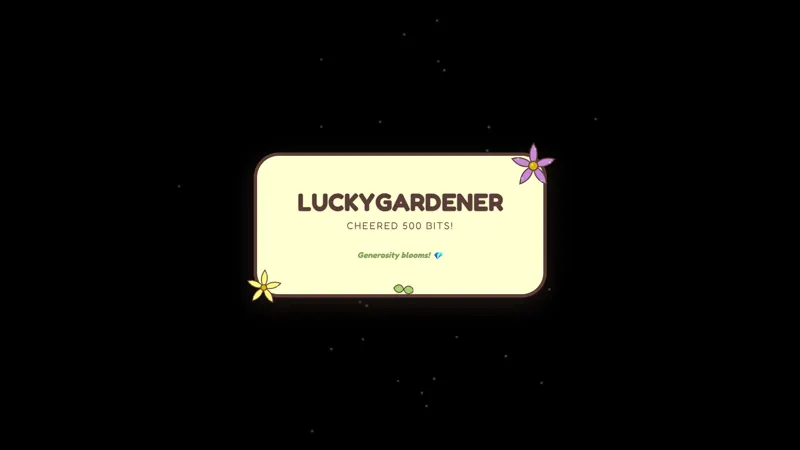
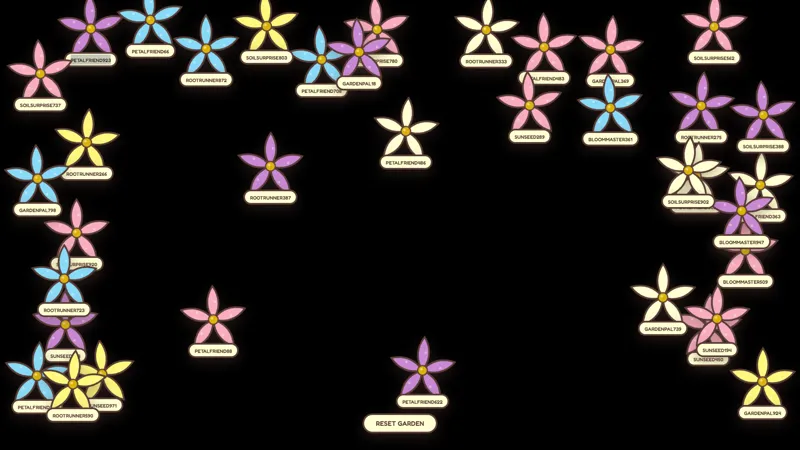
What if a goal tracker did not have to look like a hype bar. Cozy Garden Goals replaces the usual filling rectangle with three flowers that grow as your community contributes: a follower flower that adds a new bloom every time someone follows, a sub flower that grows with each new subscriber, and a bits goal flower fed by bits or tips landing in chat.
It is free with Meld Studio. No watermark, no setup fee, no subscription required.
Three layers, picked individually
The overlay does not ship as one combined widget. It ships as three separate elements, one per goal type, and each is added to a scene on its own. A streamer who only cares about a follower push can drop in the follow flower alone. A subathon weekend can stack all three. The choice lives in the scene rather than inside a settings panel, which makes it simple to run different layouts on different nights without rebuilding anything.
Each layer reacts to its own event type. Follows bloom new flowers on the follow layer, subs grow the sub flower, and bits or tips feed the bits goal flower. Events from Twitch, YouTube Live, Kick, and TikTok Live all feed the same flowers. A multi-platform stream stays unified: a Kick sub and a Twitch sub both grow the same plant, and chat across every platform watches the bloom progress together.
Why a flower instead of a bar
A progress bar tells viewers a number is moving. A bloom tells them their action mattered. The visual feedback shifts the goal from a stat in the corner of the screen to something growing on the canvas, which fits the cozy aesthetic more than a percentage indicator and gives chat a clearer reason to engage. For slow content (farming sims, crafting streams, journaling) the gentler signal also avoids breaking the pace.
Customizing with Meld Spark
Meld Spark, the AI overlay editor included with Meld Studio, lets you reshape any of the three layers without code. Describe what you want in plain English: change the species of the sub flower, add a target count to the bits goal, or restyle the palette to match a seasonal scene. Changes persist between sessions, so the goal looks the same the next time you go live and pick up where the community left off.
Adding it to your stream
Download Meld Studio and add only the goal layers you want to a scene. If you already run OBS and want to stay there, the free Spark Plug for OBS plugin loads any of the three layers as browser sources inside your existing OBS layout, with the same multi-platform event tracking and the same Meld Spark prompts available for tuning each flower.
Use cases
-
Running a soft sub push without a hype-bar look
Plenty of streamers want to point at a goal during the broadcast without sticking a neon progress bar in the corner. The sub flower grows visibly as new subscribers arrive, so the milestone is right there on screen while the scene still reads as a calm cozy stream.
-
Stacking goal types only when you want them
The overlay ships as three separate layers (follows, subs, and bits) so a streamer running only a follower push can drop in the follow flower and ignore the rest. A subathon weekend can stack all three at once. The mix is up to the scene rather than locked into a single widget.
Stream events it reacts to
Frequently asked questions
Is the Cozy Garden Goals overlay free?
Yes. All three goal layers ship free with Meld Studio. No paywall, no watermark, and no cap on how many events feed the flowers. Drop in only the layers you want and ignore the rest.
Which platforms feed the goal flowers?
Followers, subs, and bits or tips from Twitch, YouTube Live, Kick, and TikTok Live all grow the matching flower. Meld signs you in once and pulls the events from every platform you stream to into the same overlay.
Does this work in OBS Studio?
Yes. Spark Plug for OBS drops any of the three goal layers into your existing OBS scene as a browser source, and Meld Spark lets you change the flower species, set a target count, or restyle the bloom from a plain-English prompt in seconds.
Can I run only the sub goal without the follow and bits layers?
Yes. The three layers are separate elements. Add only the sub flower to your scene and the other two never appear. Mix and match the layers however your stream is set up for the night.
What does each event actually do to the flower?
A new follower blooms a flower on the follow layer, a new subscriber grows the sub flower, and bits or tips feed the bits goal flower. Each layer responds independently, so the visual progress matches the goal type viewers are contributing to.