Free Chat Trivia Game Overlay With a Live Top-5 Leaderboard
A trivia game with 10 riddles per round. Viewers answer in chat and compete for the top 5 leaderboard. After each round, the leaderboard is shown and a new round starts automatically.
By Meld
Get Trivia free
Included with Meld Studio. Or stay in OBS with Spark Plug.
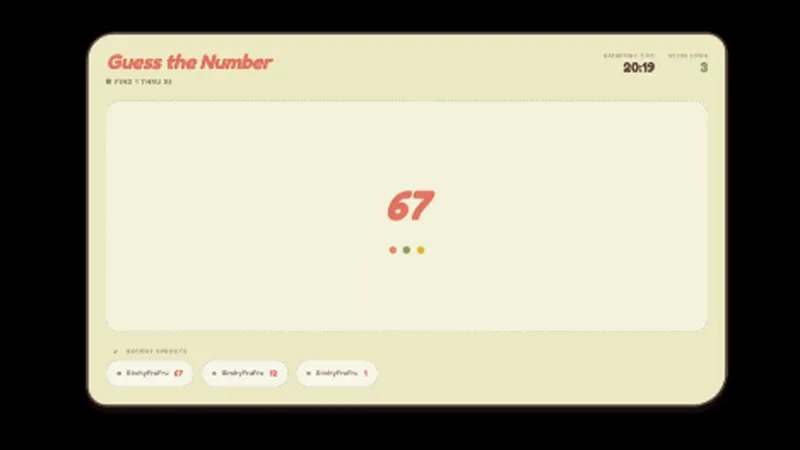
Ten riddles, a chat that answers in chat, and a top-5 leaderboard that updates between questions. Trivia runs as a self-contained loop on screen: questions appear, viewers race to type the answer, the scoreboard refreshes, and a new round starts automatically when the last one ends.
It is free with Meld Studio. No watermark, no usage cap, no separate accounts for viewers.
How a round plays
Each round contains ten riddles. The current question sits on screen, viewers type their guesses directly into chat, and correct answers register against their username. The leaderboard tracks the top five scorers in real time, so a regular climbing the rankings is visible to everyone watching long before the round ends.
After the final riddle, the round-end leaderboard fills the screen, then a new round kicks off without any manual reset. That auto-cycling structure is what lets the overlay sit in a scene as a passive segment for as long as you want it running. You step away, queue into a match, or pivot to a new topic, and trivia keeps generating its own content in the corner.
Chat from Twitch, YouTube Live, Kick, and TikTok Live all feeds the same round. A multi-platform audience competes on one leaderboard against one shared question, instead of fragmenting into four separate quizzes.
When to drop it in
Trivia fits the lulls in any stream. Queue waits in competitive games, the gap between fighting-game matches, podcast-style breaks in Just Chatting blocks, and warm-up minutes before the main game begins all benefit from a structured segment chat can join with one message. For longer formats it scales up cleanly: subathon hours, milestone events, and community nights work well as a sustained trivia block where the leaderboard has room to develop real rivalries.
It also works as a low-effort recurring bit. Schedule a “trivia hour” on the same night each week and regulars start arriving early to defend their spot on the board.
Customizing with Meld Spark
The overlay ships ready to use with a default question pool. Meld Spark, the AI overlay editor inside Meld Studio, lets you reshape the format from plain English. A prompt like “Make the questions about gaming history and increase to 15 rounds” rewrites the category and the round length on the spot. You can ask for harder difficulty, themed nights, or a longer leaderboard, and the change persists between sessions so each stream starts the same way.
Adding it to your stream
Download Meld Studio and Trivia drops into a scene with no configuration, with chat connections to Twitch, YouTube, Kick, and TikTok already linked from a single sign-in. If you would rather stay in OBS, the free Spark Plug for OBS plugin loads the same overlay as a browser source inside your existing OBS scene, with the same auto-cycling rounds and the same multi-platform leaderboard.
Use cases
-
A recurring segment between matches or topics
A round of ten riddles fits cleanly into the gap between ranked queues, podcast segments, or game restarts. Viewers answer in regular chat, the leaderboard updates between questions, and a new round kicks off automatically when the last one ends, so the segment runs itself once you drop it on screen.
-
Community nights and subathon hours
For subathon blocks, milestone celebrations, or recurring community nights, trivia gives the entire audience one shared activity. Regulars chase the top-5 leaderboard across streams, and new viewers can answer a single question and immediately appear in the rankings without any account setup.
Frequently asked questions
Is the Trivia overlay free?
Yes. Trivia is included free with Meld Studio. There is no paywall, no watermark, and no usage cap. Drop it into a scene and the first round starts the moment the overlay loads.
How does the round structure work?
Each round serves ten riddles. Viewers answer directly in chat with no special command needed. After the tenth question, the leaderboard appears with the top five scorers, then a new round begins automatically so the segment keeps moving without any manual restart.
Which platforms can my viewers play from?
Twitch, YouTube Live, Kick, and TikTok Live are all supported. Meld signs you in once and pulls chat from every platform you stream to, so a Kick viewer and a YouTube viewer compete on the same leaderboard against the same set of riddles.
Does this work with OBS Studio?
Yes. Spark Plug for OBS loads the Trivia overlay into your existing OBS scene as a browser source, and Meld Spark lets you change the trivia category, raise the round length, or retheme the leaderboard from a plain-English prompt in seconds. No code, no migration.
Can I change the trivia category or difficulty?
Yes. Meld Spark, the AI overlay editor included with Meld Studio, handles category and difficulty changes from a single prompt. Something like "Make the questions about gaming history and increase to 15 rounds" rewrites the question pool and the round length immediately, with the change persisting between sessions.