Free Celestial Horoscope Chat Overlay for Your Stream
A daily horoscope overlay powered by chat commands. Viewers type their zodiac sign (!Capricorn, !Taurus, !Aries, etc.) and get their horoscope for the day.
By Meld
Get Daily Celestial Horoscope free
Included with Meld Studio. Or stay in OBS with Spark Plug.
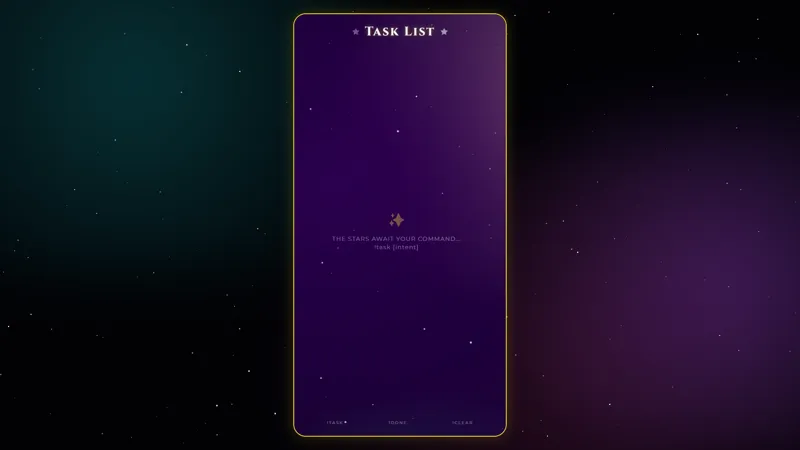
There is a kind of stream segment that runs on a single chat command and pays for itself every time. Daily Celestial Horoscope is one of those: viewers type their zodiac sign, the overlay surfaces their reading for the day on a starlit panel, and chat gets a small ritual that anyone in the room can join with a single line.
It is free with Meld Studio. No watermark, no subscription, no setup fee.
How the commands work
Each of the twelve zodiac signs has its own command, fired with the sign name. !Capricorn, !Aries, !Taurus, and the rest each surface that sign’s horoscope for the day in a celestial panel on screen. The animation is short enough that a busy chat does not pile up reading after reading, but long enough to read before the next one comes in.
Chat commands work on Twitch, YouTube Live, Kick, and TikTok Live at the same time. A viewer on TikTok and a viewer on Twitch use the same command and see the same response. Meld signs you in once and the overlay listens to all four feeds simultaneously.
Why it fits a stream
A horoscope command works in two different modes. As an opener, it gives early arrivals a reason to chat: viewers who land on your channel during a starting soon scene or the first minute of stream have something to do besides waiting. As an idle bit, it gives chat a way to interject during slow moments without derailing the conversation. Each reading takes a few seconds and clears, so the segment never overstays.
It also reads as a recurring community moment. Regulars start checking their sign on every stream, new viewers learn the command quickly, and a small ritual builds across the channel.
Customizing with Meld Spark
Meld Spark, the AI overlay editor built into Meld Studio, lets you reshape the look without opening a code editor. A prompt like “Add a glowing constellation animation when someone checks their horoscope” wires up a new effect immediately. You can also recolor the panel, swap the typography, or shift the celestial background to match the rest of your scene. Changes persist between sessions, so the horoscope looks exactly the same the next time you go live.
Adding it to your stream
Download Meld Studio and drop the horoscope overlay into a scene with no configuration required. If you already run OBS, the free Spark Plug for OBS plugin brings it into your existing OBS layout as a browser source, with the same zodiac commands listening to chat across Twitch, YouTube Live, Kick, and TikTok.
Use cases
-
Opening a stream with a community ritual
A small repeated bit at the start of stream gives early arrivals a reason to type. The horoscope works as that opener: viewers fire their zodiac command, get a reading on screen, and the room warms up before the main content starts. Regulars come back to check the same sign every day.
-
Just Chatting and cozy late-night streams
For Just Chatting hosts, art streams, and late-night cozy hangs, the horoscope drops a low-effort interactive moment into a slow-paced scene. The cosmic visuals fit a calm aesthetic and chat gets a small game to play between longer conversation beats.
Chat commands
Frequently asked questions
How do viewers check their horoscope?
Each zodiac sign has its own chat command. A viewer types !Capricorn, !Aries, !Taurus, or any of the twelve signs, and the matching daily horoscope appears on screen with the celestial visuals.
Is the Daily Celestial Horoscope overlay free?
Yes. It ships free with Meld Studio. There is no paywall, no watermark, and no per-stream usage cap, so you can run the overlay on every stream from the moment you download Meld.
Which chat platforms can run the horoscope commands?
Twitch, YouTube Live, Kick, and TikTok Live all support the zodiac commands. Meld signs you in once and the overlay listens to chat from every platform you stream to at the same time.
Does this work in OBS Studio?
Yes. Spark Plug for OBS drops the horoscope into your existing OBS scene as a browser source, and Meld Spark lets you add a glowing constellation animation, swap the typography, or restyle the cosmic background from a plain-English prompt in seconds.
Can I add custom animations when someone checks their sign?
Yes. Meld Spark, the AI overlay editor included with Meld Studio, takes plain-English prompts. A request like "Add a glowing constellation animation when someone checks their horoscope" applies immediately and persists between sessions.