Free Celestial Pop-Up Reminders for Follow, Like, and Subscribe
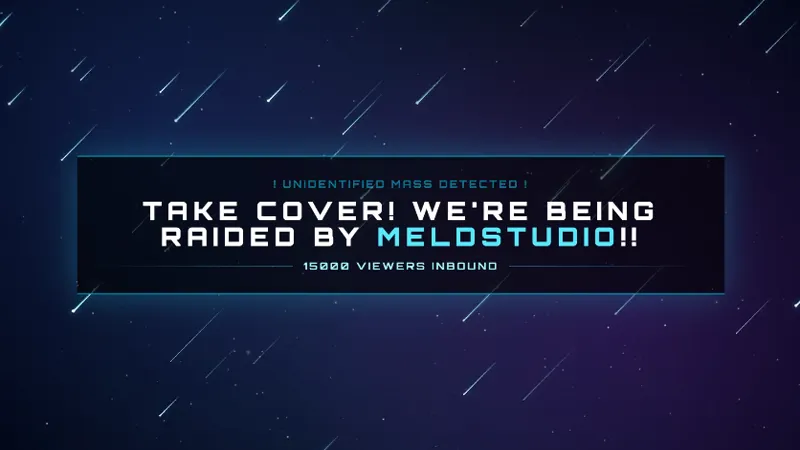
Beautiful celestial-themed pop-up reminders that appear on screen to remind viewers to follow, like, or subscribe. Features ethereal animations with stars, moons, and cosmic visuals.
Get Celestial Reminders free
Included with Meld Studio. Or stay in OBS with Spark Plug.
Most viewers who land on your channel arrive in the middle of a stream, not at the start. A reminder pop-up bridges that gap. Celestial Reminders surfaces follow, like, and subscribe prompts on screen at scheduled intervals, framed in a starlit animation that reads as part of a celestial scene rather than an ad break crash-cut.
It is free with Meld Studio. No watermark, no paywall, no usage cap.
What lands on screen
Each reminder appears as a small celestial pop-up: stars, moons, and a soft cosmic gradient frame the message before it slides off again. The default set covers the three calls every streamer wants visible on a long stream: follow, like, and subscribe. The animation is ethereal rather than aggressive, so the pop-ups land in the rhythm of the rest of the scene instead of yanking attention out of whatever you are doing.
Because the reminders are time-based, you do not have to remember to call out a follow or a subscribe button while you are mid-game or mid-bit. The schedule does the work, and you keep the flow.
Tuning the cadence
Meld Spark, the AI overlay editor built into Meld Studio, takes the default reminders and turns them into whatever your channel needs. A prompt like “Add a reminder to join Discord that appears every 15 minutes” wires up a new pop-up immediately. You can rewrite the existing messages, change how often each one fires, swap the celestial palette to match a specific scene, or add a reminder that only fires during ad breaks.
Custom triggers are supported the same way. Tie a reminder to a stream event, the time of day, or a chat command, all by describing the trigger in plain English. Changes persist between sessions, so the schedule looks exactly the same the next time you go live.
Why it fits a stream
The overlay reads as polish on a long-form stream. New arrivals during a four-hour playthrough get the same prompts as the people who showed up on time, without you scripting break points around them. The celestial framing also fits naturally on top of starting soon, BRB, and main scenes that already lean into a cosmic aesthetic, so the reminder layer ties into the rest of your visual identity rather than sitting on top of it.
Adding it to your stream
Download Meld Studio and the reminders drop into a scene with the default schedule already running. If you already run OBS, the free Spark Plug for OBS plugin loads them as a browser source inside your existing OBS layout, with the same Meld Spark customization through plain English.
Use cases
-
Building a follow-through habit on long streams
Long streams pull a steady trickle of new viewers, most of whom land mid-session and never see the welcome screen. A reminder pop-up that surfaces on a schedule gives every new arrival a clear cue to follow, like, or subscribe without forcing you to break the bit you are in.
-
Cross-promoting your Discord, store, or schedule
Reminder pop-ups are not only for follows. With Meld Spark you can add a Discord ping every fifteen minutes, a store call-out during ad breaks, or a schedule reminder during the back half of a long stream, all in the same celestial style.
Frequently asked questions
Is the Celestial Reminders overlay free?
Yes. It is included free with Meld Studio, no watermark, no paywall, and no usage cap. Add it to a scene and the reminders begin appearing on schedule with no setup steps.
What kinds of reminders does it ship with?
The default set covers the standard prompts a streamer wants on every platform: follow, like, and subscribe. The pop-ups are framed in ethereal animation with stars, moons, and cosmic visuals.
Which platforms is the overlay designed for?
Twitch, YouTube Live, Kick, and TikTok Live. The reminders read clearly against any background, so the same overlay fits whichever platform you are streaming to without redesigning the scene.
Does this work in OBS Studio?
Yes. Spark Plug for OBS drops the reminder pop-ups into your existing OBS scene as a browser source, and Meld Spark lets you rewrite the messages, add custom triggers, or change the cadence from a plain-English prompt in seconds.
Can I add my own custom reminders?
Yes. Meld Spark, the AI overlay editor included with Meld Studio, takes plain-English prompts. A request like "Add a reminder to join Discord that appears every 15 minutes" applies immediately and persists between sessions.