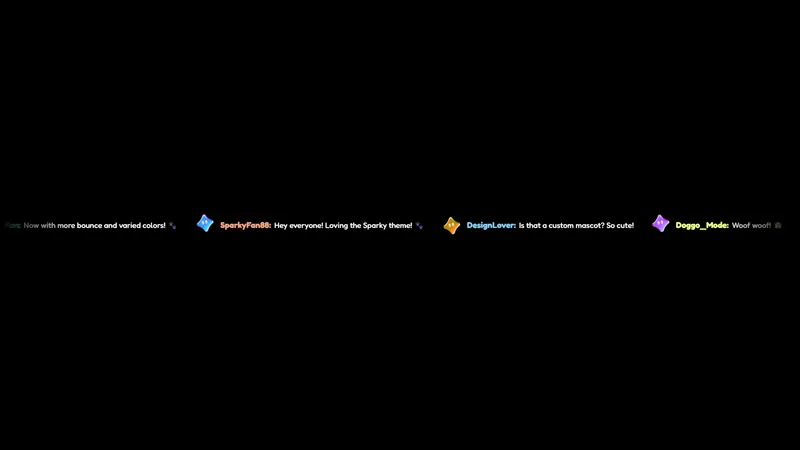
Free Celestial Horizontal Chat Overlay for Streamers
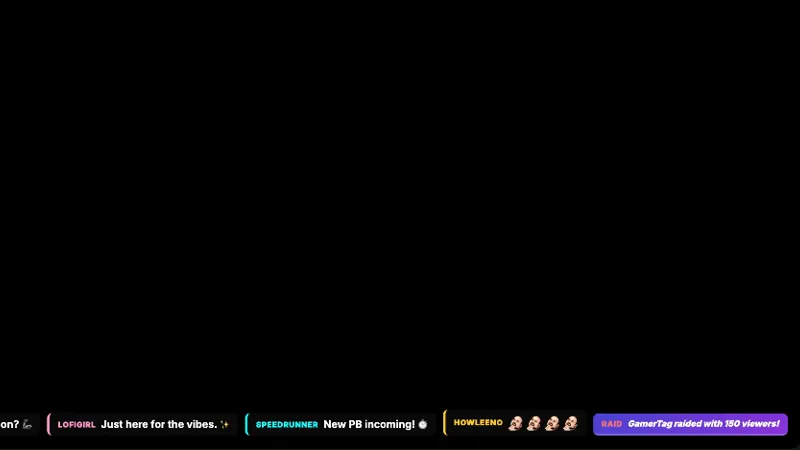
A horizontal chat bar that scrolls messages left-to-right. Sits cleanly at the top or bottom of your canvas without stealing focus.
By Meld
Get Celestial Horizontal Chat free
Included with Meld Studio. Or stay in OBS with Spark Plug.
A horizontal chat bar earns its place by giving up territory most chat widgets refuse to. Celestial Horizontal Chat lives in a single thin strip across the top or bottom of your canvas, scrolling messages left to right against a starlit backdrop, so the rest of the scene keeps the room it needs for gameplay, a webcam tile, or a goal panel.
It is free with Meld Studio. No watermark, no setup fee, no per-stream cap.
How it sits on the canvas
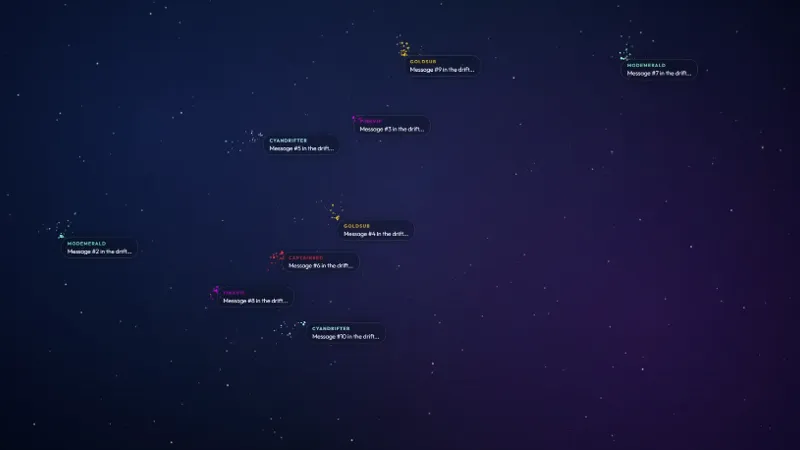
Messages flow horizontally along the strip rather than stacking vertically the way a traditional panel does. That single decision changes what kind of layout the chat fits. Full-screen gameplay scenes get to keep their mini-maps and HUDs visible. Cozy scenes get a chat layer that reads as ambient motion instead of a wall of text in the corner. The celestial palette, drifting stars and a soft cosmic gradient behind the type, ties the bar into any layout already leaning into a starry or nebula aesthetic.
The bar pulls chat from Twitch, YouTube Live, Kick, and TikTok Live at the same time. Meld signs you in once and merges all four feeds into the same scrolling line, so multistreamers do not need to pick a platform or stack multiple chat sources. A message from a TikTok viewer scrolls past right next to a Twitch sub.
Tuning the scroll
The default scroll speed works for an average chat. Meld Spark, the AI overlay editor inside Meld Studio, lets you change it without opening any settings. A prompt like “slow the scroll by 30 percent and make usernames stand out with stronger colors” updates the overlay immediately. You can also reshape the bubbles, swap the star palette, or push the bar to the top of the canvas instead of the bottom. Changes persist between sessions, so the next time you go live the bar looks exactly the way you left it.
Who this is for
Streamers who already run a celestial themed scene or want a low-impact chat layer that does not eat a tall corner of the layout. The horizontal shape works well for shooters, racing games, music streams, art streams, and Just Chatting scenes where the cam is large and chat has been pushed off to the side.
Adding it to your stream
Download Meld Studio and drop Celestial Horizontal Chat into a scene. If you already run OBS, the free Spark Plug for OBS plugin loads the same bar as a browser source inside your existing layout, with the same multi-platform chat merge and the same Meld Spark customization through plain English.
Use cases
-
Full-screen gameplay where the HUD matters
For shooters, racers, and any game where the lower edge of the canvas is crowded with a mini-map or ammo counter, a tall chat panel covers the wrong things. The horizontal bar runs along a single strip at the top or bottom, leaving the rest of the gameplay readable while chat stays visible.
-
Cozy and Just Chatting scenes that lean celestial
For art streams, body-doubling sessions, or late-night Just Chatting hangs that already use a starry or nebula aesthetic, the horizontal bar ties chat into the same visual language. Messages drift left to right against the same celestial palette as the rest of your overlays.
Frequently asked questions
Is the Celestial Horizontal Chat overlay free?
Yes. It is included free with Meld Studio. There is no watermark, no paywall, and no usage cap, so you can run it on every stream without worrying about a hidden limit.
Which platforms does the chat bar pull from?
Twitch, YouTube Live, Kick, and TikTok Live all feed the same scrolling bar. Meld signs you in once and the bar mixes messages from every platform you stream to in a single horizontal feed.
Does this work in OBS Studio?
Yes. Spark Plug for OBS loads the bar into your existing OBS scene as a browser source, and Meld Spark lets you slow the scroll, recolor usernames, or reshape the message bubbles from a plain English prompt in seconds.
Can I slow the scroll speed for a small chat?
Yes. Meld Spark, the AI overlay editor included with Meld Studio, takes plain-English prompts. A request like "slow the scroll by 30 percent" applies immediately and persists between sessions.
Will it cover important parts of the gameplay?
The bar is a single horizontal strip designed to live along the top or bottom edge. It stays out of the center of the canvas and leaves the gameplay area, the cam tile, and any HUD elements untouched.