Free Celestial Starfall Alert for Follows, Subs, and Raids
A celestial rain effect that triggers on follows, bits, kicks, or subscribers. Background is transparent, designed to layer over any stream scene.
By Meld
Get Celestial Starfall Alert free
Included with Meld Studio. Or stay in OBS with Spark Plug.
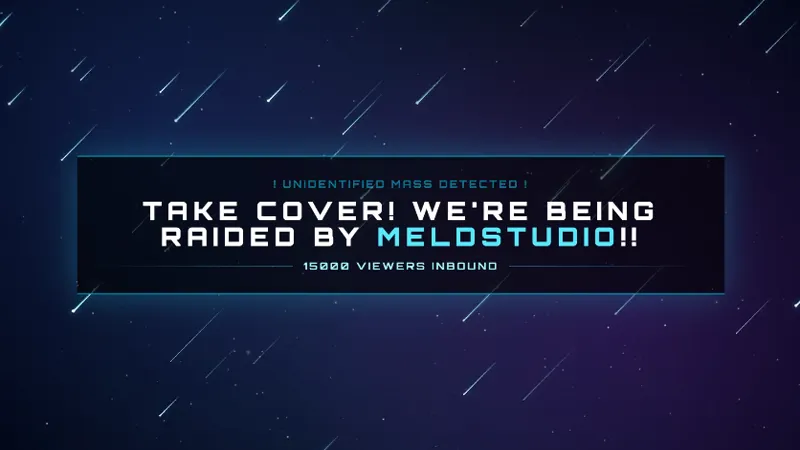
A stream alert needs to register without taking the canvas hostage. Celestial Starfall handles that with a transparent overlay that drops a celestial rain across whatever scene is live, fires on follows, bits, subscribers, and raids, and clears without leaving a hole in the gameplay underneath.
It is free with Meld Studio. No watermark, no paywall, no usage limit.
How the alert lands
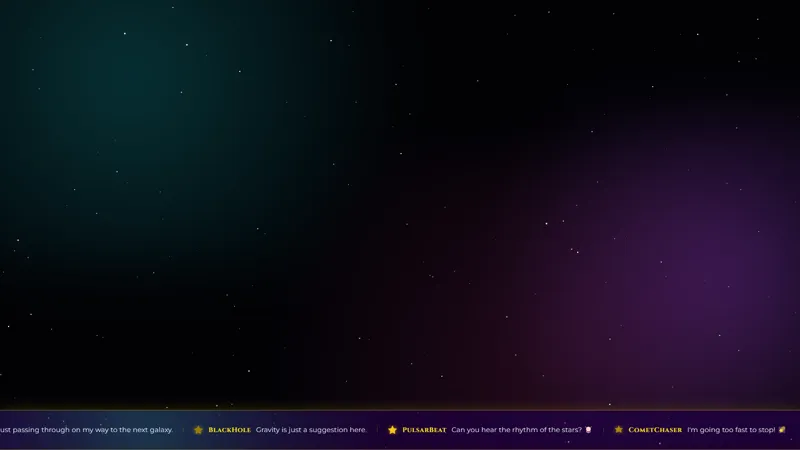
The animation is a soft cosmic rain. Stars stream down across the full canvas, layered on a transparent background so the alert reads on top of gameplay, a Just Chatting cam tile, or a starting soon scene without covering it. The effect runs for long enough to register and clears on its own, leaving the scene the way it was.
A single overlay handles four event types: follows, bits, subscribers, and raids. The visual is consistent across all four, so a viewer landing during the alert reads it as the channel saying thank you regardless of which event fired. That consistency is what makes the alert layer fit a celestial-themed channel: every event speaks the same visual language.
Events from Twitch, YouTube Live, Kick, and TikTok Live all trigger the same starfall. Meld signs you in once and the alert listens to every platform you stream to at the same time.
Tuning the trigger
The default trigger covers the four standard event types. Meld Spark, the AI overlay editor included with Meld Studio, lets you narrow or expand that list with a plain-English prompt. A request like “Only trigger on subscriptions and make the stars larger” rewires the overlay immediately. You can also swap the palette, slow the fall speed, add a sound on each landing, or attach the raider’s name in a glowing constellation font when a raid lands. Changes persist between sessions, so the alert looks exactly the same the next time you go live.
Who this is for
Streamers running a celestial, nebula, or cosmic-themed channel who want their alert layer to fit the rest of the scene rather than break it. The transparent canvas also makes it a fit for streamers who want a more atmospheric alert than a hard popup, regardless of theme. The starfall reads as a moment that belongs to the channel rather than a generic notification.
Adding it to your stream
Download Meld Studio and Celestial Starfall is one drag away from being live. If you already run OBS, the free Spark Plug for OBS plugin brings the starfall into your existing OBS layout as a transparent browser source, with the same multi-platform event support and the same Meld Spark customization in plain English.
Use cases
-
Layering alerts over a busy gameplay scene
A solid-background alert covers what you are playing for the few seconds it stays on screen. Starfall is built transparent, so the cosmic rain drops over the gameplay underneath without blocking the moment that earned the alert in the first place.
-
Tying alerts into a celestial-themed channel
For streamers running a starlit, nebula, or cosmic aesthetic across starting soon, BRB, and main scenes, a generic alert popup breaks the visual identity. Starfall keeps every event inside the same celestial language as the rest of your overlays.
Frequently asked questions
Which stream events trigger the starfall?
The alert can fire on follows, bits, subscribers, and raids. It treats each event the same on the visual layer: a celestial rain effect that runs across the canvas before clearing.
Is the Celestial Starfall Alert free?
Yes. It is included free with Meld Studio. There is no paywall, no watermark, and no per-stream cap, so the alert runs on every stream you go live with.
Which platforms does it work on?
Twitch, YouTube Live, Kick, and TikTok Live. Meld signs you in once and events from every platform you stream to fire the same starfall on the same canvas.
Does this work in OBS Studio?
Yes. Spark Plug for OBS drops the starfall into your existing OBS scene as a transparent browser source, and Meld Spark lets you change which events trigger it, resize the stars, or swap the palette from a plain-English prompt in seconds.
Can I limit the alert to subscriptions only?
Yes. Meld Spark, the AI overlay editor inside Meld Studio, takes plain English. A request like "Only trigger on subscriptions and make the stars larger" applies immediately and persists between sessions.