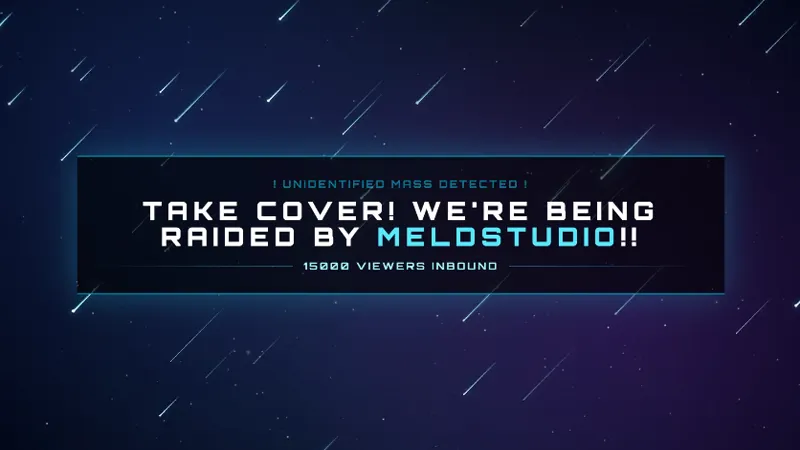
Free Stardust Chat Overlay with Role-Colored Messages
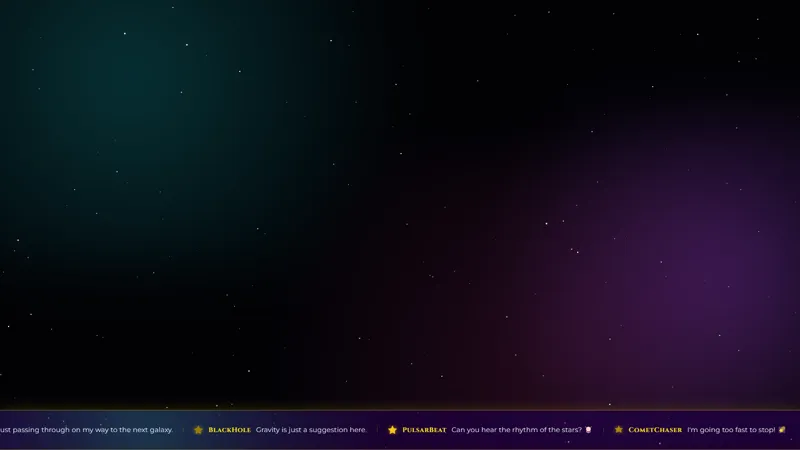
Chat messages fly across the screen with a stardust trail. Messages are color-coded by role: Streamer (Red), Moderator (Green), VIP (Pink), Subscribers (Yellow/Gold), Viewers (Cyan/Light Blue).
Get Stardust Chat free
Included with Meld Studio. Or stay in OBS with Spark Plug.
A chat overlay that color-codes by role earns the space it takes on the canvas because every drifting message tells you who sent it without you having to read the username. Stardust Chat does that with a stardust trail: messages fly across the screen, leaving a glowing tail behind them, and the color of that tail is keyed to the chatter’s role on your channel.
It is free with Meld Studio. No watermark, no paywall, no setup fee.
How the colors work
The role palette is fixed and easy to scan. Streamer messages run red, moderator messages run green, VIPs are pink, subscribers are yellow or gold, and regular viewers are cyan or light blue. That gives you a chat layer that doubles as a soft signal of community structure: a wave of yellow-gold stardust during a sub raid, a green moderator note cutting through during a tense moment, a cyan viewer message landing without ceremony.
Messages drift rather than stack. Each message flies across the canvas trailing stardust, then clears, so the chat layer is animated and ambient instead of a wall of text in the corner. That works particularly well over a celestial-themed scene or any layout where you want chat present without it dominating the frame.
The overlay pulls from Twitch, YouTube Live, Kick, and TikTok Live at the same time. Meld signs you in once and merges all four feeds into the same stardust stream, with the role colors carrying through across every platform.
Customizing with Meld Spark
Meld Spark, the AI overlay editor inside Meld Studio, lets you reshape the palette and the animation without opening a code editor. A prompt like “Make subscriber messages leave a golden sparkle trail” rewires the subscriber stardust immediately. You can also slow the drift speed, change one role color without touching the others, or add a stronger trail for the streamer role to make your own messages stand out. Changes persist between sessions, so the chat looks exactly the same the next time you go live.
Who this is for
Streamers running celestial, cozy, or low-key gaming scenes who want chat present as motion across the canvas rather than a static panel. The role coloring also makes it a fit for streamers who want subs and VIPs visibly recognized without adding a separate alert layer for every chat message.
Adding it to your stream
Download Meld Studio and Stardust Chat is one drag away from being live. If you already run OBS, the free Spark Plug for OBS plugin loads the same overlay into your existing OBS layout as a browser source, with the same role colors and the same multi-platform chat merge through a single sign-in.
Use cases
-
Showing off subscribers and VIPs without a separate alert
Subs and VIPs already get their own alerts, but their chat messages usually look the same as everyone else. Stardust Chat color-codes the stardust trail by role, so a subscriber message reads as a yellow-gold streak and a VIP message reads pink without any extra widget on the canvas.
-
Variety streams that lean cozy or celestial
For art streams, music streams, and Just Chatting hangs that already use a starry or nebula aesthetic, the drifting stardust trail ties chat into the same visual language. Messages move across the canvas as part of the scene rather than living in a static box on the side.
Frequently asked questions
How are messages color-coded?
Each role gets its own stardust color. Streamer messages are red, moderator messages are green, VIPs are pink, subscribers are yellow-gold, and viewers are cyan. A glance at any drifting message tells you who sent it.
Is the Stardust Chat overlay free?
Yes. It is included free with Meld Studio. There is no paywall, no watermark, and no per-stream cap, so it can run on every scene without a hidden limit.
Which platforms does it pull chat from?
Twitch, YouTube Live, Kick, and TikTok Live. Meld signs you in once and the overlay merges chat from every platform you stream to into the same stardust feed, with role colors preserved across all four.
Does this work in OBS Studio?
Yes. Spark Plug for OBS drops Stardust Chat into your existing OBS scene as a browser source, and Meld Spark lets you change the role colors, slow the animation, or add a custom trail for a specific role from a plain-English prompt in seconds.
Can I change the role colors?
Yes. Meld Spark, the AI overlay editor included with Meld Studio, takes plain-English prompts. A request like "Make subscriber messages leave a golden sparkle trail" applies immediately and persists between sessions.