Free Valorant-Themed Chat Widget for Every Platform You Stream To
Keep every chat in view with a Valorant-themed multi-chat overlay that pulls live messages from Twitch, Kick, YouTube, and TikTok directly onto your stream in one sleek design.
By Meld
Get Valorant Chat Overlay Widget with Twitch, Kick, YouTube & TikTok integration free
Included with Meld Studio. Or stay in OBS with Spark Plug.
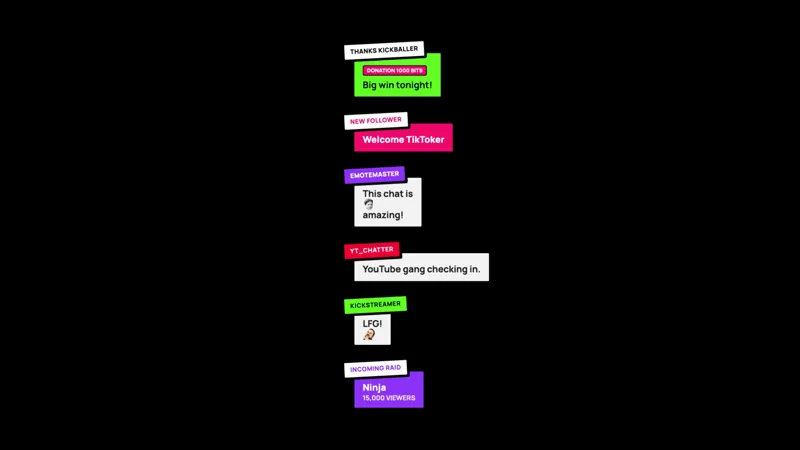
Switching between chat windows mid-match is how you miss the message that mattered. The Valorant Chat Widget solves that by routing messages from Twitch, YouTube Live, Kick, and TikTok Live into one panel styled after the game you are already playing, so chat lives inside the scene instead of beside it.
It is free with Meld Studio. No watermark, no setup fee, and no subscription required.
The design
The widget draws on Valorant’s tactical visual language: sharp edges, high contrast, and a clean dark palette that reads against gameplay without competing with it. Chat messages appear in a structured, type-forward layout that feels native to Valorant’s interface. The panel sits on screen and holds its weight without pulling attention away from the action.
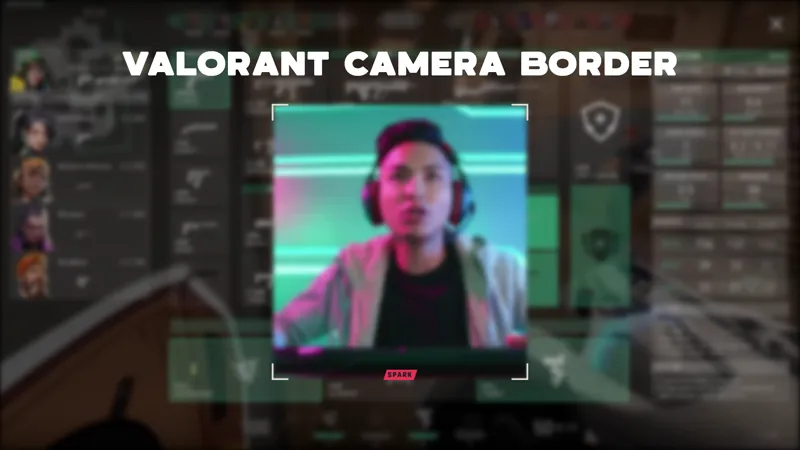
For streamers who run a Valorant-themed overlay package across their camera border, alerts, and lower thirds, the chat widget completes the set. Every component in the scene shares the same design direction, and a viewer landing on the channel for the first time sees a layout that reads as intentional rather than assembled from unrelated parts.
One panel for every platform you stream to
The Valorant Chat Widget reads from Twitch, YouTube Live, Kick, and TikTok Live at the same time. Sign in once in Meld and every platform you broadcast to feeds the same panel. A message from a Twitch subscriber and a question from a YouTube viewer land in the same widget in real time, so you respond to your audience instead of monitoring four separate feeds during a match.
For multistreamers, this removes the need to watch parallel windows during a session. Your entire audience across Twitch, YouTube, Kick, and TikTok shares one visible chat surface on screen, and you stay focused on the match rather than the logistics.
Adding it to your stream
Download Meld Studio and the Valorant Chat Widget is one drag away from going live, with chat from Twitch, YouTube, Kick, and TikTok pulled in through a single sign-in. If you would rather stay in OBS, the free Spark Plug for OBS loads the widget as a browser source inside your existing OBS scene with the same four-platform feed and the same Valorant-themed design on screen.
Use cases
-
Valorant streamers broadcasting to multiple platforms at once
When you go live on Twitch, YouTube, and Kick simultaneously, you need one place to read chat, not three. The Valorant Chat Widget pulls live messages from every platform you stream to into a single on-screen panel, so you can respond to your audience without switching windows in the middle of a match.
-
Streamers building a cohesive Valorant-themed scene
For streamers whose overlay pack leans into Valorant's visual language across the camera border, alerts, and lower thirds, a matching chat widget closes the look. The tactical design in the chat panel keeps the whole scene reading as one intentional layout rather than a set of components that happen to share a screen.
Frequently asked questions
Is the Valorant Chat Widget free?
Yes. The Valorant Chat Widget is included free with Meld Studio. There is no paywall, no watermark, and no per-stream usage cap. Add it to a scene and chat from every connected platform starts flowing immediately.
Which chat platforms does it support?
Twitch, YouTube Live, Kick, and TikTok Live are all supported. Meld signs you in once and pulls messages from every platform you stream to, so chatters across all four feeds land in the same Valorant-styled panel at the same time.
Does this work with OBS Studio?
Yes. Spark Plug for OBS loads the widget into your existing OBS scene as a browser source, and Meld Spark lets you customize the overlay in seconds from a plain English prompt. You get the full Valorant-themed chat feed inside OBS without switching software or rebuilding your scene.
Do I need to play Valorant to use this widget?
No. The widget is a visual theme, not a game-specific integration. Any streamer who likes Valorant's tactical aesthetic can drop it into a scene regardless of what they are playing. It works well alongside any high-contrast, dark-themed overlay package.
Will it show messages from all platforms at the same time?
Yes. Meld reads from Twitch, YouTube Live, Kick, and TikTok Live simultaneously through a single sign-in. Messages from all four platforms flow into the widget in real time, so you never miss a chat message because you were watching a different feed.