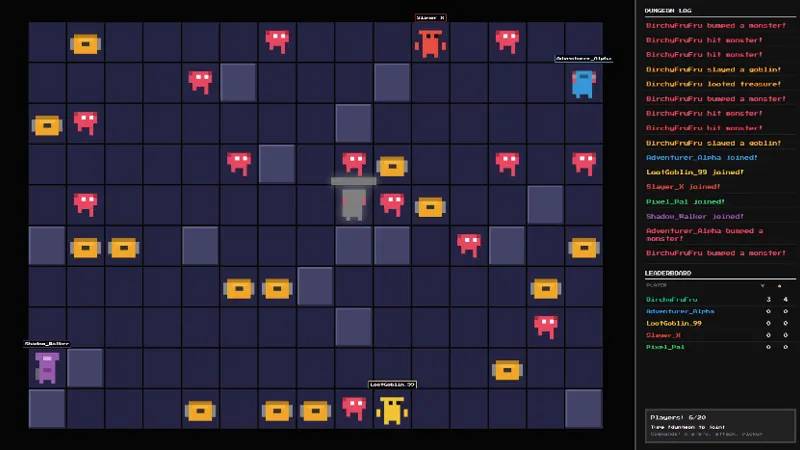
Free Guess The Number Chat Game Overlay for Live Streams
Chat guesses a number between 1 and 99. The first person to guess correctly shows up on screen as the winner before a new round starts.
By Meld
Get Guess The Number free
Included with Meld Studio. Or stay in OBS with Spark Plug.
The first viewer to guess the number wins the round. That is the whole loop. A number between 1 and 99 sits hidden behind the overlay, chat fires off guesses in chat, and the moment someone lands on the right answer their name flashes on screen as the winner before a new round starts automatically.
It is free with Meld Studio. No watermark, no per-stream cap, no setup steps before the first round.
How a round plays
The game starts with a hidden number between 1 and 99. Viewers type guesses directly into chat, no command prefix, no special syntax, just the number. The overlay tracks every guess as it comes in and resolves the round the instant a correct answer arrives. The winner’s name takes the screen, the round closes out, and a new number is generated automatically so the segment cycles on its own.
The single-keystroke entry is the point. A first-time viewer needs zero context to participate. They land on the channel, see “1 to 99,” type a number, and either win the next round outright or watch the winner show up by name. Either way, they have already engaged in their first thirty seconds on the stream.
Guesses from Twitch, YouTube Live, Kick, and TikTok Live all feed the same round. A multi-platform audience competes against the same hidden number on the same screen instead of running parallel games in four separate rooms.
When to drop it in
The auto-cycling structure makes the overlay a natural fit for short gaps. Loading screens, queue waits, lobby times, and the awkward minute between segments all work because a single round resolves quickly and the next one starts on its own. For longer formats, the game also works as a sustained passive segment in a starting soon or warm-up scene, with rounds piling up while you finish setup.
Recurring use is where the overlay earns its keep. A nightly “guess the number” bit gives regulars a familiar opening hook, and the leaderboard of past winners builds organically across streams as the same names keep showing up.
Customizing with Meld Spark
The default 1-to-99 range works out of the box. Meld Spark, the AI overlay editor inside Meld Studio, lets you reshape the rules from plain English. A prompt like “Change the range to 1-50 and show hot/cold hints after each guess” rewrites both the number pool and the feedback loop at once. You can ask for narrower ranges, themed prizes, win streaks, or different hint mechanics, and the change persists between sessions.
Adding it to your stream
Download Meld Studio and the game drops into a scene with no configuration, with chat connections to Twitch, YouTube, Kick, and TikTok already linked from a single sign-in. If you would rather stay in OBS, the free Spark Plug for OBS plugin loads the same overlay as a browser source inside your existing OBS scene, with the same auto-cycling rounds and the same multi-platform guesses.
Use cases
-
Quick filler between matches or topics
A round resolves the moment a viewer guesses correctly, which makes the overlay ideal for short gaps. Drop it onto the screen between ranked queues or topic changes, watch chat fire off guesses, see the winner appear, and move on. The whole bit fits inside a loading screen.
-
First-time-viewer hooks
The barrier to entry is a single number between 1 and 99. A first follower landing on the channel can type one guess and either win the round outright or watch the winner show up by name. That kind of low-friction interaction is what turns a passive scroller into a chatter on their first visit.
Frequently asked questions
Is the Guess The Number game free?
Yes. Guess The Number is included free with Meld Studio. There is no paywall, no watermark, and no per-stream usage cap. Drop it into a scene and chat can guess the moment the round starts.
How does a round work?
Chat guesses a number between 1 and 99 by typing it in chat. The first viewer to guess correctly is shown on screen as the winner, and a new round starts automatically with a fresh number, so the segment cycles without any manual restart from you.
Which platforms can my viewers play from?
Twitch, YouTube Live, Kick, and TikTok Live are all supported. Meld signs you in once and pulls chat from every platform you stream to, so a viewer on Kick can win a round against a Twitch and a YouTube viewer all guessing the same number.
Does this work with OBS Studio?
Yes. Spark Plug for OBS loads the game into your existing OBS scene as a browser source, and Meld Spark lets you change the number range, add hot/cold hints, or restyle the winner card from a plain-English prompt in seconds. No code, no migration.
Can I change the number range or add hints?
Yes. Meld Spark, the AI overlay editor included with Meld Studio, handles game tuning from a single prompt. Something like "Change the range to 1-50 and show hot/cold hints after each guess" rewrites the rules immediately and the change persists between sessions.