Free Subathon Timer Overlay That Keeps Your Marathon Running
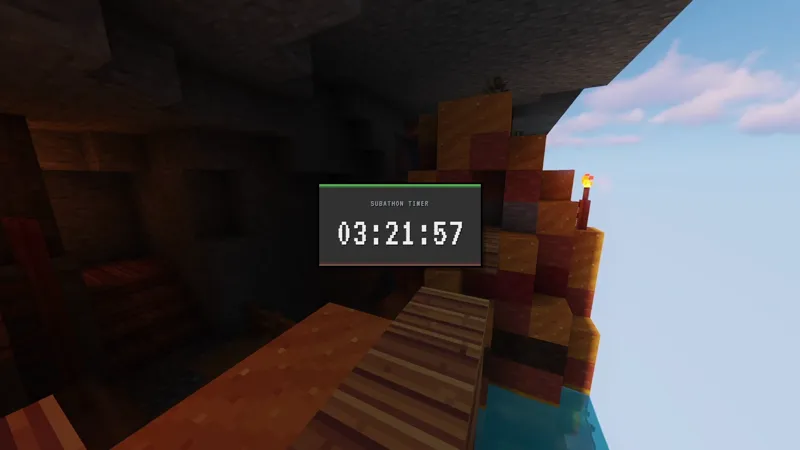
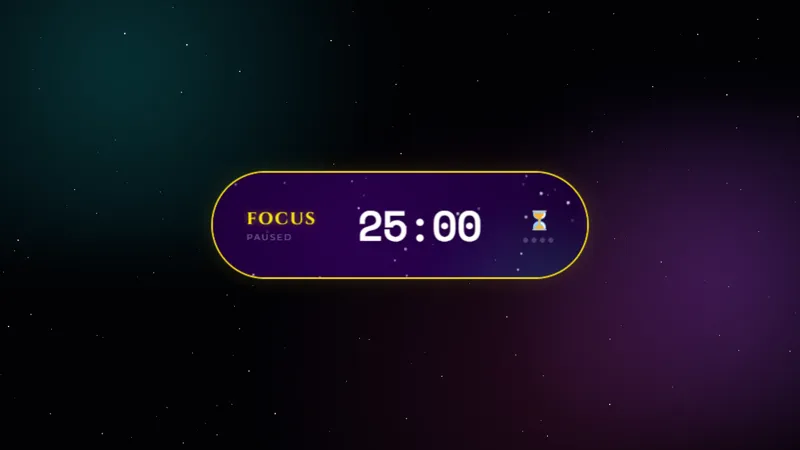
A clean, minimal subathon timer with a bold countdown display. Each new sub adds time to the clock, keeping your marathon going. Designed to look great on any stream layout.
Get Clean Subathon Timer free
Included with Meld Studio. Or stay in OBS with Spark Plug.
The visible countdown is what transforms a subathon from a long stream into a live event your chat has a stake in. When viewers can see the clock ticking toward zero, every sub feels like it matters. Clean Subathon Timer puts that number on screen in a bold, minimal display that reads clearly against any background or layout.
It is free with Meld Studio. There is no watermark, no setup fee, and no subscription required.
How the timer works
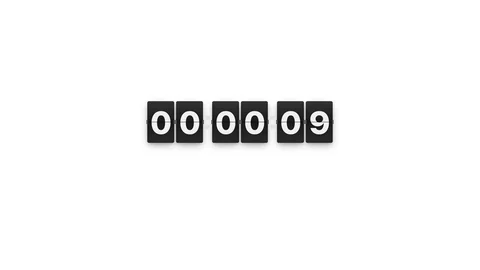
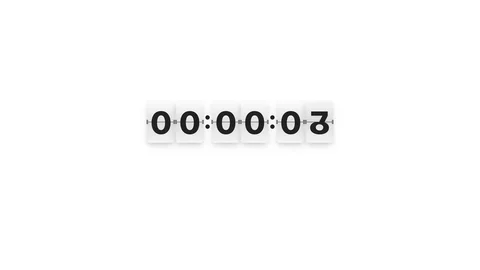
The countdown runs live on screen. Each new sub adds time to the clock, extending the stream and keeping the momentum going. The display stays clean throughout: large numerals with no surrounding visual noise, so viewers can read the time at a glance without squinting past alerts or overlapping graphics.
Subs from Twitch, YouTube Live, Kick, and TikTok Live all feed the same clock. Multi-platform subathons stay coherent: a viewer subbing on Kick sees the same number jump that a Twitch sub triggers, and chat across every platform watches the total move together.
When you need to step away, toggle interaction mode on your canvas to bring up hover controls directly on the overlay. From there you can pause the clock or reset it without interrupting the stream or opening a settings panel. The controls disappear when you exit interaction mode, so they never show up during the live broadcast.
Adapting it to your look
The Clean Subathon Timer ships ready to use, but Meld Spark, the AI overlay editor built into Meld Studio, lets you reshape it without touching code. Describe what you want in plain English: change the color scheme to match your brand, add a goal tracker underneath the countdown, or trigger a celebration animation every time a sub adds time. A prompt like “Add a confetti burst every time someone subs and adds time” updates the overlay immediately.
Changes persist between sessions, so your subathon setup looks exactly the same each time you go live for the event.
The overlay works well for any streamer running a marathon event where the audience controls how long the stream runs. Pause is useful during raid interruptions and off-camera moments when you do not want the clock consuming time your chat earned. Reset lets you start fresh for recurring subathon events without reconfiguring anything from scratch. Both controls are close at hand without cluttering the scene during normal operation.
Adding it to your stream
Download Meld Studio and the timer drops into a scene with no configuration. If you already run OBS and want to stay there, the free Spark Plug for OBS plugin loads the same overlay as a browser source inside your existing OBS layout, with the same multi-platform sub tracking and the same Pause / Reset controls.
Use cases
-
Planning your first subathon
When you announce a subathon, the timer on screen is the central visual contract between you and your audience. Viewers need to see the clock to understand that their subs directly extend the stream. A clean, readable display makes that feedback loop obvious from the moment someone lands on your channel.
-
Long streams with breaks and interruptions
Subathons run for hours, which means bathroom breaks, unexpected tech issues, and raid interruptions. The Pause control lets you hold the clock without canceling the event or losing viewer trust. Toggle interaction mode on your canvas, hit Pause, and the timer waits until you are ready to resume.
Interactive controls
Toggle interaction mode on your canvas to access controls on hover.
Frequently asked questions
Is the Clean Subathon Timer overlay free?
Yes. Clean Subathon Timer is included free with Meld Studio. There is no paywall, no watermark, and no usage limit. Drop it into any scene and it works immediately.
Which platforms does it work on?
Twitch, YouTube Live, Kick, and TikTok Live are all supported. Subs from every platform you stream to add time to the same on-screen clock, so a multi-platform subathon stays unified instead of fragmenting across feeds.
Does the timer work in OBS Studio?
Yes. Spark Plug for OBS loads the timer into your existing OBS scene as a browser source, and Meld Spark lets you change colors, add a goal tracker, or trigger animations on each sub from a plain-English prompt in seconds.
How do I pause the timer during a break?
Toggle interaction mode on your canvas to bring up hover controls directly on the overlay. From there you can pause the countdown or reset it completely. The controls hide automatically when you exit interaction mode, so they never appear on your live broadcast.
Can I customize the timer colors to match my stream brand?
Yes. Meld Spark, the AI overlay editor included with Meld Studio, lets you change the color scheme, add a goal tracker alongside the countdown, or trigger animations when time is added. Describe what you want in plain English and the change applies immediately.
What does the Reset control do?
Reset returns the timer to your starting duration, which is useful for recurring subathon events or if you want to start fresh mid-stream. You access it the same way as Pause, through interaction mode on your canvas.