Free Spiral Cards Starting Soon Screen With a Hypnotic Card Vortex
A starting soon scene with playing cards drifting through a hypnotic spiral vortex. Sets a mystic tone before you go live.
By Meld
Get Spiral Cards Starting Soon free
Included with Meld Studio. Or stay in OBS with Spark Plug.
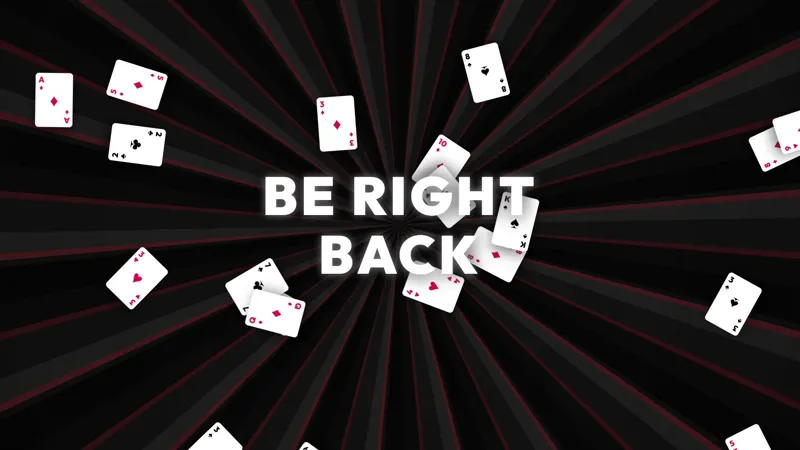
Playing cards drift through a hypnotic spiral vortex while the canvas slowly rotates around them. The Spiral Cards Starting Soon scene takes a deck-of-cards motif and turns it into a moving pre-show that feels mystic rather than energetic, the kind of waiting room that suits a tarot night, a card-game session, or any stream that wants a moody open. It is free with Meld Studio, no watermark, no paywall, no setup fee.
What fills the screen
The vortex sits at the center of the canvas and pulls cards into a slow spiral. The motion is calibrated to read as hypnotic rather than chaotic, so the scene works as a backdrop a viewer can sit with for two or five minutes without feeling restless. Suits drift past at a steady cadence, the spiral rotates around them, and the whole composition holds a single calm rhythm.
There is no countdown baked in by default and no chat dependency to wire up. The scene is a self-contained visual loop that runs continuously while the screen is active, so the canvas never goes static during the pre-stream window.
When to use it
Card-game streams covering Hearthstone, Slay the Spire, Balatro, Magic, poker, and similar deck-driven gameplay. Tarot streams and divination content where the visual register needs to be quietly mystical rather than bright. TTRPG one-shots, especially horror and occult settings, where a moody pre-show carries more weight than a countdown timer. Variety streamers running a low-key night also land naturally on this canvas when they want an atmospheric open instead of a hype open.
Pair it with the matching Spiral Cards BRB scene to carry the same motif through breaks, and the channel reads as a single produced broadcast rather than a stitch of unrelated screens.
Customizing with Meld Spark
Meld Spark, the AI overlay editor built into Meld Studio, lets you reshape the scene without touching code. Describe what you want in plain English. A prompt like “Replace the card suits with my stream emotes and quicken the vortex spin” applies in seconds. Slow the spiral for a calmer mood, recolor the cards to match your branding, or layer a soft countdown line over the vortex the same way.
Changes persist between sessions, so the open looks identical the next time you go live.
Adding it to your stream
Download Meld Studio and the scene drops into a Starting Soon scene with no configuration. If you already stream from OBS, the free Spark Plug for OBS plugin loads the same canvas into your existing OBS layout as a browser source. Twitch, YouTube Live, Kick, and TikTok Live all render the scene the same way, so a multi-platform open stays consistent across every channel you broadcast to.
Use cases
-
Card games, tarot reads, and TTRPG nights
Poker, Hearthstone, Slay the Spire, Balatro, tarot streams, and TTRPG one-shots all share a deck-of-cards visual register. The Spiral Cards Starting Soon scene gives those streams a pre-show that reads as on-genre rather than borrowed from a generic countdown template.
-
Mystic, occult, or moody variety streams
Not every channel is hype-energy. Streamers leaning into a mystic, tarot, or low-key occult aesthetic land naturally on a pre-show that drifts cards through a vortex rather than counting down with bright typography. The motion is hypnotic, slow, and intentionally atmospheric.
Frequently asked questions
Is the Spiral Cards Starting Soon scene free?
Yes. The scene is included free with Meld Studio. No watermark, no paywall, no usage cap. Drop it into a Starting Soon scene and it is ready to broadcast.
Which platforms does it work on?
The scene broadcasts identically across Twitch, YouTube Live, Kick, and TikTok Live. Meld signs you in once and the same canvas renders the same way on every platform you stream to.
Does this work in OBS Studio?
Yes. Spark Plug for OBS loads the scene into your existing OBS layout as a browser source, and Meld Spark lets you swap the card suits for your channel emotes, speed up the spin, or recolor the vortex from a plain-English prompt in seconds.
Can I swap the card suits for my emotes?
Yes. Meld Spark, the AI overlay editor included with Meld Studio, handles that from a single prompt. "Replace the card suits with my stream emotes and quicken the vortex spin" updates the scene immediately and the change persists between sessions.
Does the vortex loop or run for a fixed time?
The spiral runs continuously while the scene is active, so you can leave the canvas up for whatever length pre-show you want. Switch to your main scene whenever you are ready to go live.