Free Cyberpunk Cityscape Starting Soon Screen With Rain and Lightning
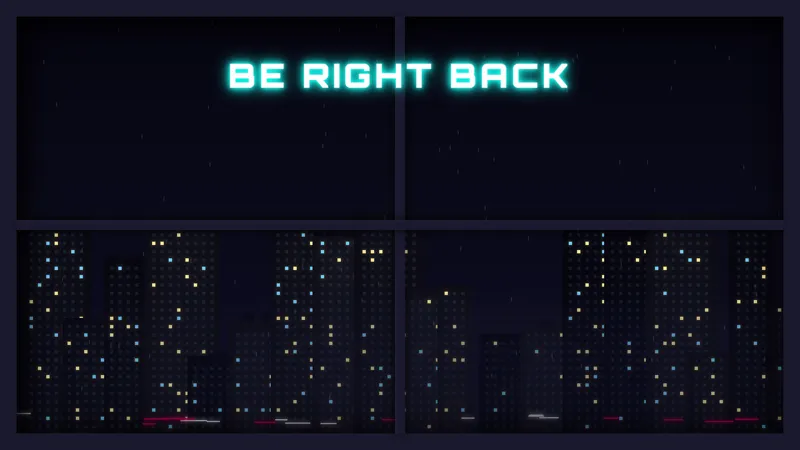
A cyberpunk-inspired night cityscape seen from a rainy window, with flashes of lightning. Moody pre-stream atmosphere.
By Meld
Get Cityscape Starting Soon free
Included with Meld Studio. Or stay in OBS with Spark Plug.
Rain runs down a high-rise window. A neon-soaked skyline sits in the middle distance. Lightning flashes break across the cityscape at irregular intervals. The Cityscape Starting Soon scene puts the viewer inside an apartment on a rainy night, looking out across a cyberpunk city while you finish setup. It is free with Meld Studio, no watermark, no paywall, no setup fee.
What fills the screen
The canvas is a single composed scene rather than a collage. Rain streaks down the foreground glass continuously, soft enough to read as ambient texture instead of distraction. Behind the window the city sits at night, neon lights from signs and traffic glowing through the weather. Lightning flashes punch across the skyline at uneven intervals, so the scene never settles into a predictable beat.
There is no countdown baked in by default and no chat dependency to wire up. The screen is a moody, atmospheric pre-show that runs continuously while the scene is active, so a viewer who lands two minutes early sees the same alive canvas as one who arrives thirty seconds before you switch to your main scene.
When to use it
Cyberpunk gaming nights, neo-noir RPG sessions, and any stream that fits a rainy-night register. The visual language is broad enough to also cover late-night variety streams, podcasts, and chill-out music nights where a hype-train open would feel out of place. The continuous rain reads as quiet rather than dead, which is the hard balance for a moody pre-show: viewers can leave the tab open and still feel something is happening.
Pair the open with the matching Cityscape BRB and the channel carries the same atmosphere from pre-show through breaks and back, which is the easiest way to make a small channel feel like a produced broadcast.
Customizing with Meld Spark
Meld Spark, the AI overlay editor built into Meld Studio, lets you reshape the scene without touching code. Describe what you want in plain English. A prompt like “Put my username on a neon sign across the street and turn the rain into light snow” applies in seconds. Shift the time of day, swap the weather, dim the neon for a quieter mood, or layer a countdown over the skyline the same way.
Changes persist between sessions, so the screen looks identical the next time you go live.
Adding it to your stream
Download Meld Studio and the scene drops into a Starting Soon scene with no configuration. If you already stream from OBS, the free Spark Plug for OBS plugin loads the same canvas into your existing OBS layout as a browser source. Twitch, YouTube Live, Kick, and TikTok Live all render the scene the same way, so a multi-platform open stays consistent across every channel you broadcast to.
Use cases
-
Cyberpunk gaming sessions and night runs
Loading into Cyberpunk 2077, Stray, or any neon-soaked city game, a pre-show that already lives in that world tells returning viewers the night's content is going to fit the genre. The rainy high-rise window sets the tone before the game even loads.
-
Late-night streams that lean moody rather than energetic
Not every stream wants a hype-train open. Variety streamers, podcasters, and chill-night hosts looking for a moody, atmospheric pre-show land naturally on this scene. The continuous rain and occasional lightning strike keep the canvas alive without demanding viewer attention.
Frequently asked questions
Is the Cityscape Starting Soon scene free?
Yes. Cityscape Starting Soon is included free with Meld Studio. No watermark, no paywall, no usage cap. Drop it into your scene and it is ready to broadcast.
Which platforms does it work on?
The scene broadcasts identically across Twitch, YouTube Live, Kick, and TikTok Live. Meld signs you in once and the same canvas renders the same way on every platform you stream to, so a multi-platform open stays visually consistent.
Does this work in OBS Studio?
Yes. Spark Plug for OBS loads the scene into your existing OBS layout as a browser source, and Meld Spark lets you swap the rain for snow, change the time of day, or hang a neon sign with your username across the skyline from a plain-English prompt in seconds.
Can I put my username on the cityscape?
Yes. Meld Spark, the AI overlay editor included with Meld Studio, handles changes like that from a single prompt. "Put my username on a neon sign across the street and turn the rain into light snow" updates the scene immediately and the change persists between sessions.
How long does the lightning loop run?
The rain runs continuously and the lightning flashes happen at irregular intervals across the loop, so the scene stays alive without becoming predictable. Leave the canvas up for whatever length pre-show you want.