Free Social Loop Overlay: Keep Your Handles Visible on Stream
A carousel widget that loops through your social handles across every platform, so viewers always know where to follow you.
By Meld
Get Social Loop free
Included with Meld Studio. Or stay in OBS with Spark Plug.
You drop your Instagram in chat and it scrolls past in seconds. The next viewer who wonders where else to find you has no way to know.
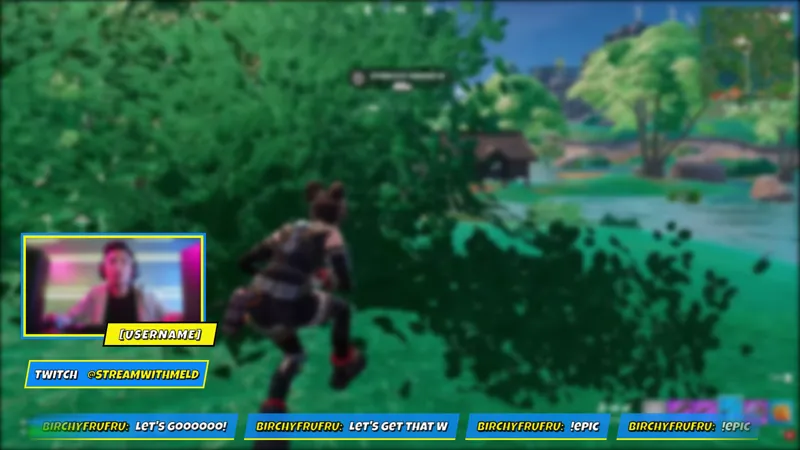
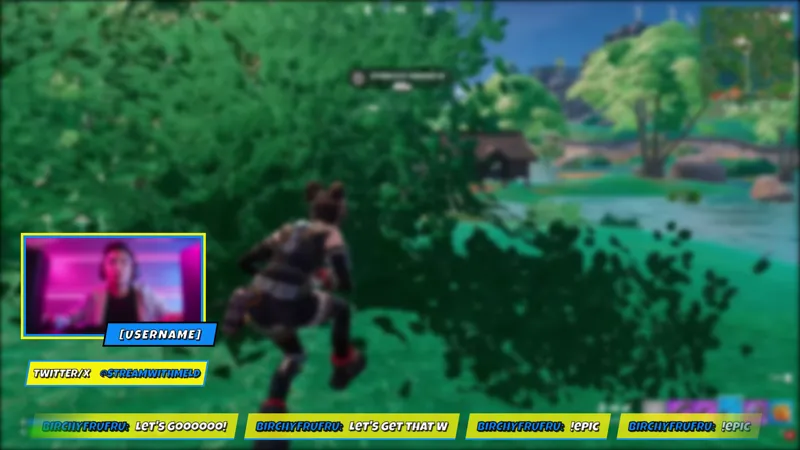
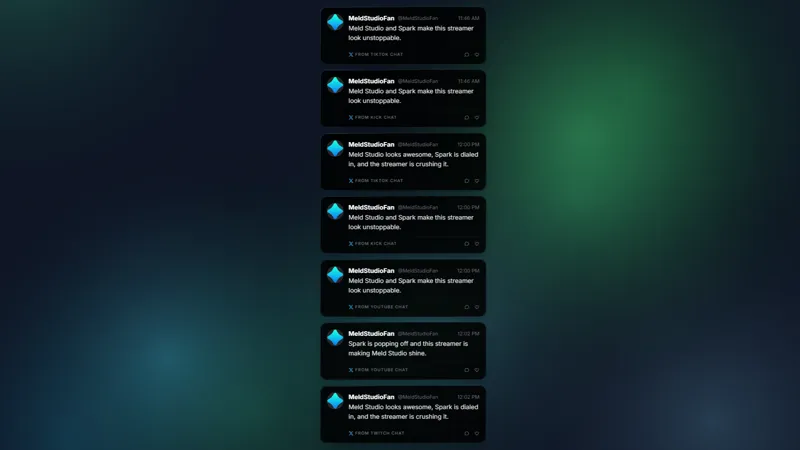
Social Loop puts your handles on screen throughout the stream. It runs as a carousel that cycles through your social profiles one at a time, so any viewer who joins mid-stream still sees the full rotation within a cycle or two. No typing required, no mid-game shoutout needed.
It is free with Meld Studio. No watermark, no paywall.
How it works
The overlay loops your social handles in a smooth carousel, rotating through each one at a readable pace. There are no commands to type and no events to trigger. Drop it into your scene, tell Meld Spark your handles for each platform you want to show, and the carousel runs unattended for the rest of the stream.
Setup is a single prompt. Tell Meld Spark your Instagram, X, Twitch, or any other handles, and it wires them into the carousel in seconds. From the same prompt you can match the colors and animation style to your brand. Changes persist between sessions, so the carousel looks the same the next time you go live.
The overlay runs across every platform you broadcast to. Viewers on Twitch, YouTube Live, Kick, and TikTok Live all see the same handles carousel on screen. Meld signs you in once and the overlay reaches all four feeds simultaneously.
When to use it
Social Loop runs best as a persistent widget in a corner of the scene. It fits any stream where you’re building a presence outside the platform you’re currently on: a Twitch streamer pointing viewers toward a YouTube channel, a creator who posts on Instagram between streams, or anyone whose audience doesn’t yet know there’s more content elsewhere to follow.
It also earns its place near the end of a stream. Keeping handles visible during the final ten minutes gives viewers a clear cue to follow you elsewhere before they close the tab. The carousel just stays on screen, cycling through each platform, for anyone paying attention. No interruption to the stream, no pasted-in link in chat that scrolls away.
Adding it to your stream
Download Meld Studio and drop Social Loop into your scene. Give Meld Spark a prompt with your handles and any style preferences, and the carousel is ready. If you already run OBS, the free Spark Plug for OBS plugin loads the overlay as a browser source inside your existing OBS layout. Same handles, same loop, same Meld Spark customization, inside OBS.
Use cases
-
Building a cross-platform following
Viewers watching on one platform often don't know where else to find you. Social Loop cycles through your handles on screen continuously, so a viewer who discovers your Twitch stream also learns about your Instagram and YouTube without you having to call it out in voice chat mid-game.
-
End-of-stream pushes to other platforms
The last ten minutes of a stream are when viewers are paying attention and deciding whether to stay connected. Keeping your social handles looping on screen during the outro gives anyone watching a clear, low-friction prompt to follow you elsewhere before they close the tab.
Frequently asked questions
Is the Social Loop overlay free?
Yes. Social Loop is included free with Meld Studio. There is no paywall, no watermark, and no usage cap. Add your handles once and the carousel plays throughout every stream.
Which social handles can I display?
Social Loop can show handles for any platform you want to include. Setup is one Meld Spark prompt: describe which platforms and handles to display, and the carousel fills in automatically. Instagram, X, Twitch, YouTube, and other platforms are all supported.
Does Social Loop work with OBS Studio?
Yes. Spark Plug for OBS loads Social Loop as a browser source inside your existing OBS scene. Meld Spark lets you set your handles, change the colors, and adjust the animation style in plain English without touching code.
Which streaming platforms does it work on?
Social Loop works on Twitch, YouTube Live, Kick, and TikTok Live. Meld signs you in once and the overlay runs on every platform you broadcast to simultaneously.
How do I customize the colors and animation?
Meld Spark, the AI overlay editor built into Meld Studio, handles customization from a plain-English prompt. Describe the colors, style, and animation you want and the overlay updates in seconds. Changes persist between sessions.