Free YouTube Promo Widget That Loops Your Latest Video on Stream
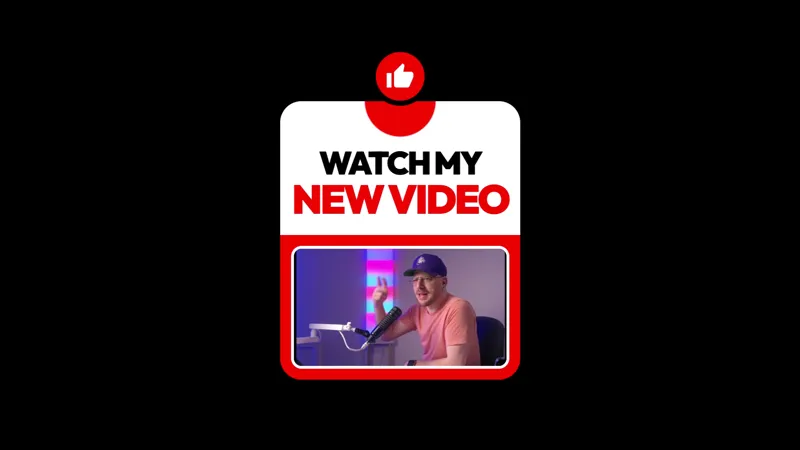
A set-and-forget YouTube promo widget with a broadcast-style look. Slides in for 30 seconds, then loops back every 10 minutes so your latest video stays in front of chat.
By Meld
Get YouTube Promo Widget free
Included with Meld Studio. Or stay in OBS with Spark Plug.
A set-and-forget cross-promotion widget that puts the latest YouTube upload in front of your live audience on a fixed cadence. The YouTube Promo Widget slides in for 30 seconds, then loops back every 10 minutes, so a four-hour stream surfaces the same video multiple times without the streamer reading the URL out loud. It is free with Meld Studio, no watermark, no paywall, no usage limit.
How the widget works
The overlay carries a broadcast-style look: clean framing around the video pitch, a thumbnail, the title, and the channel name laid out so a viewer registers the video within the first second of the slide-in. After the 30-second window, the widget slides back out and the canvas returns to its normal layout. Ten minutes later the cycle repeats.
The cadence is the point. Manual plugs break the flow of a long session and tend to land at random times rather than in front of new arrivals. A timed loop catches every viewer who lands during the stream multiple times without forcing the streamer to remember to mention the video.
When to use it
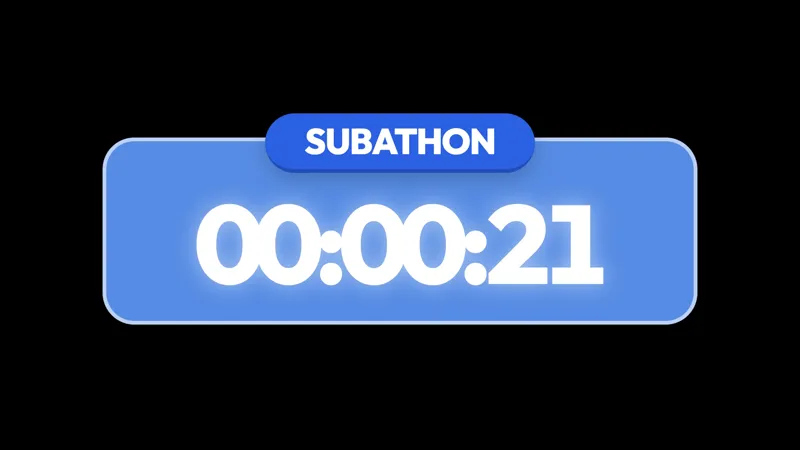
Cross-promotion during a live stream is the highest-leverage moment for driving YouTube views. The audience watching live is already engaged, already in the channel ecosystem, and already disposed to click through to other content from the same creator. The widget makes that promotion automatic across long sessions, marathon events, subathons, and any stream that runs longer than the 10-minute loop window.
It also fits planned content drop days, when a new upload goes live and the streamer wants the live audience to be the first wave of views. Drop the widget onto the main scene, point it at the new video, and the loop handles the rest of the broadcast.
Customizing with Meld Spark
Updating the featured video is one Meld Spark prompt away. “Update my YouTube promo to this URL” with a new link rewires the widget in seconds. Meld Spark, the AI overlay editor built into Meld Studio, also handles styling and timing changes from plain English: retime the loop, recolor the frame, or restyle the broadcast aesthetic without touching code or opening a file.
Changes persist between sessions, so the widget picks up the same video the next time you go live unless you point it at a new one.
Adding it to your stream
Download Meld Studio and the widget drops onto a scene with no configuration. If you already run OBS, the free Spark Plug for OBS plugin loads the same widget into your existing OBS layout as a browser source. Twitch, YouTube Live, Kick, and TikTok Live all render the overlay the same way, so a multi-platform stream cross-promotes the new upload to every audience at once.
Use cases
-
Cross-promoting a new YouTube upload during a live stream
The Twitch and Kick audience that catches a stream live is the same audience most likely to drive the first wave of YouTube views. The Promo Widget surfaces the latest video on a 10-minute loop so anyone watching a long session sees the pitch multiple times without you reading the URL out loud.
-
Long streams where you cannot keep plugging the same video
During a four-hour playthrough or a marathon event, manually plugging the new upload every twenty minutes breaks the flow. The widget handles the cadence automatically, sliding in for 30 seconds and sliding back out so the promotion is visible without dominating the screen.
Frequently asked questions
Is the YouTube Promo Widget free?
Yes. The YouTube Promo Widget is included free with Meld Studio. No watermark, no paywall, no usage limit. Drop it onto your scene, point it at a video URL, and it loops on its own.
How often does it appear on screen?
The widget slides in for 30 seconds, then loops back every 10 minutes. Across a long stream that means the latest video stays in front of chat repeatedly without you having to remember to talk about it.
Which platforms does it work on?
The widget renders identically across Twitch, YouTube Live, Kick, and TikTok Live. Meld broadcasts the same overlay on every platform you stream to, so a multi-platform stream gets cross-promotion in front of every audience at once.
Does this work in OBS Studio?
Yes. Spark Plug for OBS loads the widget into your existing OBS layout as a browser source, and Meld Spark lets you swap the featured video, retime the loop, or restyle the broadcast frame from a plain-English prompt in seconds.
How do I update the featured video?
Updating the featured video is one Meld Spark prompt away. "Update my YouTube promo to this URL" with the new link rewires the widget in seconds, and the change persists between sessions so the next stream picks up the new video automatically.