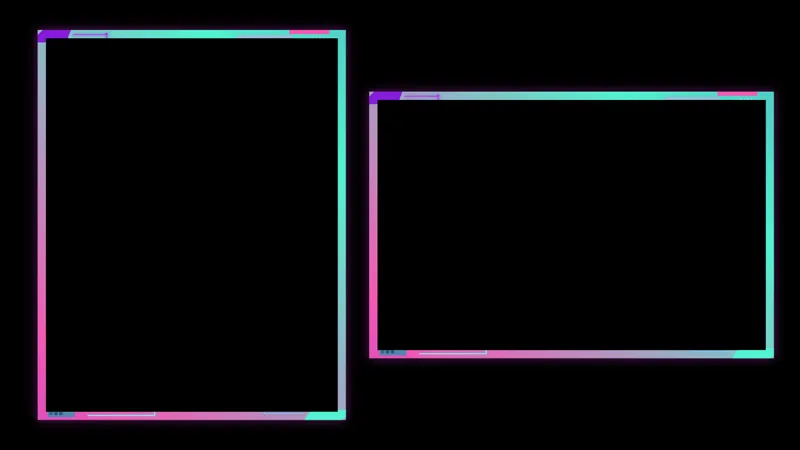
Free Polaroid Cam Border That Frames Your Webcam Like a Photo
A cute polaroid frame for your webcam. Stretch and scale to fit any cam size on your scene.
By Meld
Get Polaroid Cam Border free
Included with Meld Studio. Or stay in OBS with Spark Plug.
A polaroid is a specific shape. White margin on three sides, a fat strip across the bottom that begs for a caption, and corners just rounded enough to read as a printed photo. Polaroid Cam Border wraps your webcam in exactly that shape, so the cam tile on your stream looks pinned to a desk rather than rendered by a browser source.
It is free with Meld Studio. No watermark, no setup fee, no subscription required.
What sits around the cam
The frame is a clean polaroid silhouette with the proportions you would expect: a thin white margin on the top and sides of your cam tile, and a thick white strip across the bottom where a handwritten caption or date stamp would normally sit. The shape stretches and scales to fit whatever size cam you run on your scene, so a small corner facecam reads as a small instant photo and a wide cam tile reads as a larger printed snapshot.
Because the frame is purely visual, it broadcasts identically to Twitch, YouTube Live, Kick, and TikTok Live. Meld signs you in once and the cam takes on the polaroid look across every platform you stream to with no extra setup.
Reshaping it with Meld Spark
Meld Spark, the AI overlay editor built into Meld Studio, lets you turn the polaroid base into a fully scrapbook-styled cam tile without touching code. The gallery tip ships with a starter prompt: “Add washi tape on the top-left corner and a handwritten caption that says my stream title.” Run it and the frame grows the tape and the caption in seconds. Add a date stamp, change the corner to feel more vintage, or scribble in a doodle alongside the caption with prompts of the same shape. Changes persist between sessions, so the cam stays the way you left it.
Who this fits
Just Chatting hosts, lifestyle streamers, IRL vloggers, journaling and craft streamers, and anyone whose layout leans into a scrapbook, journal, or memory-styled aesthetic. It pairs well with hand-drawn backgrounds, handwritten fonts, and craft-leaning chat widgets for a fully themed scene, but it stands on its own as a single playful frame around the camera.
Adding it to your stream
Download Meld Studio and the polaroid border drops on top of your webcam source with no configuration. If you already run OBS, the free Spark Plug for OBS plugin loads the same frame as a browser source inside your existing OBS layout, with the same Meld Spark prompts available for adding washi tape, captions, and date stamps on the fly.
Use cases
-
Just Chatting and lifestyle streams
A scrapbook-styled scene benefits from a cam tile that looks printed rather than rendered. The polaroid frame turns your webcam into the shape of an instant photo, with a white margin and a fat bottom strip ready for a caption or a date stamp.
-
Memory-styled or vlog scenes
For travel vlogs, IRL streams, or a Just Chatting layout that leans into a journal aesthetic, the polaroid frame sells the idea that the cam is a snapshot pinned to a desk rather than a live feed. It pairs naturally with handwritten fonts and craft backgrounds.
Frequently asked questions
Is the Polaroid Cam Border free?
Yes. It is included free with Meld Studio. No watermark, no paywall, and no per-stream limit. Drop it on top of your webcam source in a scene and your cam takes on the polaroid shape immediately.
Which platforms does it support?
Every platform you stream to. The border is a purely visual overlay sitting on top of your camera, so it broadcasts the same way to Twitch, YouTube Live, Kick, and TikTok Live with no platform-specific configuration.
Does this work with OBS Studio?
Yes. Spark Plug for OBS loads the polaroid frame into your existing OBS scene as a browser source, and Meld Spark lets you add washi tape, a handwritten caption, or a date stamp from a plain-English prompt in seconds.
Can I add a caption or washi tape to the frame?
Yes. Meld Spark, the AI overlay editor included with Meld Studio, handles scrapbook detail in plain English. The gallery tip ships with a starter prompt: "Add washi tape on the top-left corner and a handwritten caption that says my stream title." Run it and the frame updates.
Will the polaroid shape work with my cam crop?
The frame is designed to stretch and scale to fit any cam size on your scene. Whether you run a wide horizontal cam or a smaller portrait crop, the polaroid border resizes around it without losing the white margin or the fat bottom strip.