Free Neon Bats Background That Grows with Your Chat
These neon bats will fly in your background while you play games or yap with your chat. The more messages come through chat the more bats appear on stream!
Get Neon Bats free
Included with Meld Studio. Or stay in OBS with Spark Plug.
Watch the background during a lively conversation and you can see chat picking up: more messages bring more neon bats onto the stream. Neon Bats is a free chat-reactive background that gives audience activity a visible counterpart without asking viewers to stop the conversation and type a special command.
The bats fly behind the main content, making this a seasonal choice for Halloween streams or a colorful addition to a chatting layout. The connection is straightforward: as chat gets busier, more bats appear. You get a visual response to participation while continuing to play games or talk with your community.
The background follows chat activity
This element reacts to the flow of messages, rather than a documented keyword or command. Viewers can keep talking about the stream as usual. Their activity contributes to the number of bats on screen, so you do not have to turn a casual conversation into a separate participation exercise.
Explain that relationship when you first show the background. A viewer who knows the bats respond to chat can recognize the connection when the conversation becomes more active. That is enough to introduce the effect without promising a particular message threshold, score, or reward system.
Neon Bats supports Twitch, YouTube Live, Kick, and TikTok Live. It can accompany a single-platform show or a community watching across multiple platforms, with the same visual idea wherever you stream. The focus remains on the conversation and the background response, not on teaching different audience groups different commands.
Keep the bats behind the main content
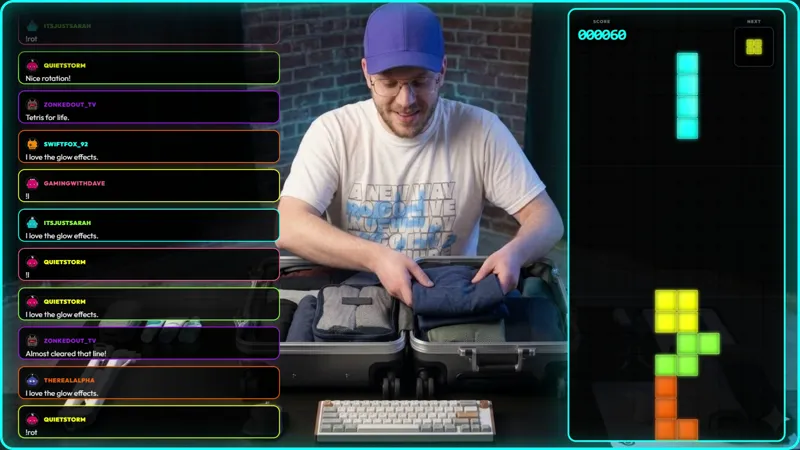
The supplied guidance is to use this as a background template and avoid covering gameplay. Treat that as the central layout decision. Put the content viewers need to follow in front, and use the remaining background area for the flying bats. Important game information, camera details, and text should stay easy to see even when chat becomes busy.
A Halloween hangout gives the bats a natural setting without requiring a full themed production. A chatting scene can let the background take a larger visual role, while a gameplay scene should prioritize the game. Check both arrangements before going live so an increase in chat activity does not become a distraction from what you are showing.
Download Meld Studio and add Neon Bats as a background layer for your next stream. For an existing OBS production, Spark Plug for OBS offers the alternative route to the same gallery element while you keep your current scene setup.
How it works
- 1 Use Neon Bats as a background layer rather than covering up gameplay.
- 2 As viewers send more chat messages, more neon bats appear on stream.
Use cases
-
Halloween community hangouts
Let the background reflect the conversation during an October catch-up. More messages bring more neon bats onto the stream, giving chat a visible presence while you keep hosting the discussion.
-
Background motion around gameplay
Use the bats in the background areas of your layout rather than across the game itself. The activity can follow chat while important gameplay details remain clear and unobstructed.
Stream events it reacts to
Frequently asked questions
What makes more neon bats appear?
The overlay reacts to chat activity. As more messages come through, more neon bats appear on stream. No specific trigger word or chat command is listed for this element.
Should Neon Bats cover my gameplay?
Use Neon Bats as a background template, not a foreground effect covering gameplay. Keep the game and other important information clearly visible while the bats fly in the background.
Is Neon Bats free, and which platforms work?
Neon Bats is free with Meld Studio and supports Twitch, YouTube Live, Kick, and TikTok Live. It gives your background a chat-reactive treatment on every platform you stream to.
Does Neon Bats work with OBS Studio?
Yes. Download Meld Studio to add the background to a scene, or use Spark Plug for OBS to stay in OBS. Spark Plug brings gallery overlays and Meld Spark's help with customization in seconds into your existing OBS setup.