Free Minecraft-Inspired Heart HUD Controlled By Your Chat
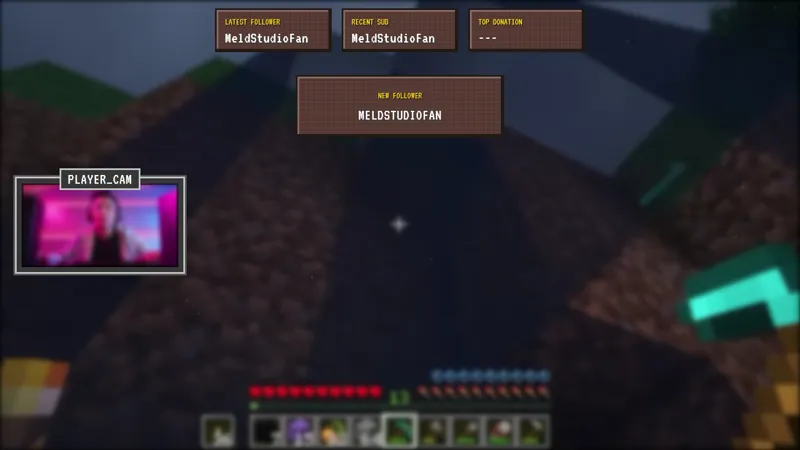
Let your chat take control with this interactive Minecraft-inspired heart HUD that allows viewers to add or remove health hearts in real time, turning every stream into a community-driven experience.
By Meld
Get Minecraft Inspired Heart HUD free
Included with Meld Studio. Or stay in OBS with Spark Plug.
A health bar that only you can see is a missed opportunity. The Minecraft-Inspired Heart HUD pulls that bar onto the broadcast and hands the controls to chat, so every viewer can damage you, patch you up, or reset the run with a single message.
It is free with Meld Studio. No watermark, no monthly fee, nothing to configure beyond dropping it into a scene.
How chat controls the bar
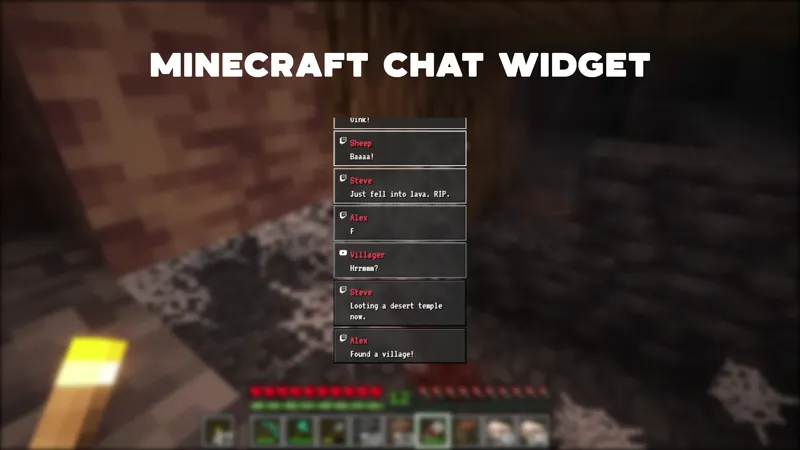
Three commands drive the HUD. !damage removes a heart from the bar, so a chatter watching a tense moment can punish a misplay in real time. !heal adds a heart back, which works as a reward for a clutch save or a coordinated group response when the bar is running low. !hp # sets the total to any number from 0 to 6 in a single message, which is the fastest way to reset the bar between attempts or jump the count to match a viewer challenge.
Because every command updates the on-screen hearts immediately, chat sees the result of their own message land on the broadcast within a beat. That feedback loop is what turns the HUD from a static stat readout into a chat game in its own right.
Why a chat-controlled health bar changes the stream
A community-driven format lives or dies on whether viewers feel their input matters. The heart HUD makes that input visible. A coordinated burst of !damage after a bad call reads as a group reaction to the room, not just to the streamer. A wave of !heal from regulars during a hardcore run looks like a rescue. Lurkers who would never type a regular message will try a single command when the result is a heart appearing or disappearing on the broadcast.
The HUD reads cleanly from every platform you broadcast to. Twitch, YouTube Live, Kick, and TikTok Live chatters all hit the same bar, so a multistreamer sees one community influencing one health total rather than four separate chats running parallel games.
Who this is for
Minecraft streamers running hardcore worlds, challenge runs, or kill-the-streamer formats, and any chat-first streamer who wants a visible group game tied to the stream’s outcome. Variety streamers can also use it as a session-long sub-goal or donation-incentive bar that chat can move both directions.
Adding it to your stream
Download Meld Studio and the heart HUD is one drag away from being live in a scene. If you already run OBS and prefer to stay there, the free Spark Plug for OBS plugin loads the same HUD into your existing OBS layout as a browser source, with the !damage, !heal, and !hp # commands working identically and Meld Spark on hand to customize the look from a prompt.
Use cases
-
Community-driven runs where chat decides your fate
For sessions built around chat involvement, the heart HUD turns viewers into a second player. A donation triggers !damage in chat, a sub raid pushes !heal, and a moderator can use !hp 6 to reset the bar between attempts. The visible health bar gives every chatter a clear stake in the run from the moment they land on the stream.
-
Hardcore challenge and kill-the-streamer formats
Hardcore Minecraft runs, no-damage challenges, and "chat versus streamer" formats need a single readable score viewers can rally around. The heart HUD tracks that count in pixel-art hearts that everyone in chat can see, so a streak of !damage messages or a coordinated !heal wave becomes a visible group moment instead of a number buried in chat.
Chat commands
Frequently asked questions
Is the Minecraft-Inspired Heart HUD free?
Yes. The heart HUD is included free with Meld Studio. There is no paywall, no watermark, and no per-stream usage cap. Download Meld Studio, drop the HUD into a scene, and chat can start controlling the hearts on your next stream.
How does chat control the hearts?
Three commands run the HUD. !damage removes a heart from the bar, !heal adds one back, and !hp # sets the total to any value from 0 to 6 in a single command, which is useful for resetting the bar between runs or jumping the count to match a viewer challenge.
Which platforms does the heart HUD work on?
The HUD works on Twitch, YouTube Live, Kick, and TikTok Live. Meld signs you in once and pulls chat from every platform you stream to, so a !damage from a Kick viewer and a !heal from a TikTok Live viewer both update the same on-screen heart bar at the same time.
Does the heart HUD work with OBS Studio?
Yes. Spark Plug for OBS brings the heart HUD into your existing OBS scene as a browser source, and Meld Spark lets you customize the look and behavior from a plain-English prompt in seconds. The !damage, !heal, and !hp # commands work the same way inside OBS, with no scene rebuild required.
Can I limit the commands to subscribers or moderators?
Yes. Meld Spark, the AI overlay editor included with Meld Studio, accepts limits described in plain English. A prompt like "only let subscribers run !damage and !heal" updates the HUD in seconds without touching code, which keeps trolls out of a high-stakes challenge run.