Free League of Legends Champion Spotlight Widget for Streamers
Showcase the champion you're playing in League of Legends with this Spotlight widget.
By Meld
Get League of Legends Champion Spotlight Widget free
Included with Meld Studio. Or stay in OBS with Spark Plug.
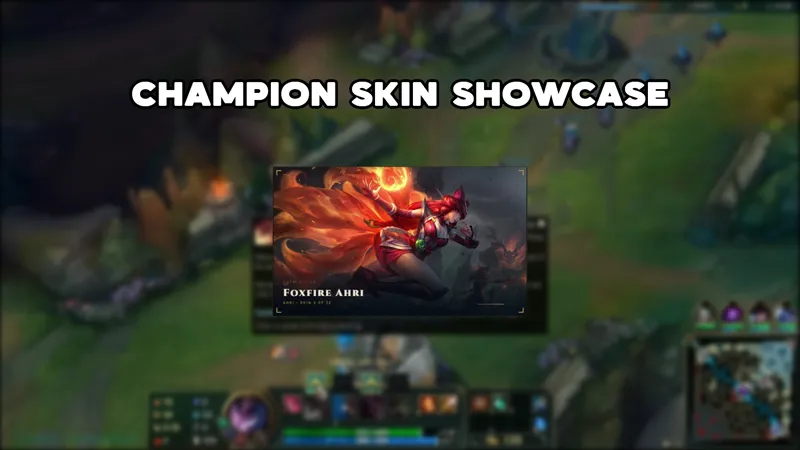
When viewers ask which champion you just locked in, a quick !champ command puts the answer on screen. The Champion Spotlight Widget places a named, styled display of your current League of Legends champion directly in your scene, giving your audience a persistent visual reference while the game is running.
It is free with Meld Studio. No watermark, no setup fee, no subscription required.
How the spotlight works
Type !champ followed by any champion name and the widget updates instantly. The spotlight holds the champion you specify in a styled frame that stays on screen throughout the game, so a viewer landing mid-match knows who you are playing without you needing to break focus and say it aloud. Between games, one new command swaps the display to your next pick.
The command reads from Twitch, YouTube Live, Kick, and TikTok Live simultaneously. Meld signs you in once and connects to every platform you stream to, so updating the spotlight from chat on any platform changes the on-screen display for all of your viewers at the same time. A viewer on Kick and a viewer on Twitch see the same champion name update in the same moment.
For multi-platform streamers who broadcast to several services at once, that unified command response means you only need to type it once regardless of where your chat lives.
When to use it
The Champion Spotlight Widget fits any League of Legends stream where knowing the current champion matters at a glance. At champion select, typing !champ right after lock-in means first-time viewers landing on your channel do not have to ask who you picked. For streamers who play a wide champion pool or fill different roles across the queue, the widget keeps the information on screen without requiring a verbal callout at the top of every match.
It also works during VOD sessions or clip reviews, where viewers watching later can see which champion the match was played on without audio context. The overlay sits alongside gameplay footage without competing with the HUD or your camera placement, keeping the information visible without crowding the layout.
Download Meld Studio and the overlay is one drag away from being live, with chat from Twitch, YouTube, Kick, and TikTok already connected from a single sign-in. If you already run OBS and would rather stay there, the free Spark Plug for OBS plugin loads the Champion Spotlight Widget into your existing OBS scene as a browser source, with the same multi-platform chat connections and the same !champ command ready to go without rebuilding your layout.
Use cases
-
Locking in a champion at champion select
At champion select, new viewers landing mid-queue do not know who you are about to play. Typing !champ right after lock-in puts a styled, named display on screen immediately, so anyone watching from the loading screen onward sees exactly which champion you picked without you pausing the pregame to announce it.
-
Multi-game sessions with a wide champion pool
When you play several different champions across a session, the spotlight keeps the information current with a single command between games. Switching from one match to the next takes one type in chat, and the overlay updates on screen so your audience always knows who you are playing without a verbal callout at the top of every game.
Chat commands
Frequently asked questions
Is the Champion Spotlight Widget free?
Yes. The Champion Spotlight Widget is included free with Meld Studio. There is no paywall, no watermark, and no per-stream usage cap. Add it to a scene and the spotlight is live the moment you go on air.
Which platforms does the overlay work on?
The overlay works on Twitch, YouTube Live, Kick, and TikTok Live. Meld signs you in once and connects to every platform you stream to, so the !champ command works from any platform's chat and updates the on-screen display for all of your viewers at the same time.
Does the Champion Spotlight Widget work with OBS Studio?
Yes. Spark Plug for OBS brings the Champion Spotlight Widget into your existing OBS scene as a browser source, and Meld Spark lets you customize the look and behavior in seconds from a plain-English prompt. No scene rebuild or code required.