Free League of Legends Champion Skins Showcase for Your Stream
Explore every League of Legends champion skin in one place. A live showcase widget you can swap on the fly with a chat command.
By Meld
Get League of Legends Champion Skins Showcase free
Included with Meld Studio. Or stay in OBS with Spark Plug.
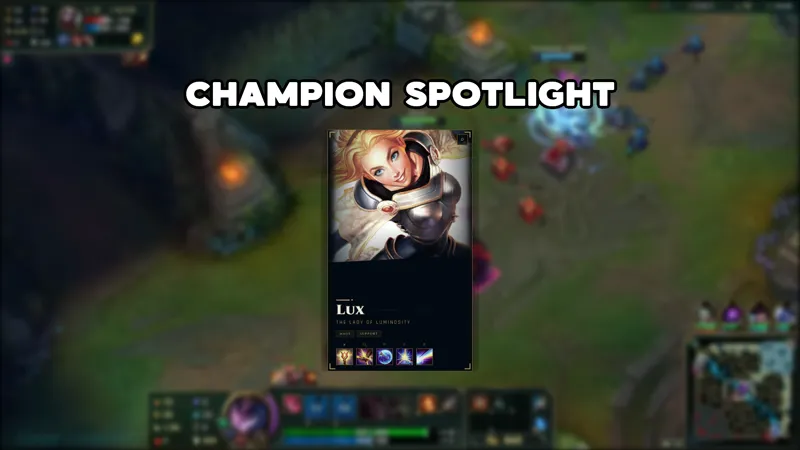
Switching between champion skins during a stream used to mean alt-tabbing or describing it in chat. The Champion Skins Showcase puts the visual front and center: a single widget on screen that renders the champion skin you specify, updated live with a chat command the moment you or a moderator types it.
It is free with Meld Studio. No subscription, no watermark.
How the showcase works
Type !skin followed by a champion name and the display swaps immediately. The widget is designed to sit on screen alongside your gameplay rather than covering it, so viewers get a clear look at the skin you are playing without losing sight of what is happening in the match.
Because the command reads from the live chat feed, you can call it yourself from the broadcaster account or hand it off to a moderator. Either way, the update happens on the fly, no stream restart and no scene switch needed.
The chat connection runs across every platform you broadcast to. Twitch, YouTube Live, Kick, and TikTok Live chatters all share the same command channel, so a viewer watching on YouTube can trigger a skin swap the same way a Twitch regular can. Meld signs you in once and routes chat from all four simultaneously.
When to use it
The showcase works well at the start of a stream when you are deciding what to play, during champion select as a visual anchor for viewers who just tuned in, or any time chat wants to weigh in on your next pick. It is also a natural fit for tier-list streams and skin-review sessions where the visual is the whole point of the content.
It holds its position on screen through the whole session. Swap it freely between games or lock it on your main for the night. The command is short enough that moderators can handle rotation without interrupting their normal workflow.
Adding it to your stream
Download Meld Studio and the overlay is one drag from being live in a scene. The chat connections to Twitch, YouTube Live, Kick, and TikTok Live are set up automatically once you sign in. If you already run OBS and want to stay there, the free Spark Plug for OBS plugin loads the same showcase widget into your existing OBS layout as a browser source, with the same live !skin command working across every platform you stream to.
Use cases
-
Showing off your champion pool before a ranked session
Before you lock in and queue, pull up the skin you plan to play with a quick !skin command and let chat see exactly what they are watching for. It gives viewers a visual anchor for the session and turns the pre-game lobby into a small community moment around your champion choice.
-
Letting chat vote on your next pick
Ask chat to call out champion names in the first few minutes of a stream and flip through the showcase live as suggestions roll in. Each !skin command swaps the display on the fly, so viewers on Twitch, YouTube, Kick, and TikTok all see the contenders without you leaving the game client.
Chat commands
Frequently asked questions
Is the Champion Skins Showcase overlay free?
Yes. The overlay ships free with Meld Studio. No watermark, no paywall, and no per-stream cap. Download Meld Studio, add it to a scene, and the showcase is live on the first stream you go.
How do I swap which champion appears on screen?
Type !skin followed by the champion name in chat and the showcase updates immediately. You can trigger it yourself from the broadcaster account or let your moderators handle it while you stay focused on the game.
Which platforms does this overlay support?
Twitch, YouTube Live, Kick, and TikTok Live are all supported. Meld signs you in once and pulls chat from every platform you stream to, so the !skin command works from any chatter on any of the four platforms without extra setup.
Does this work with OBS Studio?
Yes. Spark Plug for OBS brings the Champion Skins Showcase into your existing OBS scene as a browser source. You get the same live !skin command and the same multi-platform chat connections without rebuilding your scene or leaving OBS.