Free Apex Legends Legend Randomizer Driven by Chat
A chat-triggered randomizer that picks an Apex Legends legend for you to play. Drops a spin-the-wheel moment into queue with a single command.
By Meld
Get Apex Legends Randomizer free
Included with Meld Studio. Or stay in OBS with Spark Plug.
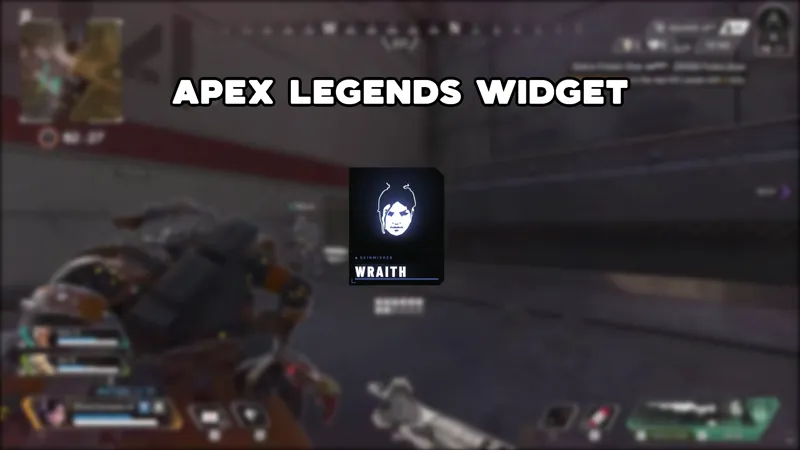
Typing one command in chat lands the whole lobby on a legend. The Apex Legends Randomizer spins through the roster and drops a pick on screen the moment anyone types !random, turning legend selection into a visible, shared moment instead of something that happens off camera before the match.
It is free with Meld Studio. No watermark, no per-match cap, nothing to configure before the first spin.
How the randomizer works
Chat triggers the spin with a single command. When !random lands in chat, the overlay cycles through the Apex Legends legend pool and settles on a result that appears on screen for everyone watching. The result is public: your Twitch, YouTube, Kick, and TikTok viewers all see the same wheel land at the same time, so the pick belongs to the whole room.
Meld signs you in once and pulls commands from every platform you stream to. A viewer on Kick and a viewer on YouTube can both trigger a spin, and the same overlay handles both without separate setups or multiple stream keys. Multi-platform broadcasters get one randomizer, one result, one chat moment.
When to use it
The randomizer fits two situations well: challenge runs and queue gaps.
For challenge content, letting chat decide your legend before each match raises the stakes for the whole lobby. Viewers who typed !random and landed on an off-meta pick are invested in watching the result. When the run goes poorly, that is a shared outcome. When it goes well, chat takes partial credit and stays through the next queue.
For ranked nights, the gap between matches is the natural place to drop the spin. It gives chat a reason to type something during the downtime and a talking point that carries into the next game. The pick becomes the frame for the match before you even drop in.
Adding it to your stream
Download Meld Studio and the randomizer is one drag away from a live scene. Chat connections to Twitch, YouTube Live, Kick, and TikTok Live link automatically from a single sign-in, so the first !random works on all four platforms without extra steps.
If you already run OBS and want to stay there, the free Spark Plug for OBS plugin loads the same overlay as a browser source inside your existing OBS scene. The !random command works the same way, and the chat connections cover all four platforms from the same unified sign-in.
Use cases
-
Challenge runs where chat picks the legend
Letting chat decide which legend you play turns a solo session into a shared experiment. When a viewer types !random and the wheel lands on an unfamiliar pick, the audience has skin in the game for that entire match, watching to see how the run goes with a legend they helped force.
-
Filling the gap between queues during a ranked grind
Queue times on ranked nights leave dead air between matches. Dropping the randomizer into that gap gives chat something to do: trigger a spin, debate the result, and make the case for playing the pick straight or rerolling before the next game loads. The overlay keeps the screen active and the conversation going while you wait.
Chat commands
Frequently asked questions
Is the Apex Legends Randomizer overlay free?
Yes. The Apex Legends Randomizer is included free with Meld Studio. There is no paywall, no watermark, and no usage cap per stream or per match.
How does the randomizer work on stream?
A viewer or the streamer types !random in chat, and the overlay spins through the Apex Legends legend roster and lands on a pick. The result appears on screen so every viewer in chat sees the same moment at the same time.
Which platforms can my chat trigger it from?
Twitch, YouTube Live, Kick, and TikTok Live are all supported. Meld signs you in once and pulls chat from every platform you stream to, so viewers on any of the four can type !random and trigger the same spin on the same canvas.
Does this work with OBS Studio?
Yes. Spark Plug for OBS loads the randomizer into your existing OBS scene as a browser source. The !random command and the multi-platform chat connections work the same way whether you run Meld Studio or stay in OBS.