Free Embers Chat-Driven Atmospheric Overlay
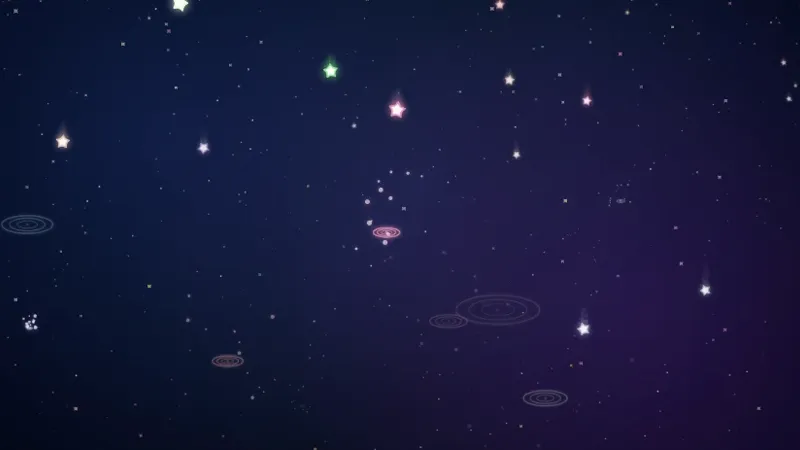
Floating embers appear on screen and stay for 20 seconds before fading out. Works best on dark backgrounds for a warm, atmospheric effect.
By Meld
Get Embers free
Included with Meld Studio. Or stay in OBS with Spark Plug.
Some overlays earn their place by doing one small thing well. Embers is one of those. A viewer types !embers in chat and floating embers appear on screen, drifting upward across the canvas for 20 seconds before fading out. It works best on dark backgrounds, where the warm particle layer reads as atmosphere rather than effect, and it costs nothing to add.
It is free with Meld Studio. No watermark, no paywall, no setup fee.
How the command works
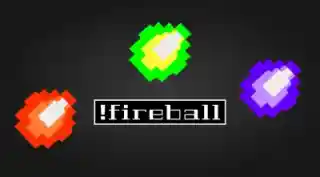
The overlay listens for a single chat command. !embers spawns a cluster of floating embers that drift upward across the canvas with a soft warm glow. Each set of embers stays on screen for 20 seconds, then fades out cleanly so the scene resets between fires. That timing keeps the effect from piling up during a busy chat while still leaving enough time for everyone in the room to notice the embers came in.
The look is built for dark scenes. On a black, deep-purple, or candlelit background the warm tone of the embers reads cleanly. On a brighter scene they still work, but the effect lands hardest when the canvas underneath is dark.
The command works across Twitch, YouTube Live, Kick, and TikTok Live at the same time. Meld signs you in once and the overlay listens to !embers from every platform you stream to.
When to use it
Embers is the kind of overlay that fits a specific mood rather than every stream. Horror playthroughs, fantasy RPGs, fireside cozy games, late-night Just Chatting hangs, and any scene that already leans into a dark, candlelit aesthetic gain from a small interactive particle layer that chat can fire. It is also a low-effort way to give chat a command on streams where you do not want a full chat-driven minigame eating the canvas.
Customizing with Meld Spark
Meld Spark, the AI overlay editor inside Meld Studio, lets you reshape the ember effect without touching code. A prompt like “Change embers to blue for an ice-fire effect and add wisps of smoke” rewires the visuals immediately. You can also swap the trigger command, change the lifetime, or add a layer of drifting smoke that persists longer than the embers themselves. Changes persist between sessions, so the next stream looks exactly the way you set it up.
Adding it to your stream
Download Meld Studio and Embers drops into a scene with the !embers command already wired up. If you already run OBS, the free Spark Plug for OBS plugin brings it into your existing OBS layout as a browser source, with the same multi-platform chat command and the same Meld Spark customization through plain English.
Use cases
-
Cozy late-night and dark-themed scenes
Late-night streams that lean into a dark, candlelit, or fireside look live or die on the small details on the canvas. Embers gives chat a command that adds a few floating particles to a dark scene, layering ambient warmth on top of whatever you are running.
-
Horror, fantasy, and cozy gaming streams
For horror playthroughs, fantasy RPGs, and cozy fireside games, a few drifting embers across the canvas tie the visual identity of the stream to the world on screen. The 20-second lifetime keeps the effect from cluttering the scene during quieter moments.
Chat commands
Frequently asked questions
How do viewers spawn the embers?
The overlay listens for a single chat command. A viewer types !embers and floating embers appear on screen, drifting upward for 20 seconds before fading out cleanly.
Is the Embers overlay free?
Yes. It is included free with Meld Studio. There is no paywall, no watermark, and no usage cap. Drag it into a scene and the !embers command starts working immediately.
Which chat platforms support the !embers command?
Twitch, YouTube Live, Kick, and TikTok Live all listen to the command. Meld signs you in once and the overlay reacts to !embers from every platform you stream to at the same time.
Does this work in OBS Studio?
Yes. Spark Plug for OBS drops the ember overlay into your existing OBS scene as a browser source, and Meld Spark lets you change the ember color, add wisps of smoke, or rebind the trigger command from a plain-English prompt in seconds.
Can I change the ember color or add smoke?
Yes. Meld Spark, the AI overlay editor included with Meld Studio, takes plain-English prompts. A request like "Change embers to blue for an ice-fire effect and add wisps of smoke" applies immediately and persists between sessions.