Free Bubbles Overlay That Chat Summons and Pops on Demand
A playful bubbles overlay that viewers summon and pop from chat. Drifting bubbles fill the scene on demand and burst with a satisfying sound effect when chat calls them out.
By Meld
Get Bubbles free
Included with Meld Studio. Or stay in OBS with Spark Plug.
There is a particular kind of fun that only happens when chat gets to push a button. Bubbles is a small playful overlay that gives every chatter two of them: !bubbles drops a wave of drifting bubbles across the scene, and !pop bursts whatever is on screen with a satisfying SFX hit. The whole thing turns a one-line chat message into a shared moment everyone can hear.
It is free with Meld Studio. No watermark, no setup fee, no subscription required.
How the commands work
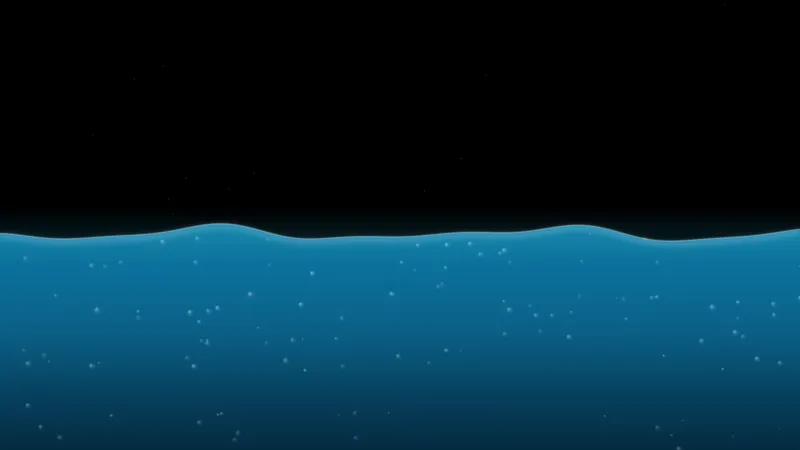
The overlay listens for two chat commands. !bubbles sends a fresh wave of bubbles drifting from the bottom of the canvas upward, with the gentle floaty motion of an actual bubble stream. The bubbles linger on screen, drifting and bobbing, until someone in chat types !pop. That command bursts every bubble currently on screen at once with a satisfying pop SFX, clearing the canvas in a single audible beat.
Because both commands are stackable, more chatters means more activity. Three viewers typing !bubbles in a row produces three overlapping waves on screen, and a coordinated !pop volley becomes a small chorus of pops rather than a single sound. The activity scales naturally to the size of chat.
The overlay pulls chat from every platform you stream to. Twitch, YouTube Live, and Kick all run the commands today, and the visual layer ships to TikTok Live alongside the rest of your scene through a single Meld sign-in.
Reshaping it with Meld Spark
Meld Spark, the AI overlay editor built into Meld Studio, lets you reshape the look and the behavior in plain English. The gallery tip ships with a starter prompt: “Use pastel pink and lavender bubbles, send a bigger wave on new subs, and make pops louder.” Run it and the overlay restyles, ties the wave to subscription events, and bumps the pop volume in seconds. Add density limits, change the SFX, or tie the summon to a specific event with prompts of the same shape. Changes persist between sessions.
Who this fits
Variety streamers, Just Chatting hosts, cozy creators, kid-friendly streams, and anyone whose chat responds well to a low-effort, high-reward command. It pairs naturally with the rest of the chat-driven gallery as a complement to text-only chat overlays, and it works on its own as a single playful hook for quieter streams.
Adding it to your stream
Download Meld Studio and the bubbles overlay drops into a scene with no configuration. If you already run OBS, the free Spark Plug for OBS plugin loads the same overlay as a browser source inside your existing OBS layout, with the !bubbles and !pop commands wired into chat from Twitch, YouTube Live, and Kick.
Use cases
-
Quiet stretches that need a chat hook
Quiet chat is the toughest moment for a small stream. !bubbles gives lurkers a one-word reason to type, and !pop turns the response into a satisfying burst of sound. A few minutes of bubble summons and pops can wake a sleepy chat without forcing the streamer to be the only voice in the room.
-
Hype responses and milestone celebrations
For sub trains, raid arrivals, and milestone moments, a wave of bubbles drifting across the scene gives chat something to do together. Multiple chatters can pile on summons at once, and a coordinated !pop volley turns the celebration into an audible shared moment rather than just lines of text.
Chat commands
Frequently asked questions
Is the Bubbles overlay free?
Yes. It is included free with Meld Studio. No watermark, no paywall, no per-stream limit. Drop it into your scene and the !bubbles and !pop commands are live the moment chat connects.
Which platforms can summon and pop bubbles?
Twitch, YouTube Live, and Kick can all run the commands today. The overlay also works on TikTok Live as a visual layer with the rest of your Meld scene. Meld signs you in once and pulls chat from every platform you stream to.
Does this work with OBS Studio?
Yes. Spark Plug for OBS loads the bubbles overlay into your existing OBS scene as a browser source, and Meld Spark lets you change the bubble palette, density, or pop sound from a plain-English prompt in seconds.
What do !bubbles and !pop actually do?
!bubbles sends a wave of drifting bubbles across the screen, and !pop pops the bubbles currently on screen with a fun SFX burst. Multiple summons stack: more chatters typing !bubbles means more bubbles drifting at once, and a coordinated !pop bursts them together.
Can I tie a bubble wave to a sub or raid?
Yes. Meld Spark, the AI overlay editor inside Meld Studio, handles event-based triggers in plain English. The gallery tip ships with a starter prompt: "Use pastel pink and lavender bubbles, send a bigger wave on new subs, and make pops louder." Run it and the overlay applies the new behavior.