Free Flower Sub Wall: A Persistent Subscriber Overlay
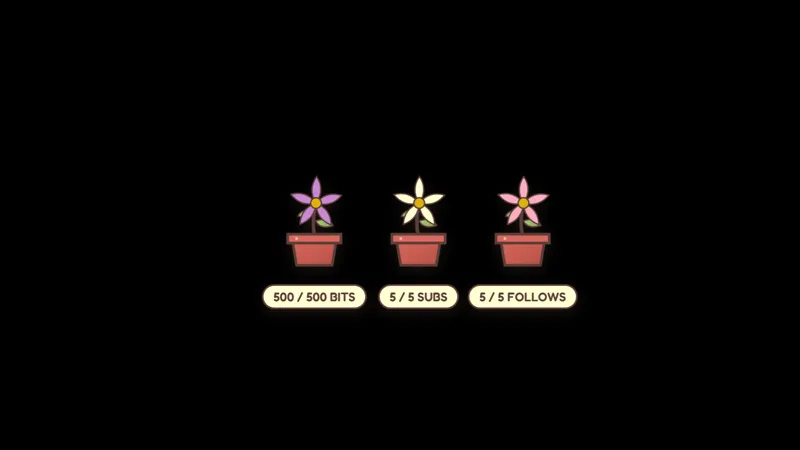
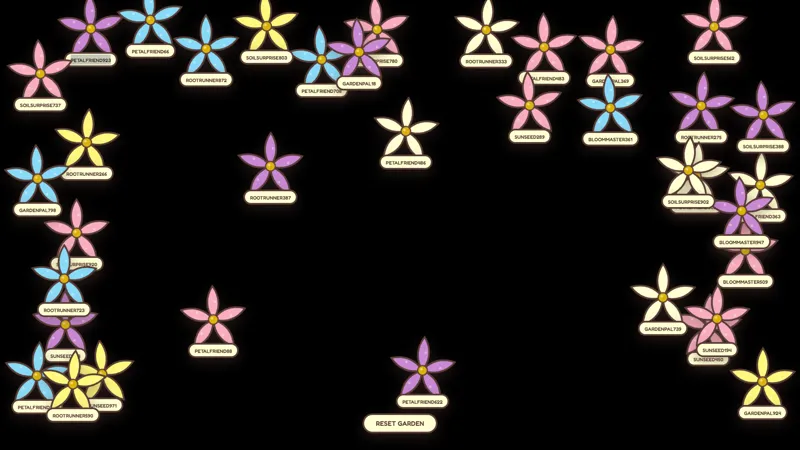
Every time a streamer receives a new subscriber (excluding gifted subs), a flower is added to the wall. Flowers persist until cleared. Mods and the broadcaster can manage the wall.
By Meld
Get Flower Sub Wall free
Included with Meld Studio. Or stay in OBS with Spark Plug.
A subscriber wall that survives between streams gives the channel a memory most goal trackers do not. Flower Sub Wall takes every new subscriber on the channel, adds a flower to the wall on screen, and keeps it there. Subs accumulate over time, the wall fills with blooms across weeks of streams, and a viewer landing on the channel sees the cumulative weight of the people who supported it.
It is free with Meld Studio. No watermark, no paywall, no setup fee.
How the wall fills
Every new subscriber on the channel adds a flower to the wall, automatically. Gifted subs are deliberately excluded so the wall reflects unique supporters rather than bulk gift waves that would flood the layout in a single moment. Each flower persists across streams: there is no nightly reset, no scheduled clear, and no per-stream cap. The only way the wall empties is by an explicit !clearflowers from the streamer or a moderator.
Three management commands keep the wall flexible. !testsub spawns a temporary flower that fades in 30 seconds, useful for testing the placement on a new scene. !addflower [username] manually adds a persistent flower for a specific viewer, which is handy for migrating older supporters in or recognizing someone who subbed off-platform. !clearflowers wipes the wall entirely and is restricted to mods so a single chatter cannot reset the channel’s history.
Subs from Twitch, YouTube Live, Kick, and TikTok Live all add flowers to the same wall. Meld signs you in once and the overlay accepts subscriber events from every platform you stream to, so a multi-platform channel ends up with one shared garden rather than four fragmented walls.
Why streamers use it
A subscriber count is a number. A wall full of flowers, each tied to a real person, is a visible record of how the channel got here. New viewers reading the wall during a quiet moment see the channel’s history rather than a “Sub Goal: 47/100” bar that resets at midnight. Returning subs see the bloom that landed for them and stay attached to it.
The cottagecore aesthetic also makes the wall a natural fit for cozy, slice-of-life, and garden-themed scenes. Streamers running painterly or hand-drawn layouts get a subscriber overlay that ties into the rest of the visual identity instead of fighting it.
Customizing with Meld Spark
Meld Spark, the AI overlay editor inside Meld Studio, takes plain-English prompts. A request like “Use cherry blossoms in spring and sunflowers in summer” wires up seasonal variants in seconds. You can also add a bloom animation on every new sub, change the wall background, or rebind which event spawns a flower. Changes persist between sessions, so the wall looks the same the next time you go live.
Adding it to your stream
Download Meld Studio and the sub wall drops into a scene with the default flower set ready. If you already run OBS, the free Spark Plug for OBS plugin brings it into your existing OBS layout as a browser source, with the same multi-platform sub tracking and the same Meld Spark customization through plain English.
Use cases
-
Building a long-running subscriber goal
A subscriber goal that resets every stream feels disposable. The flower wall keeps every sub on screen across streams, so a viewer landing on the channel weeks later still sees the bloom from their sub sitting on the wall, alongside everyone else who supported the channel.
-
Cozy, garden, and slice-of-life themed channels
For streamers running cottagecore, cozy gaming, or garden-themed scenes, the flower wall fits the visual language naturally. Each new sub adds a fresh bloom to the layout, building a slow, lived-in backdrop that gets more detailed the longer the channel runs.
Chat commands
Frequently asked questions
How does a flower get added to the wall?
Every time the channel receives a new subscriber, a flower is added to the wall automatically. Gifted subs are excluded, so the wall reflects unique supporters rather than counting bulk gift waves.
Is the Flower Sub Wall overlay free?
Yes. It ships free with Meld Studio. There is no paywall, no watermark, and no usage cap, so you can run the wall across every stream without a hidden limit.
Which platforms feed subs into the wall?
Twitch, YouTube Live, Kick, and TikTok Live. Meld signs you in once and the wall accepts subscribers from every platform you stream to, so a multi-platform channel sees a unified flower garden rather than one wall per service.
Does this work in OBS Studio?
Yes. Spark Plug for OBS drops the sub wall into your existing OBS scene as a browser source, and Meld Spark lets you swap to seasonal flower variants, add a bloom animation when a new sub lands, or restyle the wall background in plain English.
What commands do I have for managing the wall?
Three commands. !testsub fires a temporary flower that disappears after 30 seconds for layout testing. !addflower [username] manually adds a persistent flower for a specific viewer. !clearflowers removes everything on the wall and is restricted to mods.