Free Cyberpunk Cityscape BRB Scene with Rain and Lightning Through a Window
A cyberpunk cityscape BRB scene with rain and lightning through a window. Pairs with the Cityscape Starting Soon screen.
By Meld
Get Cityscape Be Right Back free
Included with Meld Studio. Or stay in OBS with Spark Plug.
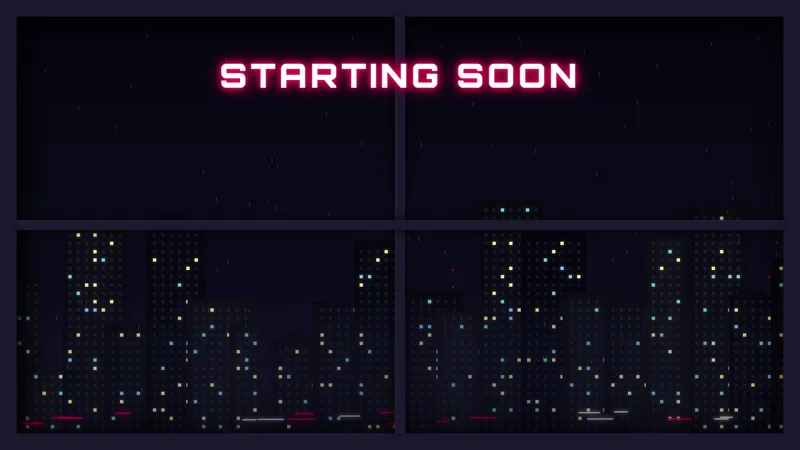
Rain runs down a window. A neon skyline glows in the distance. Lightning flashes intermittently across the cityscape. The Cityscape BRB scene puts the viewer inside a high-rise apartment looking out over a cyberpunk city while you step off camera, with continuous weather and the occasional lightning strike keeping the canvas alive for the entire break.
It is free with Meld Studio. No watermark, no setup fee, no subscription required.
What viewers see while you are away
The scene frames a rainy window looking out at a neon-lit cityscape at night. Rain droplets streak down the glass and the skyline pulses with neon signage in the middle distance. Lightning flashes break across the sky on an irregular cadence, giving the composition periodic punctuation that pulls a wandering viewer’s eye back to the screen. There is no countdown, no overlay clutter, just a cinematic urban scene that runs as long as the layer is enabled.
That continuous atmosphere matters across a 5 to 15 minute mid-stream break. A static screenshot of the same cityscape would lose the audience inside 30 seconds. The combination of constant rain, distant neon flicker, and timed lightning keeps the screen reading as alive, which keeps the player open while you handle whatever pulled you off camera.
When to reach for it
Use it during food breaks, raid intermissions, hardware swaps, and off-camera moments on streams that already lean cyberpunk, noir, synthwave, or moody. It fits narrative-heavy RPG broadcasts, late-night Just Chatting, ambient music streams, and any show whose tone runs darker than a high-energy esports lobby.
It is built to pair with the matching Cityscape Starting Soon scene. Run both across a single broadcast and your pre-stream window, your active scene, and your mid-stream breaks share the same skyline, the same weather, and the same lightning cadence, so the show reads as a continuous production rather than three borrowed assets.
Customizing with Meld Spark
Meld Spark, the AI overlay editor inside Meld Studio, takes plain-English changes. Shift the weather to light snow, add more neon to the skyline, drop in a subtle music visualizer that pulses in the window glow during your away time, or recolor the rainfall. A prompt like “Add a gentle music visualizer in the window glow while I am away” applies in seconds and persists between sessions.
For streamers running music beds during breaks, the visualizer option turns the BRB into an ambient companion to the audio rather than a silent backdrop. For streamers without a music bed, the rain and lightning carry the scene on their own.
Adding it to your stream
Download Meld Studio and the BRB scene drops into your scene list with no configuration. If you already run OBS, the free Spark Plug for OBS plugin loads the same scene as a browser source inside your existing OBS layout, no migration required. The result broadcasts identically across Twitch, YouTube Live, Kick, and TikTok Live.
Use cases
-
Atmospheric breaks on a moody stream
For noir-leaning RPGs, narrative playthroughs, late-night Just Chatting, synthwave music streams, and cyberpunk gaming, the rainy-window cityscape keeps the broadcast tone consistent through a break. Viewers see the same mood on the BRB as they did during the active scene rather than a hard cut to a flat graphic.
-
Cohesive open-to-close visual identity
Pair this BRB with the matching Cityscape Starting Soon scene and the pre-stream, the broadcast, and any mid-stream break all share a single cyberpunk skyline. The same neon glow, the same rain, the same lightning cadence. The show reads as one continuous production rather than three stitched-together scenes.
Frequently asked questions
Is the Cityscape BRB screen free?
Yes. The Cityscape Be Right Back scene is included free with Meld Studio. No watermark, no paywall, and no usage cap. Drop it into a scene and switch to it the moment you need to step off camera.
Will it broadcast across every platform I stream to?
Yes. The scene is a self-contained ambient animation with no chat dependency, so it broadcasts identically across Twitch, YouTube Live, Kick, and TikTok Live. The same skyline plays for viewers on every platform.
Does it work in OBS Studio?
Yes. Spark Plug for OBS loads the cityscape into your existing OBS scene as a browser source, and Meld Spark can shift the weather, retint the neon, or add a window music visualizer from a plain-English prompt in seconds.
Can I add a music visualizer in the window?
Yes. Meld Spark, the AI overlay editor inside Meld Studio, takes plain English. A prompt like "Add a gentle music visualizer in the window glow while I am away" updates the scene immediately and persists between sessions, so your music-bed visualizer plays through every break.
Can I change the rain to snow or alter the time of day?
Yes. Meld Spark accepts weather and lighting changes the same way it handles colors. Describe the change in plain English and the scene updates in seconds, whether you want light snow falling outside or a shift from late night to predawn.
Does it pair with the Cityscape Starting Soon scene?
Yes. Both scenes share the same skyline, weather model, and lightning cadence. Running them together gives your broadcast a single cyberpunk identity from the pre-stream window through every break.