Free Animated Galaxy Background with Nebula Clouds and Twinkling Stars
A slowly animated galaxy background with nebula clouds and twinkling stars. Perfect for BRB screens, starting soon, or as a full-screen backdrop.
By Meld
Get Animated Galaxy Background free
Included with Meld Studio. Or stay in OBS with Spark Plug.
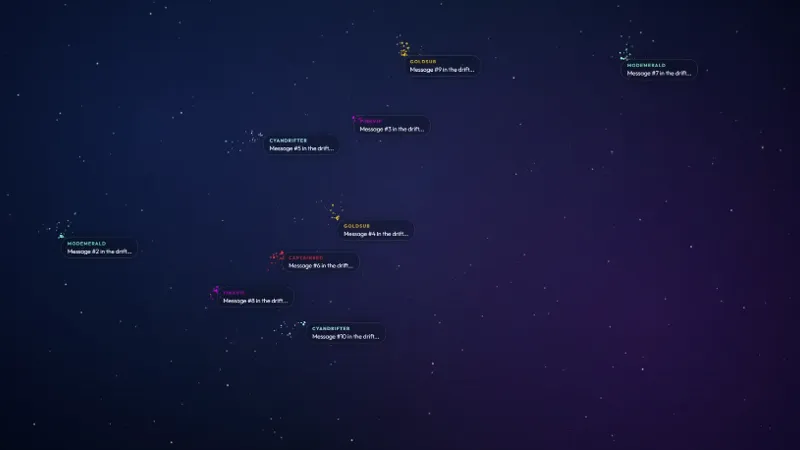
A slow swirl of nebula clouds and twinkling stars across the full canvas. The Animated Galaxy Background gives any scene a constant low-key motion that reads as atmosphere rather than action, so you can stack a webcam, a chat box, or a countdown on top without the layer underneath fighting for attention.
It is free with Meld Studio. No watermark, no setup fee, no subscription required.
What is on screen
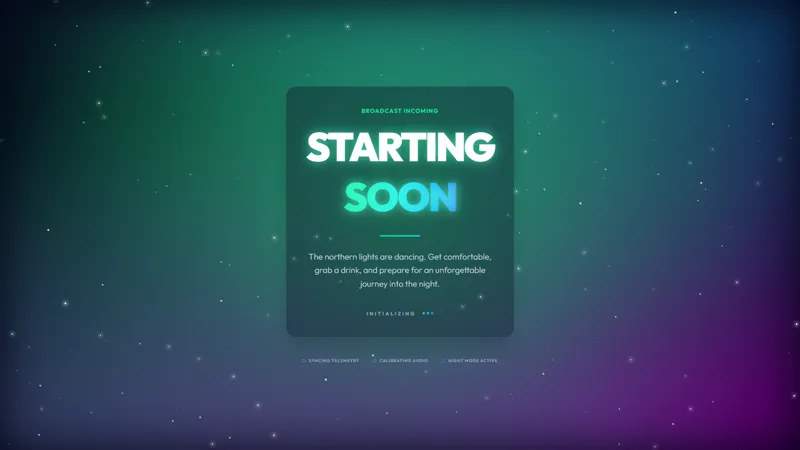
The scene runs as a full-bleed celestial environment. Nebula clouds drift across the frame, points of starlight twinkle in and out of focus, and the whole thing animates at a slow, ambient pace. Because the motion is gentle and the contrast stays soft, the background works underneath busier foreground elements without overwhelming them.
The animation runs continuously while the overlay is active. There is no countdown, no chat dependency, no event hookup, just a generative space scene that keeps moving for as long as you keep the layer enabled.
When to reach for it
Use it three ways. First, as a BRB layer when you need to step away. The slow drift signals “the stream is still alive” while you handle whatever pulled you off camera. Second, behind a starting soon countdown for streams that lean into a celestial, ambient, or sci-fi vibe. Third, as a full-screen backdrop during outros, credits, or quiet stretches of a Just Chatting or ASMR broadcast.
The same scene fits all three contexts, which means a single overlay covers a lot of stream territory. For variety streamers who want a unified look across pre-stream, breaks, and outros without sourcing three different graphics, this is one drop-in that handles everything.
Customizing with Meld Spark
Meld Spark, the AI overlay editor built into Meld Studio, lets you reshape the look in plain English. Shift the palette to deep purple and teal, speed up the star movement for higher-energy streams, slow it down for sleep or ASMR contexts, or change the star density to suit a denser composition. A prompt like “Shift the colors to deep purple and teal with faster star movement” applies in seconds and the new look persists between sessions.
The same prompt-based editor works on every other element you stack on top, so a starting soon countdown, a BRB message, or a webcam frame can all be retuned to match the galaxy palette without leaving the editor.
Adding it to your stream
Download Meld Studio and the background drops into your scene list as a single full-bleed layer. If you already run OBS, the free Spark Plug for OBS plugin loads the same scene as a browser source inside your existing OBS layout, no migration required. The result broadcasts identically across Twitch, YouTube Live, Kick, and TikTok Live.
Use cases
-
Multi-purpose backdrop across scenes
The same galaxy can sit behind a Just Chatting cam, fill the canvas as a BRB while you grab water, or play out the pre-stream window as a starting soon backdrop. One overlay covers three different scenes, so your show keeps a consistent celestial look from open to close.
-
Calm pre-stream and outro atmosphere
For ASMR streams, late-night co-op runs, sleep streams, and meditative art sessions, the slow nebula drift sets a mood before a single word is spoken. Drop it under your starting soon countdown or run it full bleed during your closing credits while you thank chat.
Frequently asked questions
Is the Animated Galaxy Background free?
Yes. The Animated Galaxy Background is included free with Meld Studio. No watermark, no paywall, and no usage cap. Drop it into a scene as a full-bleed layer and it animates on its own.
Will it broadcast on Twitch, YouTube, Kick, and TikTok Live?
Yes. The scene has no chat or platform dependency, so it broadcasts identically across Twitch, YouTube Live, Kick, and TikTok Live. The same galaxy plays for viewers on every platform you stream to.
Does it work in OBS Studio?
Yes. Spark Plug for OBS loads the galaxy background into your existing OBS scene as a browser source, and Meld Spark can shift the color palette, change the star density, or speed up the animation from a plain-English prompt in seconds.
Can I change the colors to match my channel?
Yes. Meld Spark, the AI overlay editor inside Meld Studio, takes plain English. A prompt like "Shift the colors to deep purple and teal with faster star movement" applies immediately and the new palette persists between sessions.
Can I use it as a BRB or starting soon screen?
Yes. The background works equally well as a BRB layer, a starting soon backdrop behind a countdown, or a full-screen ambient scene during outros. The slow nebula motion keeps the canvas alive in any of those contexts.