Free Y2K Chat Widget With Chrome and Glossy Buttons
Chrome gradients, chunky type, glossy buttons. A Y2K-themed chat overlay that takes you back to the year 2000.
By Meld
Get Y2K Chat Overlay free
Included with Meld Studio. Or stay in OBS with Spark Plug.
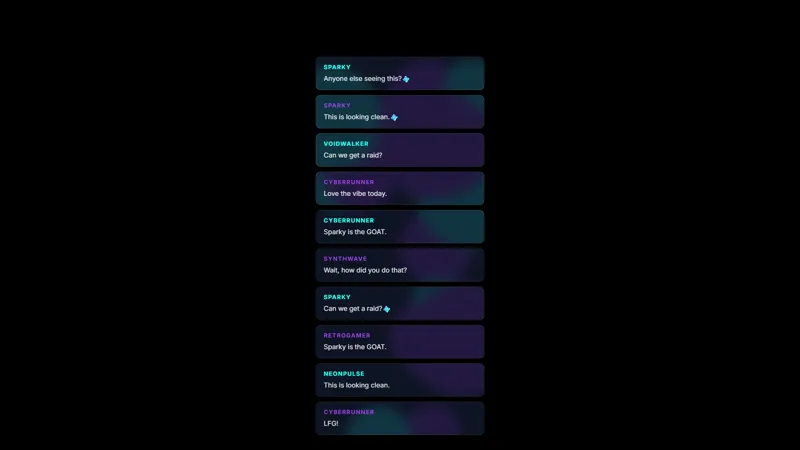
Chrome gradients along the title bar, glossy button shapes that feel like they should make a click sound, chunky 2000s type running through the chat column. The Y2K Chat Overlay borrows the look of early-internet messengers and personal-website panels and renders your stream chat inside it. Viewers see chat appear in something that feels like a piece of software from the year 2000, and the era does most of the visual work.
It is free with Meld Studio. No watermark, no setup fee, no subscription required.
What the panel looks like
The frame uses the chrome and pastel-blue palette you remember from early-2000s desktop chrome, finished with rounded corners and the soft gloss that defined the period. The chat column itself sits inside the frame in a slightly raised inset, so messages read as if they are landing inside a real application window rather than overlaid onto your scene. Each new line fades in cleanly, with no harsh slide-in that would clash with the slow, glossy aesthetic.
Twitch, YouTube Live, Kick, and TikTok Live messages all flow into the same chrome panel. A multi-platform stream stays unified inside one Y2K window instead of fragmenting across multiple chat sources.
Pushing the era further with Meld Spark
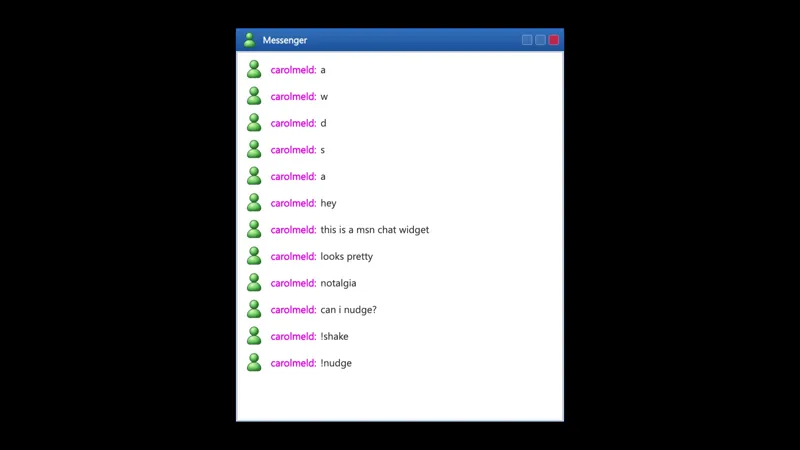
Meld Spark, the AI overlay editor included with Meld Studio, lets you reshape the panel without touching code. The gallery tip ships with a ready prompt: “Add a sparkle-cursor trail and a chatroom title bar styled like early MSN Messenger.” Run it and the panel gains a title bar with a chatroom name and sparkle effects drift across the surface, deepening the early-internet feel.
You can take the look further. Add a status indicator next to your name, swap the chrome to a Frutiger Aero green-blue, paste in a tiny pixel-art emoticon strip, or change the corner radius and shadow to feel even more period-correct. Each change persists between sessions, so the next time you go live the panel looks exactly the way you left it.
Who this fits
Streamers leaning into early-2000s nostalgia, retro tech and gadget channels, music creators with Y2K visual identities, and variety streamers who want a chat box that feels like a found object from another decade. It pairs naturally with other retro overlays in the gallery for a full themed scene.
Adding it to your stream
Download Meld Studio and the chrome panel drops into a scene with no configuration. If you already run OBS and prefer to stay there, the free Spark Plug for OBS plugin loads the same Y2K chat panel as a browser source inside your existing OBS layout, with the same Twitch, YouTube Live, Kick, and TikTok Live chat connections and the same Meld Spark control over titles, cursors, and chrome.
Use cases
-
Y2K and nostalgia-themed streams
Frutiger Aero playlists, retro tech reviews, and early-internet nostalgia hangouts work best when every layer of the scene leans into the era. A chat panel finished in chrome gradients and glossy buttons matches that direction instead of dropping a 2024 UI rectangle into a 2002 layout.
-
Music and DJ streams with retro visuals
For lo-fi DJ sets that lean on early-2000s aesthetics, club mixes built around millennial throwbacks, and listening parties for music from that era, the chrome chat panel reinforces the visual direction the rest of the stream is already going for. Chat reads as a part of the look rather than a generic layer pasted over it.
Frequently asked questions
Is the Y2K chat overlay free?
Yes. The Y2K chat overlay ships free with Meld Studio. There is no paywall, no watermark, and no usage cap. Drop it into a scene and the chrome panel and glossy chat are ready to broadcast immediately.
Which chat platforms does it support?
Twitch, YouTube Live, Kick, and TikTok Live all feed the same panel. Meld signs you in once and pulls chat from every platform you stream to into one feed, so the Y2K box shows your full multi-platform audience rather than a single source.
Does it work in OBS Studio?
Yes. Spark Plug for OBS loads the overlay into your existing OBS scene as a browser source, and Meld Spark lets you push the nostalgia further with sparkle cursors or a chatroom title bar from a plain-English prompt in seconds.
Can I add early-internet flourishes like sparkle cursors or a title bar?
Yes. The gallery tip is built around exactly this. A Meld Spark prompt like "Add a sparkle-cursor trail and a chatroom title bar styled like early MSN Messenger" rewrites the panel without touching any code, and the change persists between sessions.
Is the chrome look readable for chat text?
Message text sits on a tuned contrast layer above the chrome and gloss, so usernames and lines stay legible against the gradient frame. The visual era is loud, but the chat content remains the priority of the widget.