Free Y2K MSN Messenger Style Chat Widget for Your Stream
A chat widget that captures the OG MSN Messenger look. Blue gradient chrome, chunky buttons, and that unmistakable late-90s instant-messenger energy.
By Meld
Get MSN Messenger Chat free
Included with Meld Studio. Or stay in OBS with Spark Plug.
If you remember the door creak when a buddy came online, you already know what this widget is going for. MSN Messenger Chat renders your stream chat inside a window styled after the OG MSN Messenger client: blue gradient chrome along the title bar, chunky 2000s button shapes, the unmistakable Y2K instant-messenger frame around the message body. Viewers see chat appear in something that looks like a desktop app from a different decade, and the nostalgia does most of the work.
It is free with Meld Studio. No watermark, no setup fee, and no subscription required.
What sits on screen
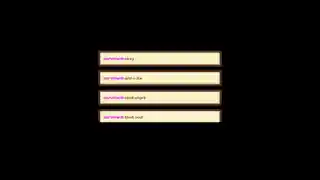
The widget renders as a small messenger window in your scene. The blue gradient title bar runs along the top, the chunky button styling sits where the minimize and close icons would have lived, and the message area underneath shows live chat in a layout that reads like an old IM thread. Messages roll in with the visual rhythm of a chat conversation rather than a scrolling notification feed, which is exactly the kind of texture a Y2K themed channel needs to make the era feel real.
For streamers running 2000s themed content, throwback PC gaming, or any layout where the rest of the branding is leaning into early-internet aesthetics, the messenger window completes the look without you having to build a custom widget.
One window, every platform you stream to
MSN Messenger Chat reads from Twitch, YouTube Live, Kick, and TikTok Live at the same time. Sign in once in Meld and every chatter across every platform you broadcast to lands in the same messenger thread. Multistreamers get one shared window instead of four separate chat panels fighting for the same corner of the desktop scene.
Customizing with Meld Spark
The widget ships in a faithful default look. Meld Spark, the AI overlay editor built into Meld Studio, lets you push the nostalgia further from plain English. A prompt like “Set the window title to my stream name, add a Busy status, and use the classic MSN emote set for reactions” rewrites the chrome immediately. You can also adjust the gradient color, swap in a custom display name, or layer in classic status lines like Away and Appear Offline. Changes apply immediately and persist between sessions.
Adding it to your stream
Download Meld Studio and MSN Messenger Chat is one drag away from going live, with chat from Twitch, YouTube, Kick, and TikTok pulled in through a single sign in. If you would rather stay in OBS, the free Spark Plug for OBS plugin loads the widget as a browser source inside your existing OBS scene, with the same multi platform feed and the same Y2K window framing every message.
Use cases
-
Y2K and 2000s nostalgia themed channels
For streamers running a Y2K aesthetic across their starting screen, camera frame, and lower thirds, a chat widget styled after the OG MSN Messenger window completes the look. The blue gradient chrome and chunky button shapes carry the same era as the rest of the branding instead of fighting it with a modern panel.
-
Throwback gaming and retro PC playthroughs
For streamers playing 2000s era games, running early Windows content, or doing nostalgia tours through old internet culture, the MSN Messenger window reads as part of the same world. Chat looks like it belongs on the desktop next to the game.
Frequently asked questions
Is the MSN Messenger Chat widget free?
Yes. MSN Messenger Chat is included free with Meld Studio. There is no paywall, no watermark, and no per-stream usage cap. Drop it into a scene and the messenger window starts rendering chat right away.
Which chat platforms does it support?
Twitch, YouTube Live, Kick, and TikTok Live are all supported. Meld signs you in once and pulls chat from every platform you stream to, so messages from all four feeds land in the same messenger window at the same time.
Does this work with OBS Studio?
Yes. Spark Plug for OBS loads the messenger window into your existing OBS scene as a browser source, and Meld Spark lets you set the window title, add a status line, or swap to classic MSN emote sets from a plain English prompt in seconds.
Can I add a status line or change the window title?
Yes. Meld Spark, the AI overlay editor included with Meld Studio, takes plain English instructions. A prompt like "Set the window title to my stream name, add a Busy status, and use the classic MSN emote set for reactions" rewrites the chrome immediately.
Will it look right alongside other overlays in my scene?
The widget is sized to read as a small messenger window in a corner of the scene, so it sits comfortably alongside webcams, starting screens, and lower thirds. If you want it bigger or smaller, ask Meld Spark to scale the chrome.