Surround Your Round Camera with Gently Swaying Star Jasmine
A pretty star jasmine border with a gentle animated sway for a round camera.
By Meld
Use this element in Meld or OBS
Copy its link, then paste it where you stream.
-
Have Meld Studio or Spark Plug
Open Meld Studio, or OBS with the Spark Plug plugin installed. Elements need one of them to work.
-
Copy the link
Copy element puts the element's link on your clipboard.
-
Paste it
In Meld Studio, press ⌘V or Ctrl+V and it lands in your scene. In OBS, add a Browser source and paste the link as its URL.
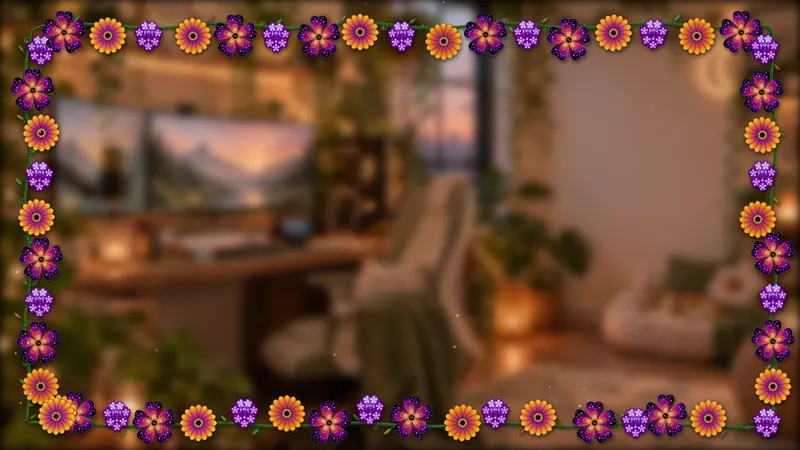
Round facecams leave a small but noticeable opportunity for a floral detail. Star Jasmine Camera Border surrounds that camera shape with jasmine and a gentle animated sway. This free border gives a camera-led scene a botanical accent while leaving the conversation, demonstration, or game as the reason people are watching.
Choose it when the round camera is already part of your layout or when that shape suits the scene you are preparing. The border is made for a round camera, so that fit is the starting point. It is a specific floral treatment rather than a reason to rebuild every other part of your broadcast.
A gentle frame around the camera
Star jasmine supplies the border’s visual theme, and the animation gives it a gentle sway. That combination suits streams where a small amount of motion around the facecam is welcome. It can accompany a relaxed conversation, an art session, or a creative demonstration without making the border the subject of the show.
For a drawing or craft stream, use the camera as the place viewers look when you explain a decision or respond to chat. The floral frame gives that part of the layout a distinct treatment while your work occupies the main area. The relationship between the two is a composition choice you can judge in the full scene preview.
For a community catch-up, the round camera may take a more prominent position. Jasmine can provide the decorative detail around it without requiring a complete floral set elsewhere. A single border can establish the botanical direction when you prefer the rest of the scene to stay simple.
Check the fit in your scene
The border works with Twitch, YouTube Live, Kick, and TikTok Live. You can keep the same round camera presentation wherever your audience watches, rather than choosing a different decorative frame for each destination.
Review the camera and border together at the size you expect viewers to see. Check your face position, nearby text, and the balance between the camera and the main content. These are useful layout decisions for any framed facecam, especially when a small camera sits beside a detailed game or creative workspace.
The defining choice here is the round shape with gently swaying jasmine. Download Meld Studio and add Star Jasmine Camera Border to your camera scene. Creators who want to keep an existing OBS production can use Spark Plug for OBS as the alternative path to the same gallery border.
Use cases
-
Camera-led creative sessions
Give your round facecam a floral surrounding while you draw, craft, or talk through a project. The jasmine border adds gentle motion around the camera rather than replacing your main content.
-
Relaxed community conversations
Choose a round camera treatment for a casual catch-up with viewers. The star jasmine frame provides a botanical detail that can stand on its own within an otherwise simple scene.
Frequently asked questions
What camera shape is this border designed for?
Star Jasmine Camera Border is designed for a round camera. Its floral border has a gentle animated sway, making it a decorative treatment for the area around your facecam.
Can I use the free border on all my platforms?
Use it with Twitch, YouTube Live, Kick, and TikTok Live. The camera border can appear in your broadcast across every platform you stream to.
Does this floral camera border work with OBS?
Download Meld Studio to add the border, or use Spark Plug for OBS to keep your OBS workflow. Spark Plug brings gallery overlays and Meld Spark help with customization in seconds into OBS.