Turn Every Gifted Merch Moment Into a Live Giveaway
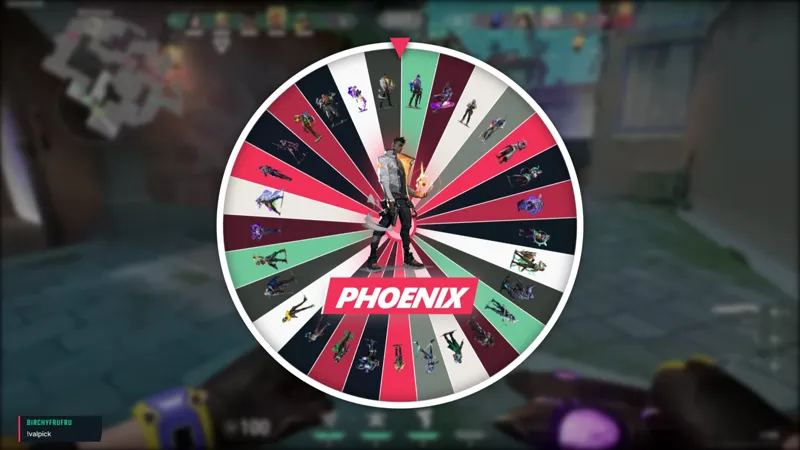
Connected to your Fourthwall shop and starts on its own. When a viewer gifts a piece of merch to chat, the giveaway wheel automatically spins up. Twitch viewers type !enter to join and the wheel spins to pick a winner.
By Fourthwall
Use this element in Meld or OBS
Copy its link, then paste it where you stream.
-
Have Meld Studio or Spark Plug
Open Meld Studio, or OBS with the Spark Plug plugin installed. Elements need one of them to work.
-
Copy the link
Copy element puts the element's link on your clipboard.
-
Paste it
In Meld Studio, press ⌘V or Ctrl+V and it lands in your scene. In OBS, add a Browser source and paste the link as its URL.
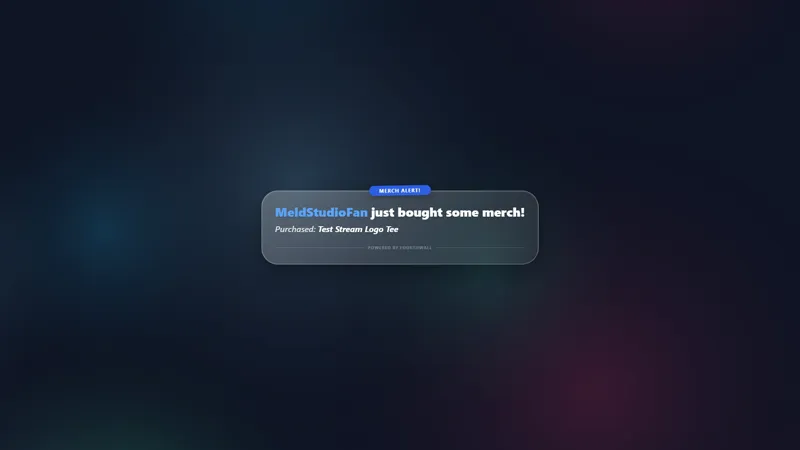
Gifted merch already creates a real moment in chat. Gifted Wheel takes that moment and turns it into a live community giveaway that plays out on screen, with nothing for you to set up ahead of time.
It is free with Meld Studio. No paywall, no configuration overhead, and no separate bot required.
How the trigger and entry flow work
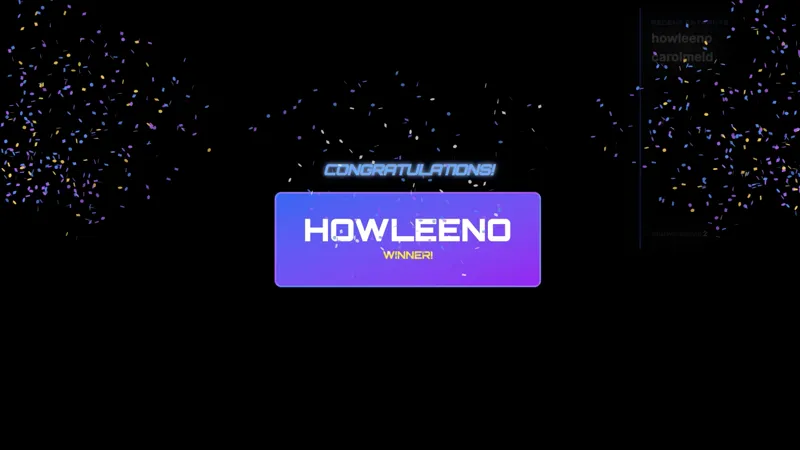
Gifted Wheel is reactive: the overlay does nothing until a viewer gifts a piece of merch from your Fourthwall store. The moment that purchase comes through, the wheel appears on screen and Twitch chat has an open window to type !enter and join the giveaway pool. Everyone who types !enter is in the pool, and the wheel spins to pick a winner. The whole sequence is automatic and visible to everyone watching.
Both halves of the flow are connected for you. The gift event comes from your Fourthwall store, and the entries come from your Twitch chat, so a single gift triggers one wheel that the room can enter from the stream they are already watching.
Because the trigger is tied to a real purchase, the gifted merch moment gets a natural extension. The viewer who gifted something gets recognition. The rest of chat gets a reason to engage. The winner gets a prize. Three things happen from one gift, and none of them require you to manage a separate flow mid-stream.
When this overlay fits your stream
Gifted Wheel works best when merch gifting is something your community does regularly or when you are actively promoting a new drop. A merch launch stream benefits from having a visible payoff for gifted purchases: the wheel is on screen, the whole chat sees the entry pool forming, and the win moment is a clip-worthy frame in the middle of the promotion.
It also works quietly during regular streams. A spontaneous gift mid-stream turns into a brief community moment without you interrupting gameplay or transitioning scenes. The overlay handles the entry collection and the spin, and you get back to the session once the winner lands.
Customizing with Meld Spark
Meld Spark, the AI overlay editor built into Meld Studio, lets you change the entry command or restyle the wheel without touching code. Describe what you want in plain English: swap the entry command, match the wheel colors to your brand, or adjust the visual style to fit your scene. Changes apply immediately and persist across sessions.
Adding it to your stream
Download Meld Studio and Gifted Wheel is one drag away from being live in your Fourthwall-connected scene. If you already run OBS, the free Spark Plug for OBS plugin brings the same overlay into your existing OBS layout as a browser source, with the same Fourthwall trigger and the same Meld Spark prompts available for customization.
How it works
- 1 Connects to the Fourthwall shop automatically
- 2 A viewer buys a piece of merch as a gift for chat
- 3 The giveaway wheel spins up on its own, no command needed
- 4 Twitch viewers type !enter to join, then the wheel spins to reveal the winner
Use cases
-
Merch launch streams and promotion events
When you are running a merch launch or promoting a new drop, a gifted purchase from your community lands differently if it kicks off something for the whole room. Gifted Wheel turns each gift into a live giveaway that chat can participate in immediately, keeping the energy of the launch moment alive on screen.
-
Spontaneous gifting moments during regular streams
Mid-stream gift moments do not need a prepared segment to feel like an event. When a viewer sends a merch gift, the wheel appears automatically and chat has a way to participate by typing !enter. The overlay handles the entry collection and spin without you managing anything separately.
Chat commands
Stream events it reacts to
Frequently asked questions
Is the Gifted Wheel overlay free?
Yes. Gifted Wheel is included free with Meld Studio, with no paywall, no watermark, and no per-stream usage cap. It activates whenever a viewer gifts a piece of merch through your Fourthwall store.
How does the giveaway trigger and how do viewers enter?
When a viewer gifts merch to your chat through Fourthwall, the wheel appears on screen automatically. Twitch chat types !enter to join the giveaway pool, and the wheel spins to pick a winner.
Which platforms does Gifted Wheel support?
Gifted Wheel is a Twitch overlay. The gift comes from your connected Fourthwall store and the giveaway entries are collected from Twitch chat, so !enter works for viewers watching on Twitch.
Does it work with OBS Studio?
Yes. Spark Plug for OBS drops Gifted Wheel into your existing OBS scene as a browser source, and Meld Spark lets you restyle the wheel or change the entry command from a plain-English prompt in seconds. No migration or code changes needed.
Can I change the entry command or restyle the wheel?
Yes. Meld Spark, the AI overlay editor included with Meld Studio, handles both. A prompt like "Change the giveaway entry command and match the wheel to my brand" applies your changes immediately without touching code.