Keep Your Merch On Screen With a Rotating Fourthwall Carousel
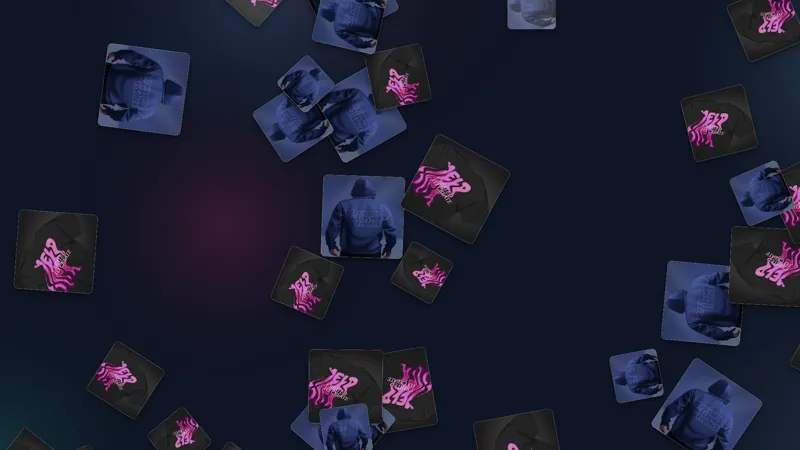
Showcase your Fourthwall merch on stream with a carousel that rotates through the products you pick, automatically switching between them on a timer. Give Meld Spark a photo and name for each product and it builds the carousel for you, so viewers always know what you have available. Customize the look, fonts, and which products feature to match your brand.
By Fourthwall
Use this element in Meld or OBS
Copy its link, then paste it where you stream.
-
Have Meld Studio or Spark Plug
Open Meld Studio, or OBS with the Spark Plug plugin installed. Elements need one of them to work.
-
Copy the link
Copy element puts the element's link on your clipboard.
-
Paste it
In Meld Studio, press ⌘V or Ctrl+V and it lands in your scene. In OBS, add a Browser source and paste the link as its URL.
Your store link scrolls out of chat in seconds, and a verbal plug only reaches the people watching at that exact moment. The Fourthwall Merch Carousel keeps your products on screen the whole time, looping through the items you choose so anyone who tunes in knows what you sell and where to buy it.
It is free with Meld Studio and takes one drag to add to a scene.
What the carousel shows
The carousel pulls from your connected Fourthwall store and rotates through the products you pick, one at a time. Each item appears with its image, its name, and a shop link, so the showcase is always pointing viewers somewhere they can actually buy. You decide which products feature, and the carousel cycles them on canvas while you stream.
Because it runs continuously, you never have to interrupt your content to remind people the store exists. A viewer who joins twenty minutes in still sees your latest drop, your bestseller, or whatever lineup you set, presented the same way as for everyone who has been there since the start.
When you want to draw direct attention to it, the built-in !merch chat command brings the carousel up on screen on cue. It is a quick way to respond when someone asks about an item, then the showcase keeps looping for the rest of the session.
When to use it and customizing the look
The carousel fits any stream where your store is part of the picture: a dedicated merch push, a new product launch, or simply a regular broadcast where you want the store quietly present without a hard sell. It carries its own weight during quieter segments too, keeping your products in view when there is a lull in the action.
The default layout shows each product cleanly, and Meld Spark, the AI overlay editor included with Meld Studio, reshapes it from a plain-English prompt. The built-in tip gives a ready starting point: “Restyle the merch carousel to match my brand colors and logo.” Run it and the colors and fonts update in seconds, no code required. You can also change which products feature with a follow-up prompt, and changes persist between sessions.
Download Meld Studio, connect your Fourthwall account, and drop the carousel into a scene to get started. If you already run OBS, the free Spark Plug for OBS plugin brings the same carousel into your existing OBS scene as a browser source, with the same Fourthwall store connection and the same Meld Spark customization from a plain-English prompt.
How it works
- 1 Send Meld Spark a photo of each product to feature
- 2 Give Meld Spark the name of each product
- 3 Meld Spark builds the carousel and rotates through the items automatically
Use cases
-
Running a store without pausing to plug it
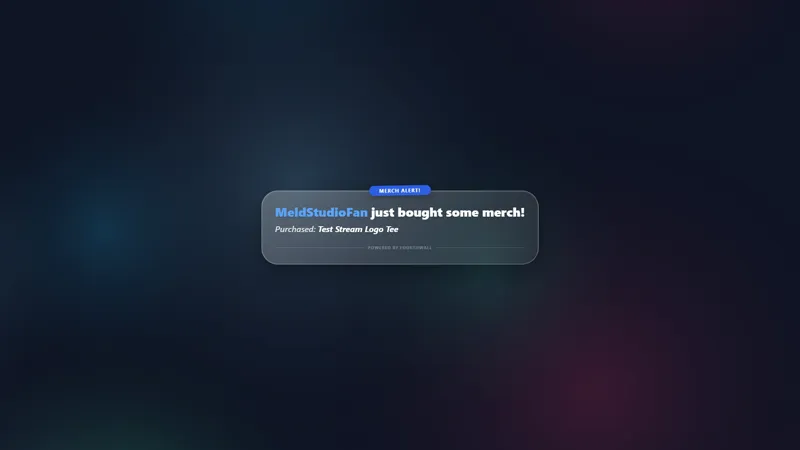
A spoken "check out my merch" lands once and is gone. The carousel keeps your products on canvas the whole stream, cycling through each item with its image, name, and shop link. Viewers who arrive mid-session see what you sell and where to get it without you breaking from gameplay or conversation to repeat the pitch.
-
Pulling the carousel up on demand for chat
When someone in chat asks about your merch, type the built-in `!merch` command and the carousel appears on screen on cue. It gives you a clean way to answer "where can I buy that?" in the moment, then carries on cycling your products for anyone who joins after.
Chat commands
Frequently asked questions
Is the Merch Carousel overlay free?
Yes. The Fourthwall Merch Carousel is included free with Meld Studio, with no paywall, no watermark, and no cap on how many products you feature. Add it to a scene and it loops your store items for the whole stream.
How do I show the carousel on screen?
It loops on canvas on its own, and you can also pull it up on cue with the built-in `!merch` chat command. Type !merch and the carousel appears, which is handy when a viewer asks about your merch mid-stream.
Which streaming platforms does the Merch Carousel work on?
Twitch, YouTube Live, Kick, and TikTok Live are all supported. Meld Studio signs you in once and runs the carousel on the same canvas across every platform you stream to, so your store stays visible wherever your audience is watching.
Does the Merch Carousel work in OBS Studio?
Yes. Spark Plug for OBS loads the carousel into your existing OBS scene as a browser source, and Meld Spark lets you restyle the colors and fonts or change which products feature from a plain-English prompt in seconds. No migration and no code.
Can I match the carousel to my brand?
Yes. Meld Spark, the AI overlay editor included with Meld Studio, takes a plain-English prompt and applies it immediately. A request like "Restyle the merch carousel to match my brand colors and logo" updates the look in seconds and the result persists between sessions.