Free Emote Storm Overlay for Your Chat-Driven Stream
Every time someone sends an emote in chat, it falls from the top of the screen and bounces around with playful physics. The more emotes chat sends, the bigger the storm.
By Meld
Get Emote Storm free
Included with Meld Studio. Or stay in OBS with Spark Plug.
Send an emote in chat and it drops from the top of the screen, bouncing off the ground with physics that feel more like a toy box than a notification. Emote Storm turns every emote your viewers send into a small falling object with its own trajectory. The activity scales: one viewer sends a single emote and it bounces quietly; ten viewers fire emotes during a hype train and the screen fills with a cascade.
It is free with Meld Studio. No watermark, no paywall, and no configuration required before it starts working.
How the physics work
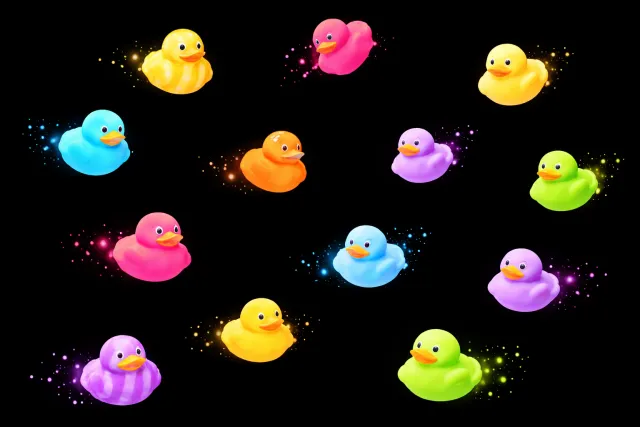
Each emote falls from a random position at the top of your stream canvas and bounces on contact with the ground, following a physics simulation that makes every landing feel satisfying. Emotes have weight, momentum, and bounce. They settle at the bottom of the screen after a few bounces, building up into a visible record of chat activity rather than disappearing after a timer.
The storm scales with how active chat is. A quiet moment produces a slow trickle. A wave of new subs or a hype train floods the bottom of the screen. Viewers can see directly how much they are contributing, which gives them a reason to keep sending.
Emotes from Twitch, YouTube Live, Kick, and TikTok Live all land on the same canvas. Multistreamers do not need to pick a platform: every chat lands in one shared storm.
When to use it
Emote Storm fits any layout where chat engagement is part of the stream. For Just Chatting, art streams, or IRL content, it gives viewers a visible response to their participation that goes beyond a scrolling message feed. During high-energy moments, the overlay shifts from ambient background motion to an active feedback loop that reflects what chat is doing.
It also works well as a secondary overlay alongside a chat box. The emote physics happen in their own visual layer, so they complement rather than replace your regular chat display.
Customizing with Meld Spark
Meld Spark, the AI overlay editor built into Meld Studio, lets you reshape the behavior without touching code. Describe what you want in plain English: change how high emotes bounce, add a pop sound on landing, slow the physics down for a floaty effect, or speed them up for a chaotic look during big moments. A prompt like “Make emotes bounce higher and add a pop sound on each landing” applies immediately.
Changes persist between sessions, so your setup looks exactly the same the next time you go live.
Adding it to your stream
The fastest path is to download Meld Studio and drop Emote Storm into a scene. If you already run OBS, the free Spark Plug for OBS plugin brings the same overlay into your existing OBS layout as a browser source, no migration required.
Use cases
-
Hype trains and sub waves
When your chat hits a hype train or a wave of new subs arrives at once, emotes pile up fast. Emote Storm turns that spike into a visible event: the more chat sends, the more emotes fall, bounce, and accumulate on screen. Viewers can see the momentum they are creating in real time.
-
Just Chatting and variety streams
For Just Chatting, art streams, or co-op sessions where chat interaction is part of the show, Emote Storm gives viewers a tangible response to their participation. A single emote in a quiet chat still gets its own bounce, so the overlay stays active without requiring a packed room.
Frequently asked questions
Is the Emote Storm overlay free?
Yes. Emote Storm is included free with Meld Studio. There is no paywall, no watermark, and no usage cap. Add it to a scene and it starts working the moment someone sends an emote in chat.
Which platforms does Emote Storm support?
Twitch, YouTube Live, Kick, and TikTok Live are all supported. Meld signs you in once, so emotes from every platform you stream to land in the same overlay simultaneously.
Does Emote Storm work in OBS Studio?
Yes. Spark Plug for OBS loads Emote Storm into your existing OBS scene as a browser source, and Meld Spark lets you tune the physics, sounds, and emote behavior from a plain-English prompt in seconds. No migration, no code.
Can I adjust how the physics behave?
Yes. Meld Spark, the AI overlay editor included with Meld Studio, lets you change the physics in plain English. A prompt like "Make emotes bounce higher and add a pop sound on each landing" updates the overlay immediately without touching any code.
What happens when a lot of emotes arrive at once?
The more emotes chat sends, the bigger the storm. Multiple emotes fall simultaneously and bounce around together, so a busy chat creates a visually packed screen. The overlay scales naturally with chat activity, from a quiet trickle to a full cascade.