With 5 years of streaming experience, I am passionate about the content creation industry and the tools that empower creators to create more and work less.
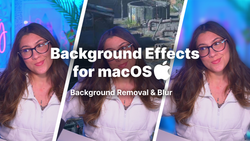
Meld Studio now offers background removal and blur for macOS cameras, plus independent stream resolution, a better audio effects browser, and faster Go Live.
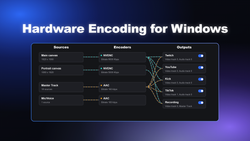
Meld Studio automatically detects your GPU on Windows and routes encoding to NVENC on NVIDIA or AMF on AMD, falling back to x264 when no hardware encoder is found. Hardware encoding costs 1 to 3% of game FPS versus 60 to 80% CPU for x264. Supported GPUs, setup steps and recommended bitrates inside.
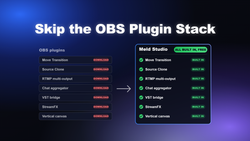
Meld Studio includes native versions of the most common OBS plugins: Move Transition, Source Clone, multistreaming, multi-chat, VST3 audio plugins, 30+ visual effects and vertical canvas, with no downloads. This guide maps each OBS plugin to its Meld equivalent and how to set it up.
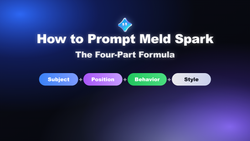
Meld Studio Spark generates working overlay code from plain-English prompts, so output quality depends on prompt structure. The most reliable format is four parts: subject first, then position, behavior and style, with explicit hex colors for consistency across every element.
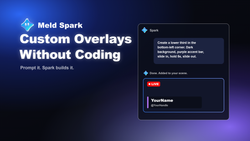
Meld Spark is a chat-based tool inside Meld Studio that turns plain-English prompts into custom stream overlays. Because it writes HTML, CSS and JavaScript rather than images, every overlay animates at 60fps and reacts to live events across Twitch, YouTube, Kick, TikTok and X.
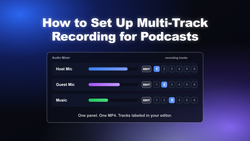
Multi-track recording is the foundation of podcast post-production, but the standard OBS workflow takes 10 steps and a mandatory MKV-to-MP4 conversion to get there. Here's how to set it up correctly, and why Meld Studio's direct-to-MP4 architecture does it in fewer steps.
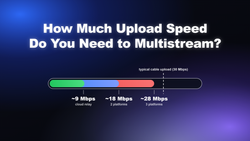
Not sure if your connection can handle multistreaming? Here's the exact upload speed you need for Twitch, YouTube, Kick, and TikTok — plus what to do if you fall short.
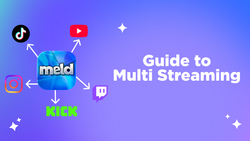
Multistreaming means broadcasting one live stream to Twitch, YouTube, Kick, and TikTok at the same time. This guide covers bandwidth math, Twitch's simulcast rules, encoder settings that work across every platform, chat management, and how to set it up in Meld Studio, an OBS Alternative.
Ready for your first Twitch stream? This guide covers everything from creating your account and enabling 2FA to connecting Meld Studio, building your first scene, dialing in a stable bitrate, and picking tags and titles that help viewers find you.